Amazon Quick Desktop: A Hands-On Evaluation
By Fabio Douek
Jump to section
Explain (TLDR) like I am...
Imagine your robot helper finally moves out of the laptop's web browser and into a little house on your desk. Now it can peek at the papers on your shelf, watch your calendar, and even draw a map of who is who in the stories your papers tell.
The cool part is you can give it a small list of chores in plain words, and it remembers them and does them on its own. The not-so-cool part is a few of its best tricks still only work back in the web browser house, so for now the robot lives in two places at once.
Treat this preview as a new vendor surface that brings the assistant onto the user's own machine. The relevant questions are local data custody, OS permission scope, and license posture for a product still in regional preview. The architecture is local-first, with conversation history, knowledge graph, and file index stored under a dot-directory in the user profile, governed by per-folder revocable grants.
The material risk to flag is that the macOS preview build triggers the Gatekeeper unidentified-developer warning, which is documented but not explained. Until that is resolved, treat the install as a controlled evaluation, not a fleet rollout.
Think of the desktop app as a targeted intervention for context loss. The symptom is the cost of pasting files, links, and meeting notes into a chat tab; the mechanism is moving the agent to the machine where the work already lives. The diagnostic surface is rich: a typed knowledge graph from local documents, a skills system, and MCP.
Side effects to monitor are feature parity gaps with the web product and the always-on permission posture. Good candidates are individual contributors and small teams already in Slack plus Google or Microsoft 365. Poor candidates are organizations that depend on Research, Chat Agents, Spaces, or Flows, since those are still web-only.
Notice the relief that shows up the first time the assistant pulls your own files, your own calendar, and your own messages into one answer without asking you to upload anything. The cognitive tax of being the glue between five tabs is real, and lifting it changes how the day feels well before it changes any metric.
The new friction lands in trust. An always-on agent that watches calendars and inboxes asks the team to agree out loud about where its eyes belong and which actions it can take on its own. Adoption goes well when those conversations happen early.
Treat the desktop app like a session player who finally walked into the room with the rest of the band. The web version was the same musician on a phone call, holding their part well but always one beat behind the groove. On the desktop, it sits in with your local files, your calendar, and your messages, and the timing of the day picks up.
The catch is range. This player has a tight pocket on chat, skills, and connectors, and a full pedalboard for MCP. It does not yet hold the heavier parts that live on web, like Research, Chat Agents, and Spaces, so you keep one foot in the browser. Once the parity lands the ensemble will be complete; right now you are running a two-amp setup.
The story is on-device context. Quick on web is a competent agent in a tab; Quick on the desktop is the same agent with eyes on your files, your calendar, and your inbox, plus a knowledge graph that gets sharper every week. Proof points are concrete: cross-source weekend planning, a document compare, and a one-sentence skill that ships work to Slack.
The positioning is not "replace your team", it is "stop pasting context for a living". Lead with local-first for security buyers, skills for power users, and MCP for developers. Hold off on the Copilot-killer framing until web parity closes.

Overview
AWS announced on Apr 28, 2026 that Amazon Quick is now available as a native desktop application for macOS and Windows in preview. Quick is the latest rebrand in a line that began with QuickSight in 2015, became Amazon Quick Suite in October 2025, and was finally shortened to plain Quick. The product itself has shifted further than the name: from BI dashboards to an agentic AI workspace that connects email, chat, calendar, files, CRMs, databases, and much more.
The desktop release matters because it changes where the agent runs. The web product has always lived in a tab; the desktop preview runs the agent process on your own machine, builds a local index and knowledge graph in a per-user directory on disk, and gates file access through OS-level sandboxing with per-folder revocable grants. The pitch in the announcement is that the assistant can now “read and work with files on your computer without uploading them,” receive proactive OS notifications, automate desktop and browser tasks, and connect to MCP servers. The web and desktop surfaces share memory and knowledge graph, so the same agent follows you between them.
Two things worth knowing before the walkthrough: how the editions differ, and what else ships alongside the desktop app.
Editions and pricing. Quick ships in four tiers and the desktop app is on all of them, including Free.
- Free: $0/user. 25 GB pooled index. Basic chat, custom agents, research, desktop app, Spaces.
- Plus: $20/user/month (billed annually). 50 GB pooled index. Adds shared Spaces, external app access, Flows, web-app creation, tool integrations.
- Professional: $20/user/month + $250/account/month. 25 GB per user (pooled). Adds scenario analysis, multi-step Automate, dashboards, RBAC/SSO. Includes 4 agent-hours/month (2 agentic + 2 research).
- Enterprise: $40/user/month + $250/account/month. 50 GB per user (pooled). Adds asset certification, data sovereignty, unlimited scaling, 24/7 support. Includes 8 agent-hours/month (4 agentic + 4 research).
- Overages (Pro and Enterprise): $3/agent-hour (agentic), $6/agent-hour (research), $5/GB/month for index-storage.
Source: aws.amazon.com/quick/pricing.
Surface area beyond the desktop walkthrough. Quick ships more than I tested in this session, and the rest is worth naming so you do not assume “preview” means “thin.” Four surfaces sit alongside the desktop app:
- Connectors: 50+ first-party (Slack, Teams, Outlook, Gmail, Google Workspace, Salesforce, ServiceNow, Asana, Jira, Zoom, Airtable, Dropbox, Microsoft 365, SharePoint, OneDrive, Snowflake, Databricks, Redshift, S3, Adobe Analytics, QuickBooks, among others), plus 1,000+ apps reachable via OpenAPI and MCP.
- Knowledge Base: organizes shared team content for retrieval across conversations and agents.
- Flows: no-code multi-step automations stitched across the connectors above.
- Apps: custom web-app builder, also in preview as of April 2026, that turns a natural-language description into a working app with live data, role templates, and one-click sharing.
Several of these are still web-only at preview, which I revisit in the Verdict.
I installed the macOS preview, signed up with a personal email, took the Plus plan to get the full surface, pointed Quick at three years of Netflix annual and quarterly filings, and pushed it through real workflows. What follows is what actually happens when you install it, give it real files, and ask it to do work.
Setup
Signup begins on the AWS download page and immediately hands off to the browser. The desktop app installs cleanly on macOS, opens, and then bounces you back to the web for account creation. Even with an existing AWS account associated with my email, the recommended path was “Create a new Quick account (free trial)” rather than the AWS-account login.
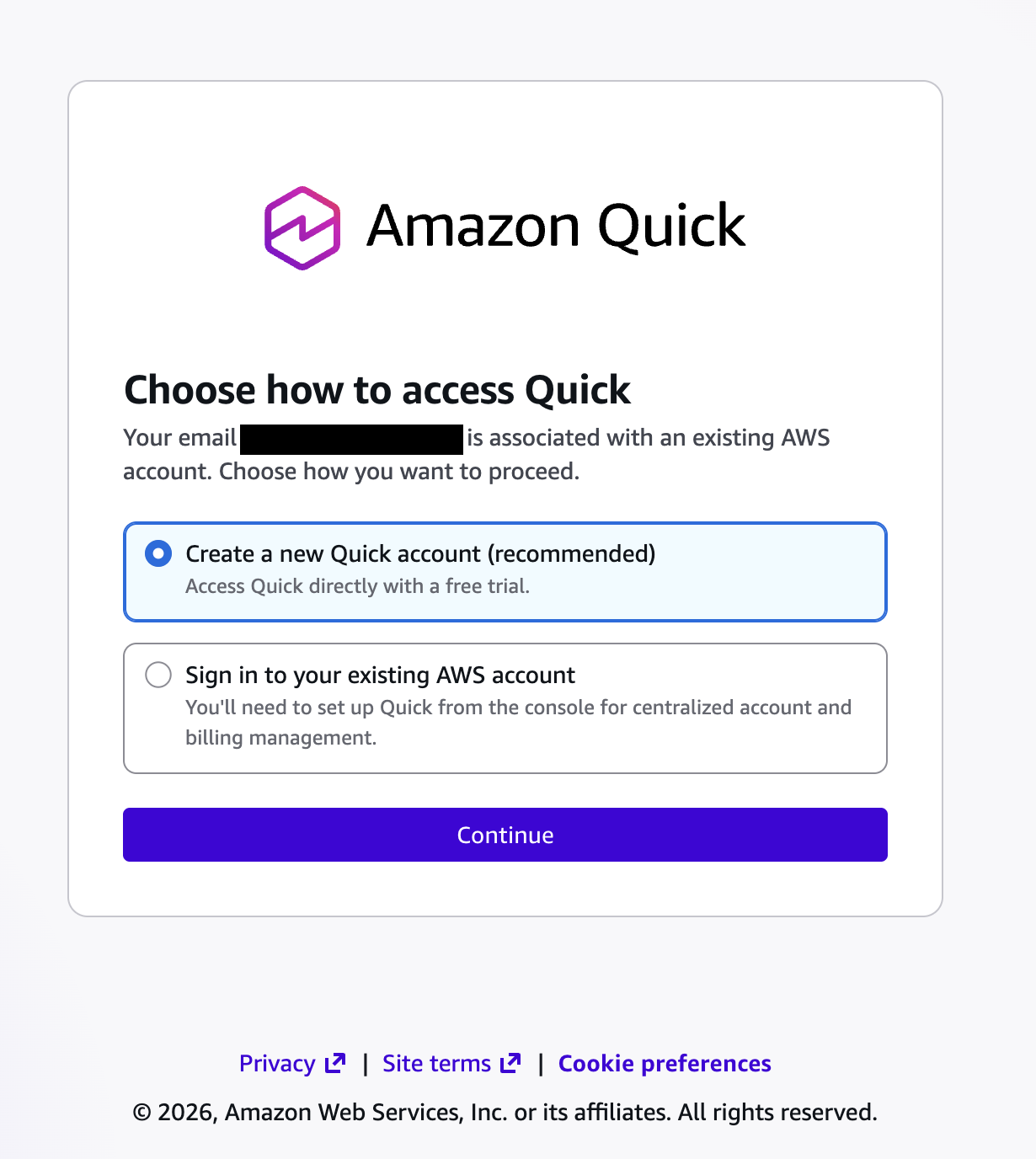
That choice is a real product-design signal. Quick puts the end user front and centre at signup, rather than routing through an AWS admin, which is the right call for a freemium-driven preview.
For this evaluation I went with the Plus plan ($20 per user per month, billed annually) to exercise the full feature surface rather than living inside the Free-tier feature subset.
Once the web account is provisioned the app picks up authentication on its own. Onboarding offers four context surfaces: Local files, Messaging, Email, Calendar.
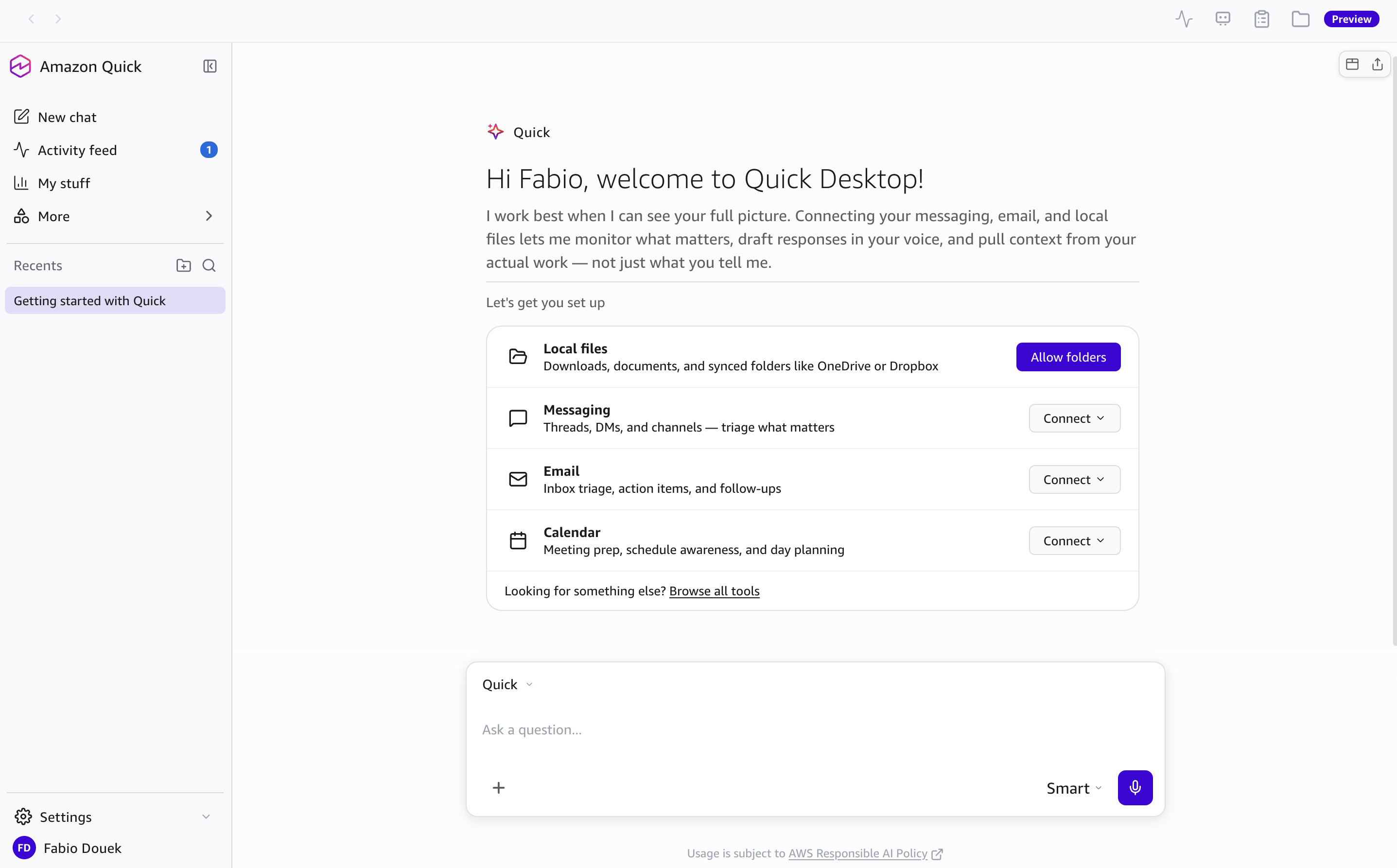
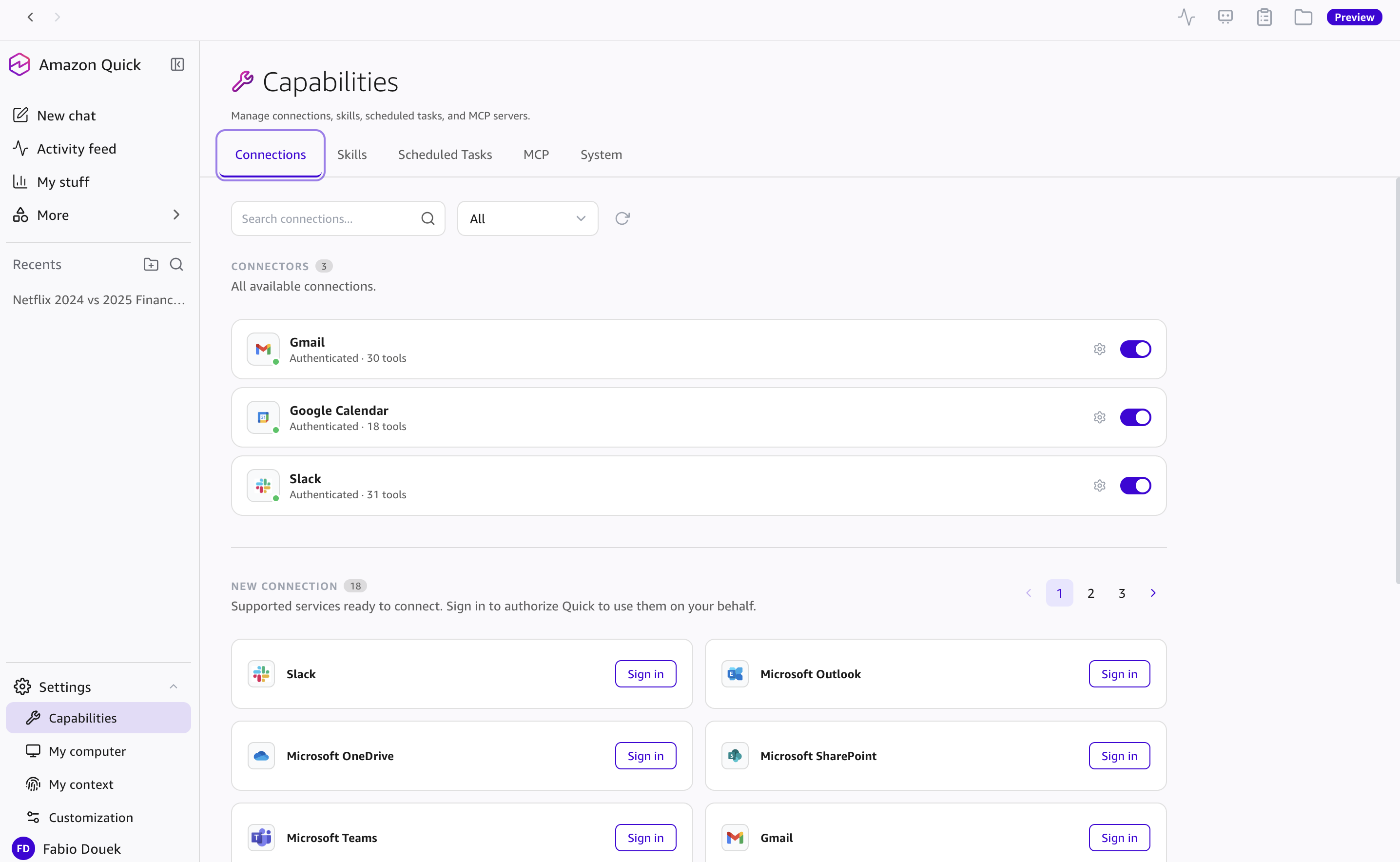
I connected Gmail, Google Calendar, and Slack, and pointed the local-files surface at a folder containing three years of Netflix 10-K and 10-Q filings. Folder grants are per-folder and revocable, with separate toggles for indexing and read/write.
Testing
I ran seven scenarios against the desktop preview, ordered roughly from “shallow synthesis” to “real autonomous work.” Yes, mostly padel. I have been playing a lot of it.
1. Cross-source reasoning with calendar and weather
The first prompt was deliberately easy: “Will the weather impact my appointments over the weekend?”
Quick pulled three padel sessions from Google Calendar across Saturday and Sunday, fetched a Dublin weather forecast from the web, inferred my location without asking, and produced a per-event impact summary with a fallback recommendation:
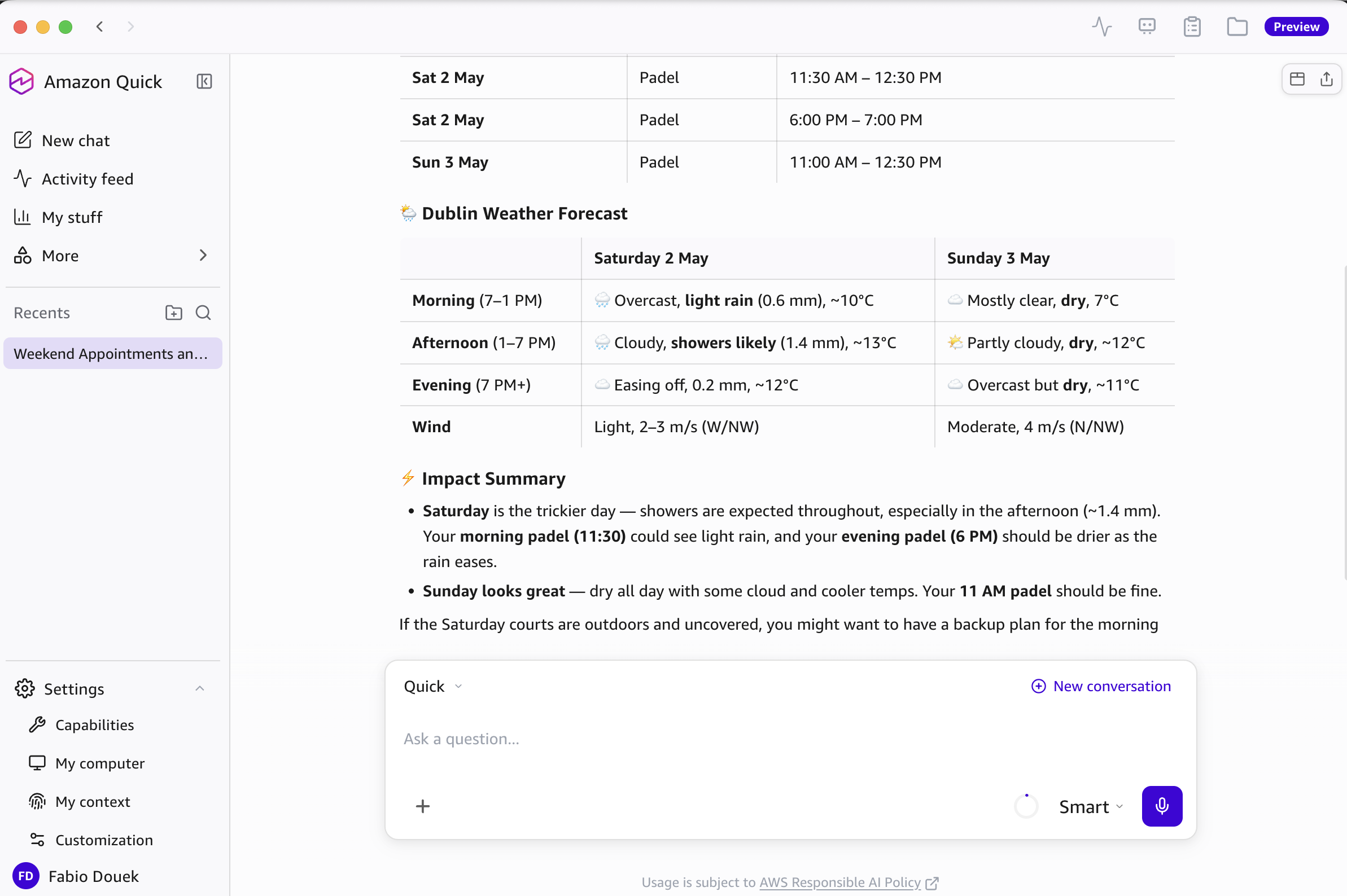
Easy case, but it worked: two sources, location inferred without me asking, the harder day flagged (“Saturday is the trickier day”), and a concrete suggestion (“have a backup plan for the morning”).
2. Local document analysis with autonomous code execution
The interesting test is the Netflix folder. I asked: “How does the Netflix financial report from 2024 compare with 2025?”
Quick read the PDFs and wrote and ran its own Python to extract the numbers.
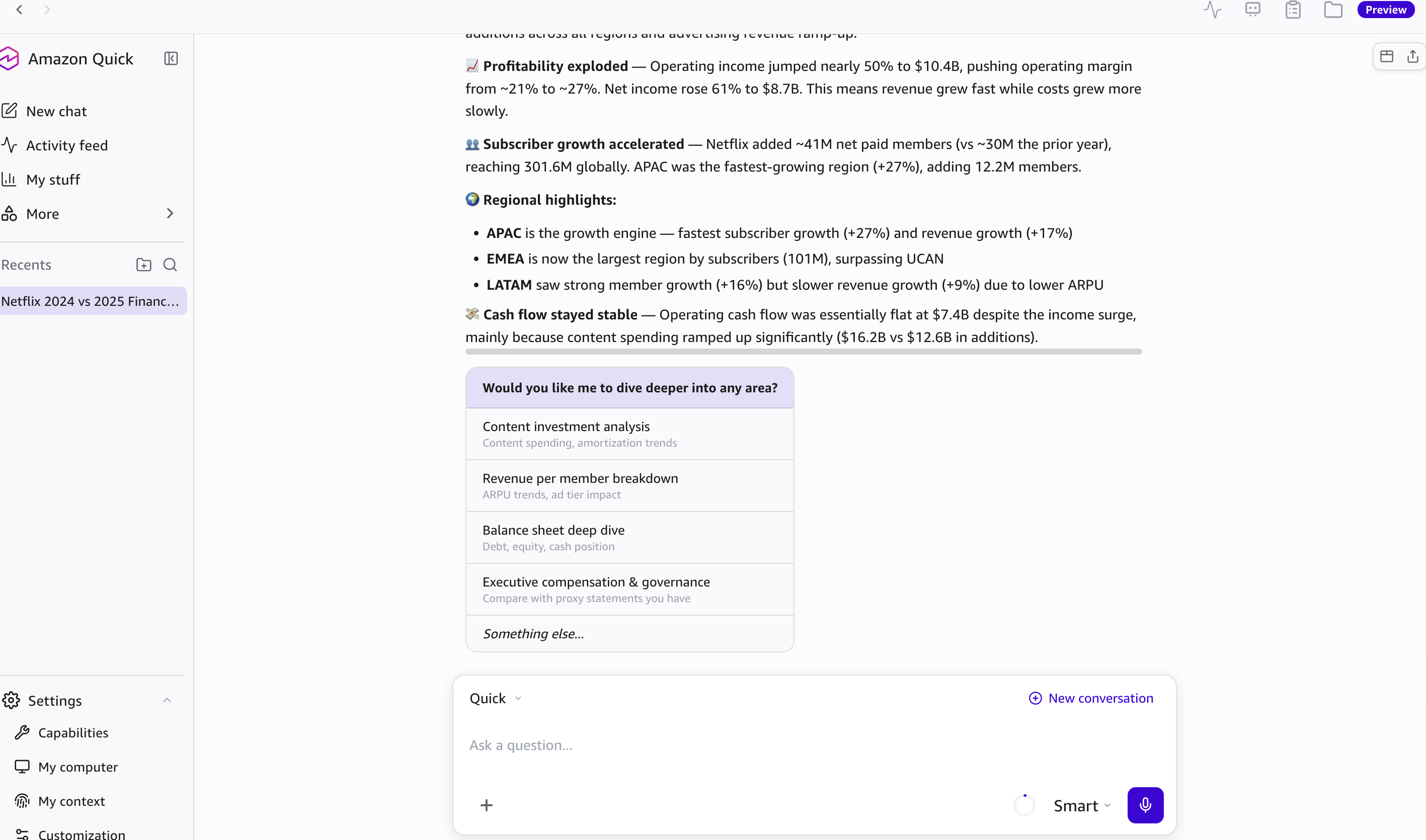
The interesting part is the suggested follow-ups: they referenced documents in the folder I had not mentioned, which means the knowledge graph had already indexed the whole corpus, not just the files relevant to the active query.
3. The knowledge graph itself
Settings → My context exposes the knowledge graph directly and lets you sanity-check what the indexer actually believes. The graph is built from the entities Quick extracted out of the folder of Netflix filings I had pointed it at earlier.
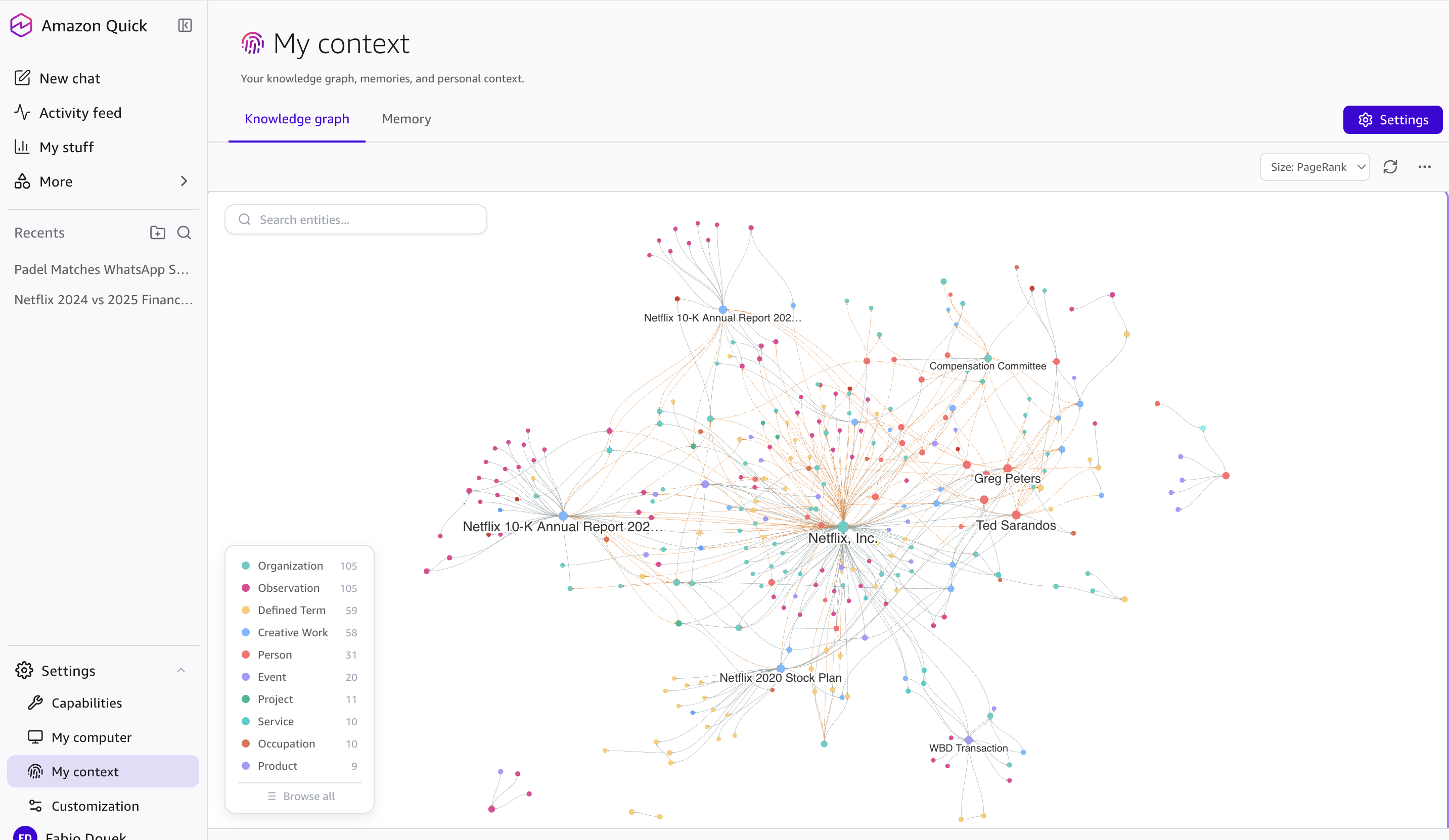
Entities are typed (Organizations, People, Events, Products, and so on) and sortable by PageRank, so you get centrality scoring out of the box rather than a flat list. The Memory tab sits alongside the graph and holds conversation memory and preferences, kept as a separate concept from the entity graph.
4. Skills: turning a sentence into reusable automation
Quick treats workflow automation as a first-class citizen called a skill, defined by a SKILL.md file.
Asking “Create a new skill” in chat opens a guided builder with two creation paths: describe a new workflow from scratch, or save one from a previous conversation.
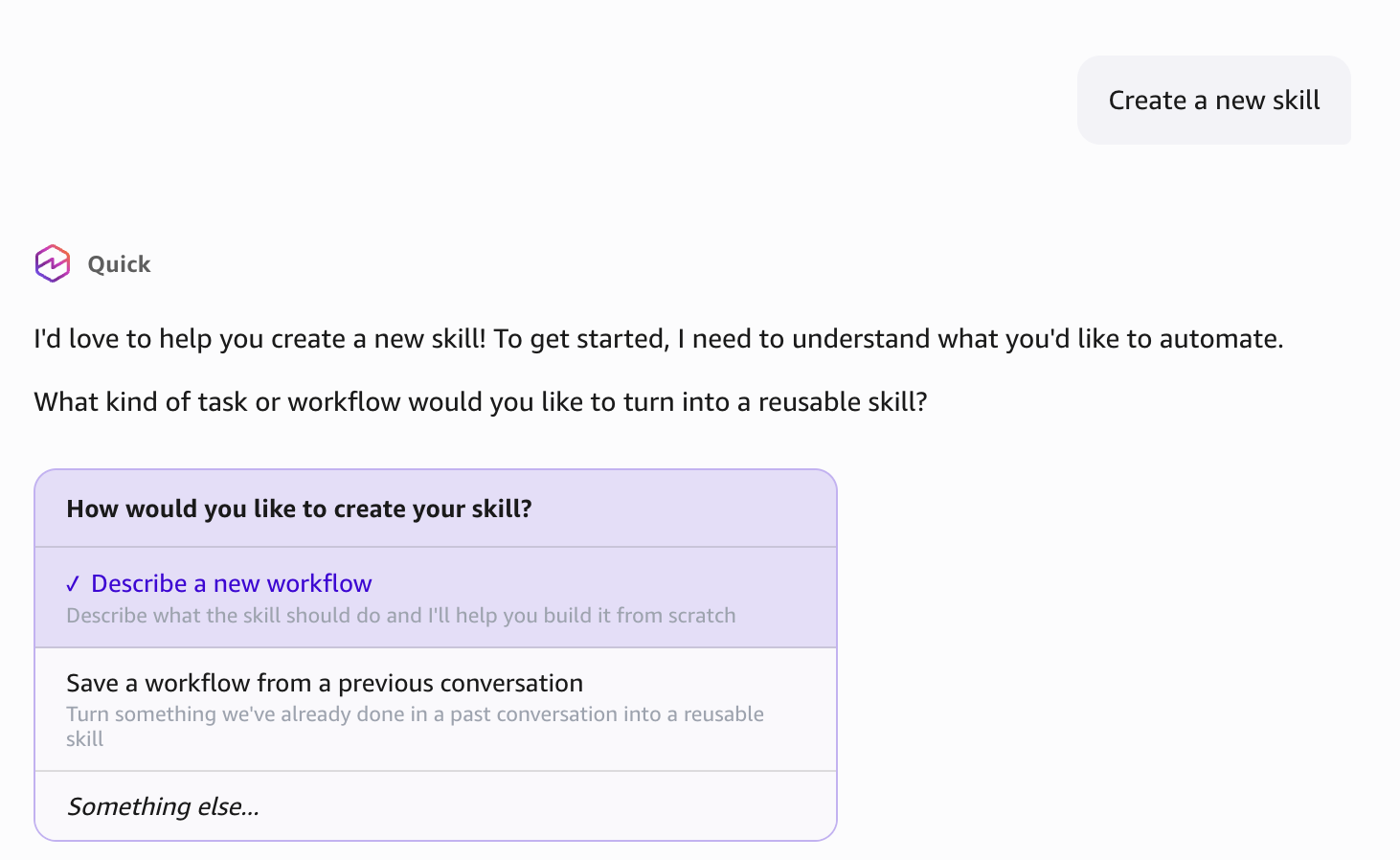
I chose the first:
I want you to check my WhatsApp via web all Padel groups and summarize if there is any event or matches happening in the coming days. Analyze just last 2 days, and execute it twice a day. Then send me a message on Slack. I want to know about matches only if it’s not raining on the day.
Quick generated a skill named Padel Match Checker and presented the extracted tool palette for review:
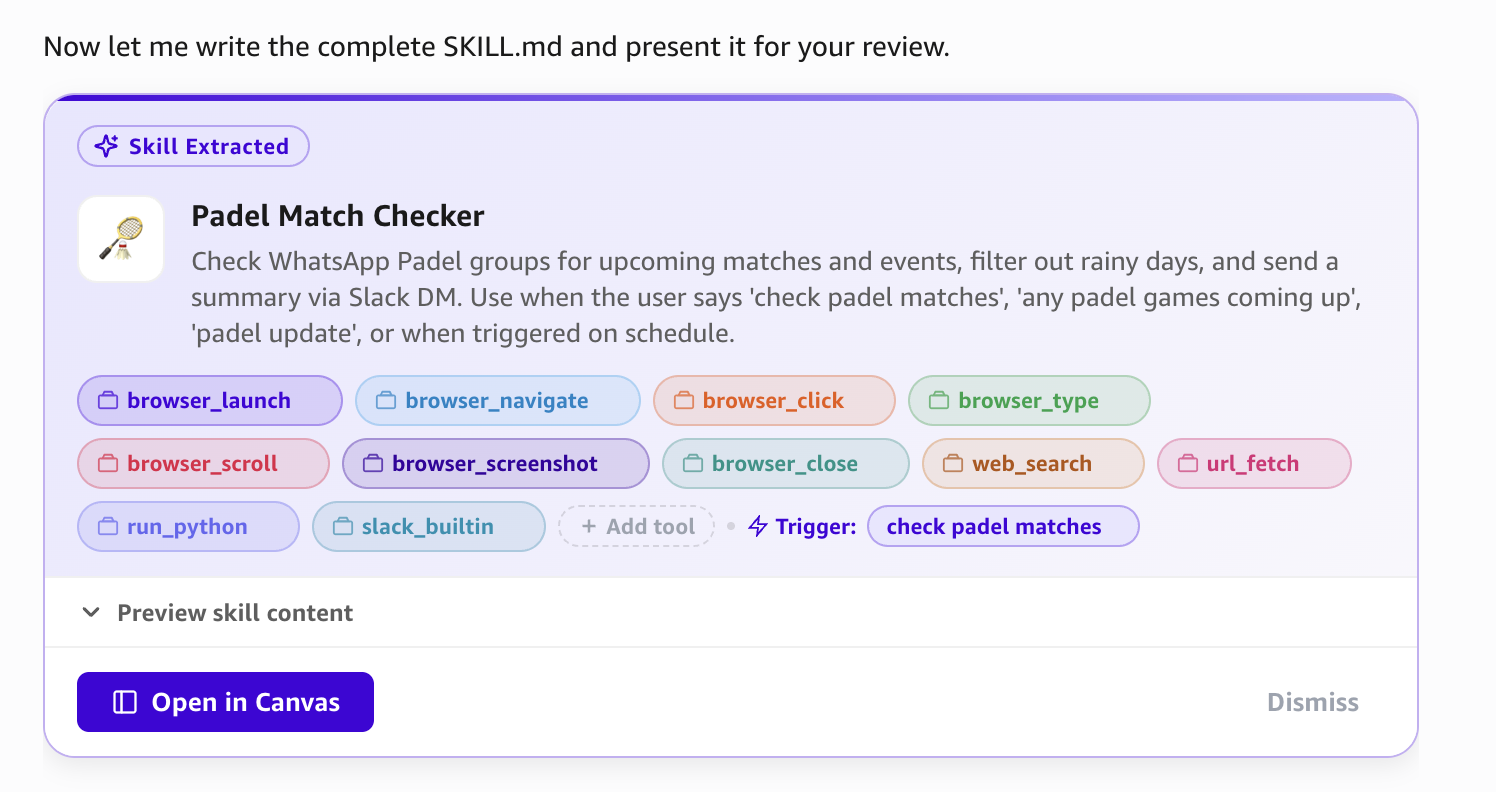
It picked the right tools: browser automation for WhatsApp Web, web search for the weather check, Python for synthesis, and the Slack builtin for delivery.
5. End-to-end execution
The skill ran. Quick browser-automated WhatsApp Web, walked through every group with “Padel” in the name, and posted a structured summary to my Slack DM as me:
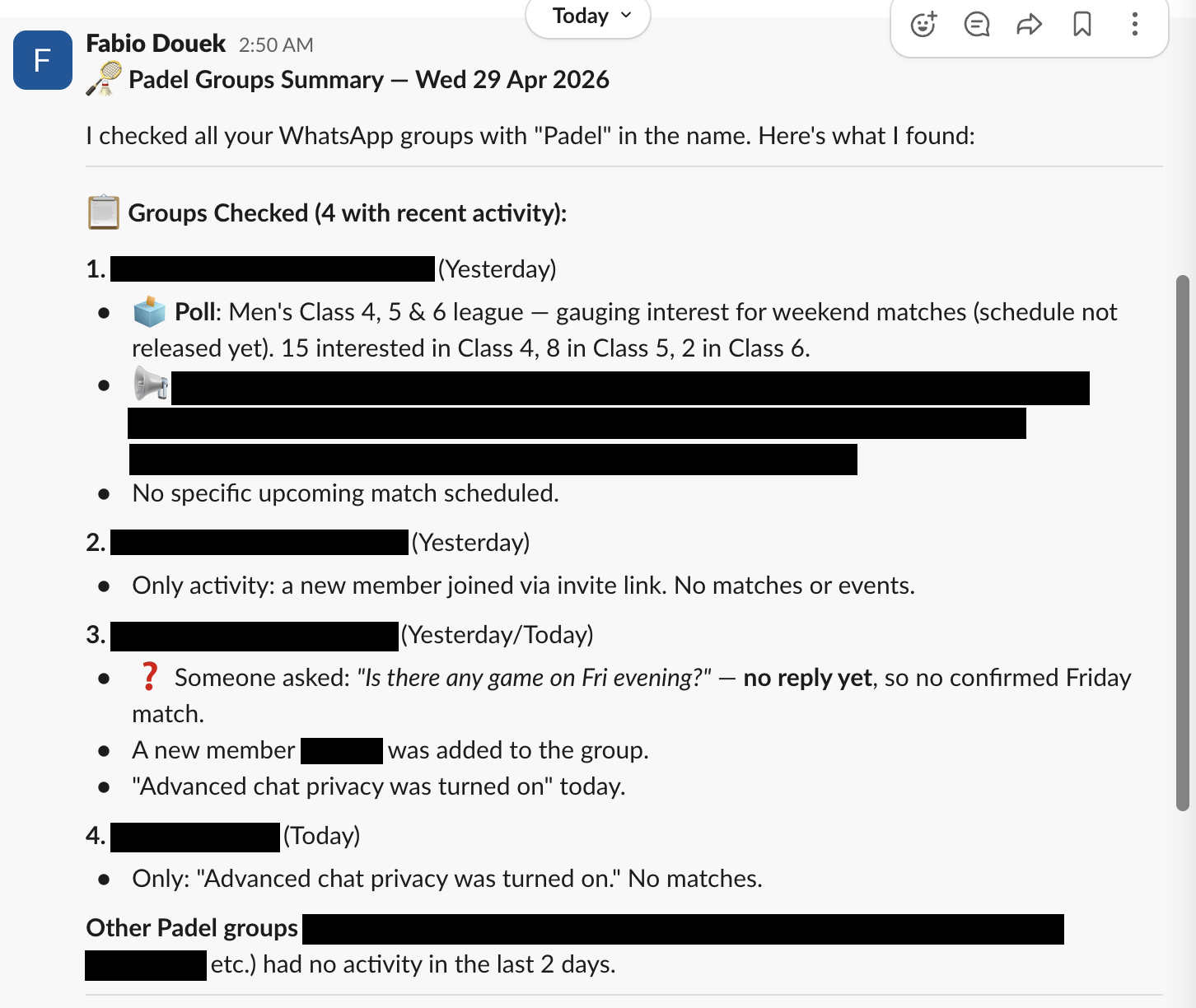
The Slack output got the parsing right: it distinguished real events from open-ended chat.
One sentence, one skill: a SKILL.md that runs on demand or on a schedule, stitching together a browser-automation flow, a weather check, and a Slack message.
6. Research (web-only at preview)
Research is a structured long-running workflow. You give it an objective, configure materials, pick a mode, and review a plan before it runs. Runs take roughly 5 to 30 minutes depending on mode, and Quick emails you when they finish.
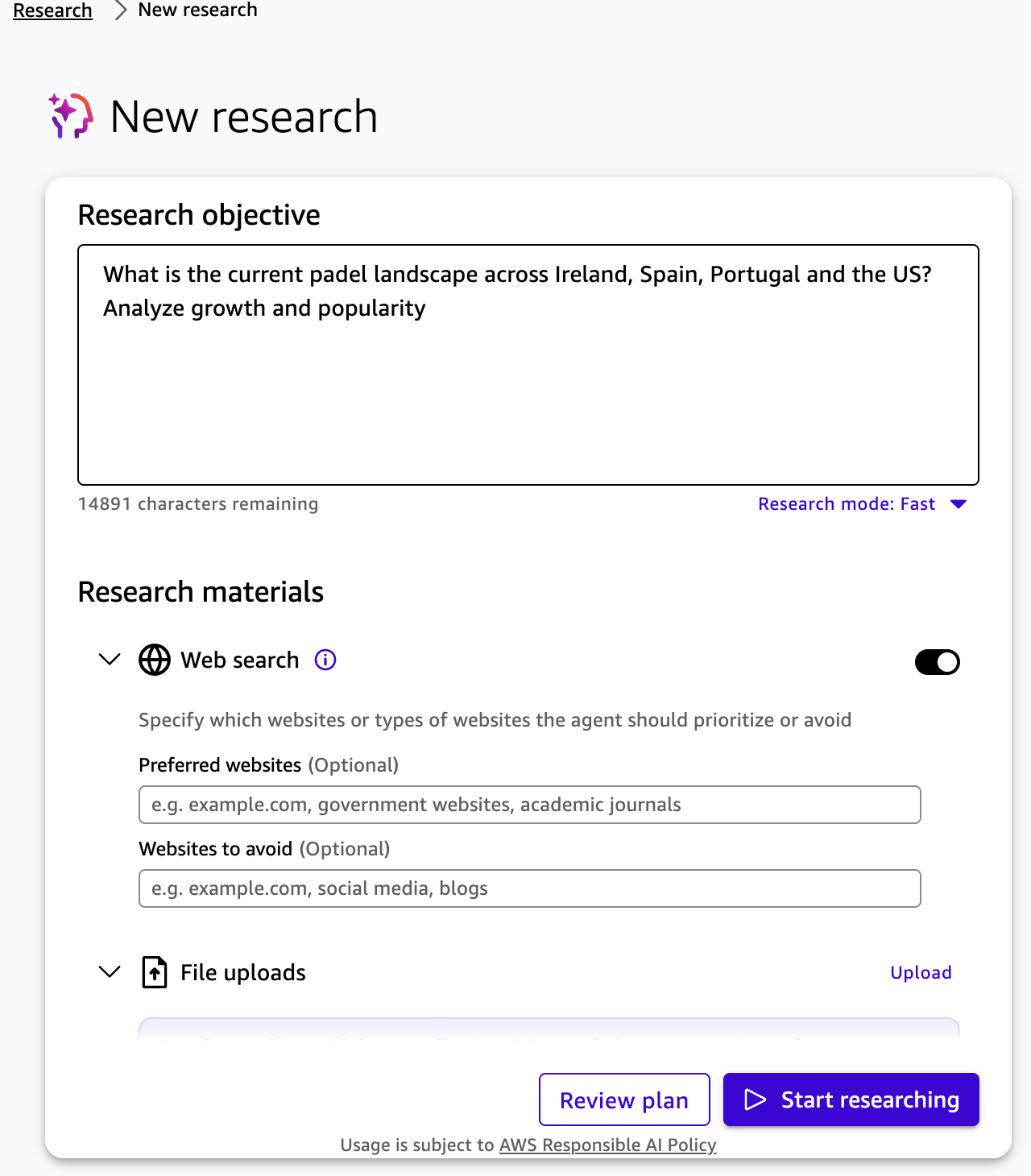
For the input shown above, the output is a multi-section report with inline citations and an embedded chart.
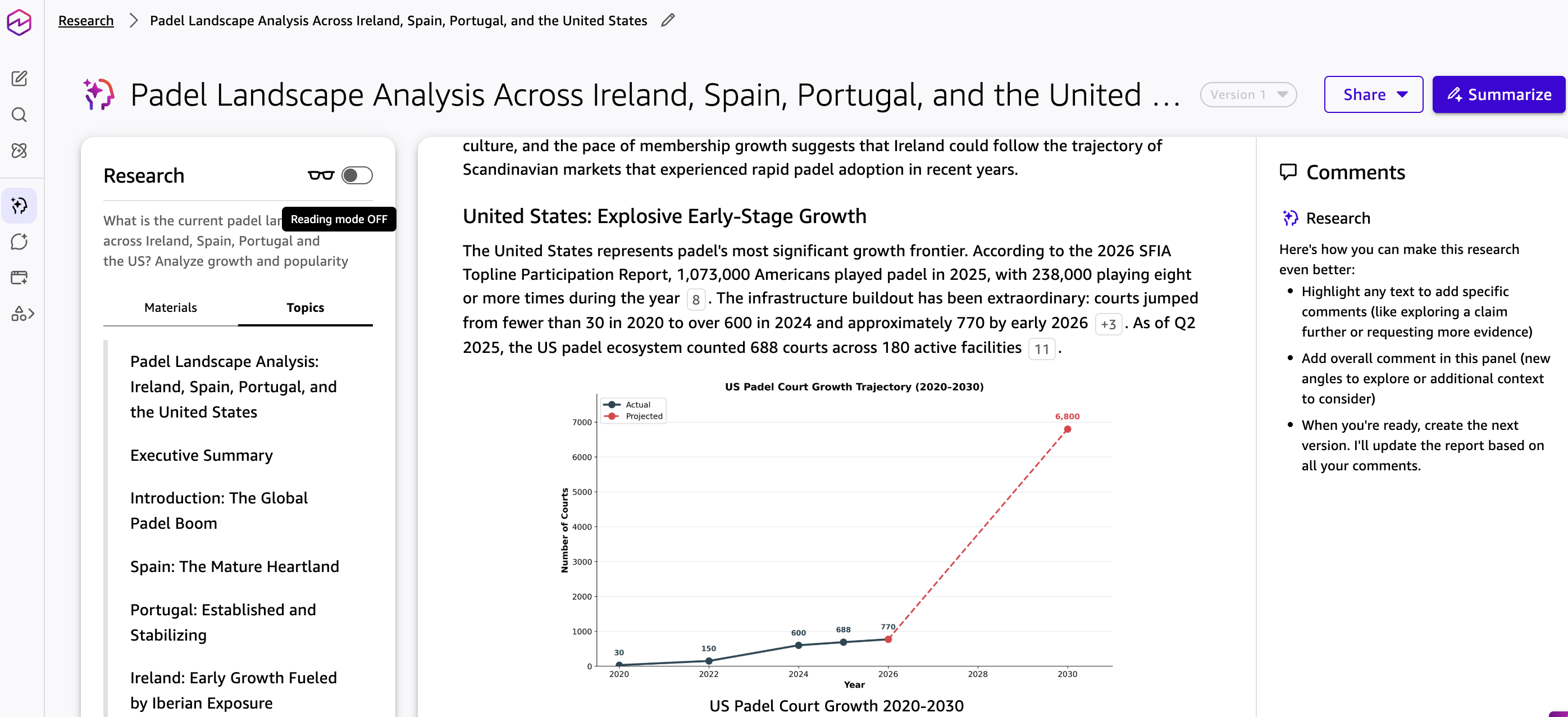
The right-rail is what makes it iterative: highlight passages, leave comments, then ask Quick to produce the next version using your feedback. Reports can be saved to a Space or exported.
Until Research lands on desktop, the heavier knowledge work stays in a browser.
7. MCP and coding agents
Capabilities → MCP has two surfaces.
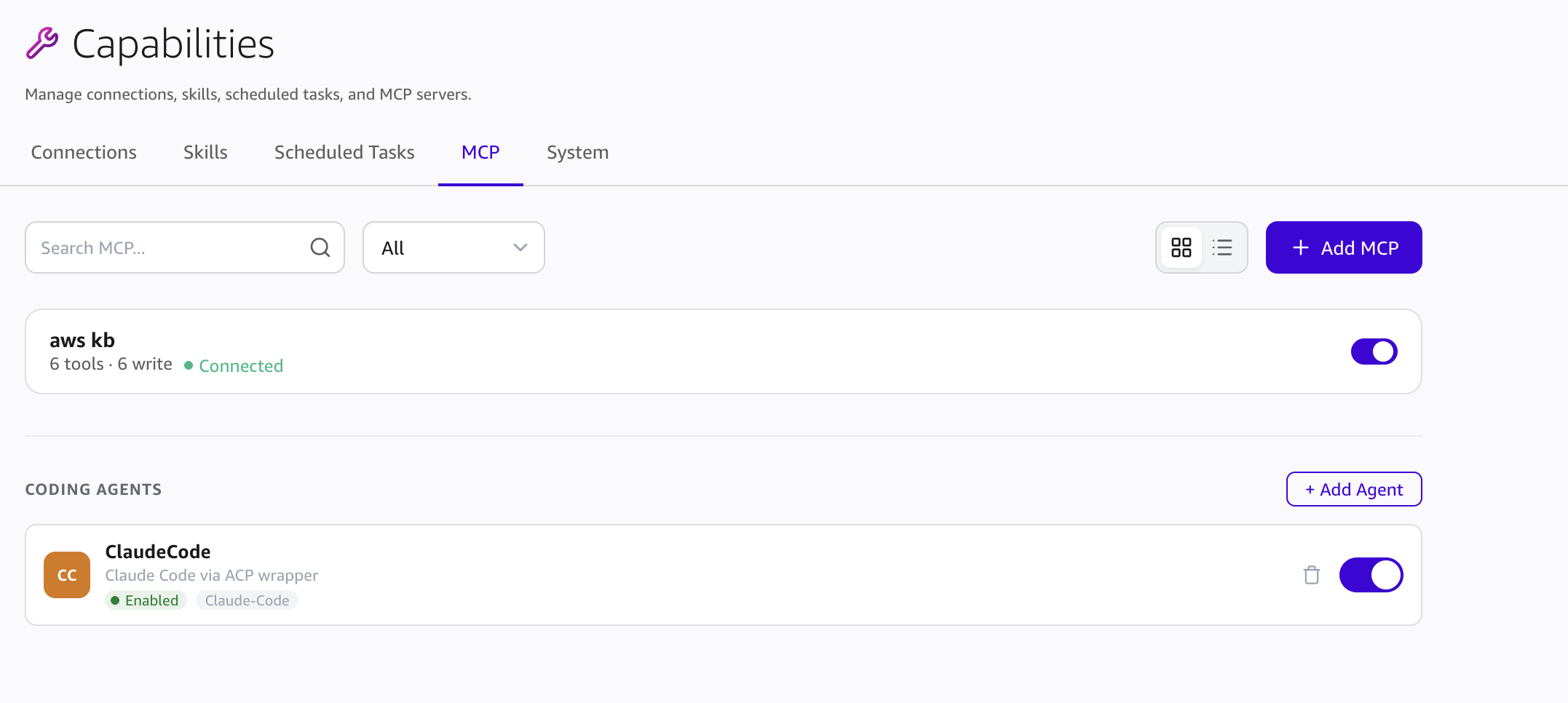
MCP servers: I connected the AWS Knowledge MCP and Quick picked it up cleanly. Local stdio and remote HTTP MCPs are both supported, and servers can be attached to scheduled agents.
Coding Agents: a separate section for autonomous executors. Claude Code and Kiro CLI are both supported. Keeping data sources (MCP) and executors (coding agents) as distinct concepts is a sensible split.
Verdict
The Amazon Quick desktop preview has more going on than the headlines suggest. Local-first architecture, an inspectable knowledge graph, a skills system that turns one sentence into running automation, and first-class MCP and coding-agent surfaces.
What is missing is feature parity with the web product. Research, Chat Agents, Flows, and Spaces are not in the desktop app yet. For now the desktop is a complementary surface for chat, local files, skills, scheduled tasks, MCP, and connectors; the heavier work still happens in a browser. That said, this is still a preview, and I expect these features to be ported to the desktop app over time.
The easy-to-undersell differentiator is AWS security posture. For an always-on agent that watches your calendar, mail, files, and Slack, the audit trail and compliance track record behind the vendor matter as much as the features, and for enterprise buyers that is likely the deciding factor.
For a preview, the parts that work, work surprisingly well. I will revisit when the missing surfaces land on desktop.