AWS Bedrock AgentCore Managed Harness (Preview): A Hands-On First Look
By Fabio Douek
Jump to section
- Overview
- Setup
- Prerequisites
- Two ways to configure the AgentCore Harness, and why I picked the CLI
- Step 1: Install the CLI
- Step 2: Compose the harness
- Step 3: agentcore dev
- Testing
- Scenario 1: ask the MCP server when AgentCore harness launched
- Scenario 2: Code Interpreter on an Our World in Data CSV
- Scenario 3: Browser for the Dublin weather forecast
- Cleanup
- Verdict
- When to use the managed harness
- What I want to see at GA
Explain (TLDR) like I am...
Imagine building a robot helper from a box of parts. You need a brain, a list of instructions, some tools for the robot's hands, a notebook so it does not forget, and a little room where it can work. Usually you have to glue all of that together yourself before the robot even wakes up.
AWS made a kit where you just write down which parts you want, hand them the paper, and the robot is ready to chat. You can give it a calculator, a web browser, a pretend kitchen for trying things, and a notebook, all by ticking boxes. The grown-ups like it because they stop fiddling with the glue and actually get to play with the robot.
Treat this as a managed-service evaluation, not a framework adoption. The organization still owns the model, system prompt, MCP servers, and the data those tools reach. AWS owns the loop, session isolation, the tracing pipeline, and the browser and code sandboxes. Preview terms apply in four regions.
Review items: the MCP egress surface (every connected server is a new outbound data path), the memory store (facts persist across sessions and need a retention policy), and the observability toggle. With tracing on, AWS sees tool calls and timings. Without it, you cannot audit what the agent did. Decide that posture before any regulated workload runs.
The symptom is the plumbing tax: days of runtime code, glue, IAM wiring, and observability setup before a team can test whether its agent idea is any good. The treatment is a declarative JSON config, a CLI, and a local chatbot that connects to the real backend primitives on one command.
Evidence base is early preview. Good candidates: teams whose agents fit the common shape (a model, a prompt, two or three MCP servers, a browser or code sandbox, and memory). Poor candidates: agents that need custom orchestration, branching state machines, or multi-step approval flows. Watch side effects around cost visibility at fleet scale.
Notice what happens when a team stops owning the agent runtime. The slow anxiety of "who is on call when the tool loop hangs" leaves the room. In its place you get space to argue about the more interesting questions: what should this agent actually be good at, which MCP servers do we trust, how much memory is healthy memory?
The new tension is agreement. Declarative configs expose disagreements that code used to hide. Two engineers who previously glued their own runtimes now have to negotiate one JSON file. The upside is that the negotiation is finally about the agent's behaviour, not about whose framework is nicer.
Think of this as a well-stocked recording studio with a house rhythm section. You walk in with a song idea, point at the instruments you want, hand the band a chart, and start tracking. No one spends the morning wiring cables or tuning the drums; the room is already in tune and the engineer has the tape rolling.
The catch is the room's feel. You get the studio's default sound and the band's groove, which is great when your song fits the room and awkward when it does not. For anything too strange to fit the house style, you still want your own studio. But for most sessions, showing up and playing is the point.
The story is composition speed. Install the CLI, scaffold a project, edit one JSON file, run one command, and you have a working agent with MCP connections, a browser, a code interpreter, and cross-session memory, with traces on and observability in your existing CloudWatch.
The positioning is not "another agent framework". It is "stop writing runtime code for the agent shape your team actually ships". That lands hardest with teams whose current agent is 200 lines of glue around a prompt and three MCP servers. Caveats worth naming in a brief: preview, four regions, and the API surface is still moving.
Overview
Most software teams are building agents now. The hard part is rarely deciding what the agent should do; it is everything around the loop: who hosts it, who watches it, who pages when a tool times out at 3am. The agent itself, the interesting bit, is usually the smallest part of the project.
An AI agent is a short list of moving parts:
- a model doing the reasoning,
- a system prompt telling it who it is and what it should care about,
- a set of tools it can call:
- file, HTTP, shell, search,
- MCP servers that expose more tools and data from the outside,
- skills describing how to handle specific workflows,
- a loop that feeds tool output back to the model until the task is done,
- and optionally, memory so the agent remembers something across turns and across sessions.
In practice, most agents are a thin harness around that list. Someone writes a system prompt, wires two or three MCP servers, drops in a handful of skills, and runs the whole thing as boilerplate inside an application, or lets a coding agent like Claude Code or Cursor host it. It works. It also means everyone is rebuilding some version of the same runtime.
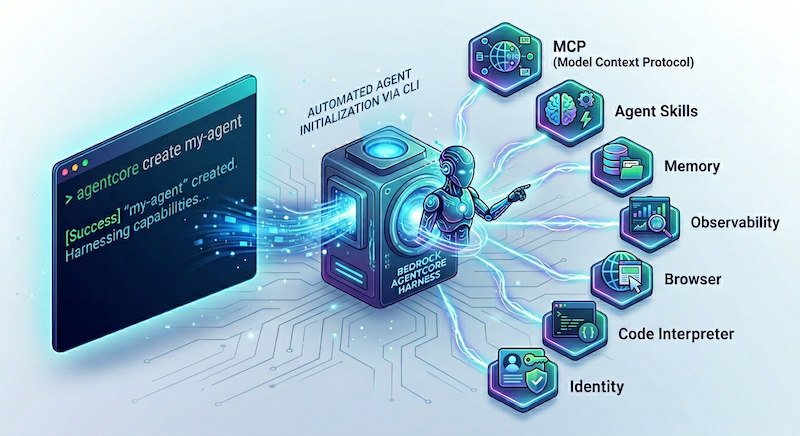
AWS’s pitch with the Bedrock AgentCore Managed Harness, announced in preview on April 22, 2026, is that you hand them the ingredients and they run the loop. You describe the model, the prompt, the MCP servers, and which AgentCore primitives you want plugged in, and AWS hosts the whole thing. Each session is isolated in its own microVM. Tool use streams back as it happens. The built-in primitives do the jobs most teams would otherwise cobble together themselves: Gateway brokers MCP connections, Browser gives the agent a headless browser, Code Interpreter gives it a sandboxed code-execution environment, and Memory persists context across sessions. Observability is wired through CloudWatch and X-Ray by default.
The value is composition speed. You stop writing runtime code and start describing the agent. That is what I wanted to test.
In this post I use the AgentCore CLI to compose a managed harness wired to the AWS Knowledge MCP server, the AgentCore Browser, and the Code Interpreter. I run the whole thing through agentcore dev, which spins up a local web chatbot pointed at the live harness and streams traces back as the agent works.
Setup
Prerequisites
- An AWS account with Bedrock model access in one of the AgentCore Harness preview regions (
us-west-2,us-east-1,eu-central-1,ap-southeast-2). I usedus-east-1. - Claude Sonnet 4.6 enabled in Bedrock. Any frontier model available on Bedrock works; Sonnet is what I picked for these demos.
- Node 20 or newer.
- AWS credentials on the shell with permissions to create IAM roles and call the AgentCore control plane. The CLI reads them from your standard AWS profile.
Two ways to configure the AgentCore Harness, and why I picked the CLI
There are two control surfaces. The boto3 API is the right pick if you want to script everything from Python. It exposes two clients: bedrock-agentcore-control for lifecycle (create, update, delete), and bedrock-agentcore for invocation. The AgentCore CLI is the project workflow: it walks you through an interactive wizard, scaffolds a project tree on disk, wires the AgentCore primitives, and gives you a local web chatbot in dev mode. I picked the CLI because the whole point of the managed harness is composition speed, and that is where the CLI shines. Answer a handful of prompts, hit confirm, get a working agent.
Step 1: Install the CLI
npm install -g @aws/agentcore@preview
agentcore --version
I ran this against v1.0.0-preview.2.
Step 2: Compose the harness
Run agentcore in an empty directory. The CLI detects there is no project here and offers to create one.
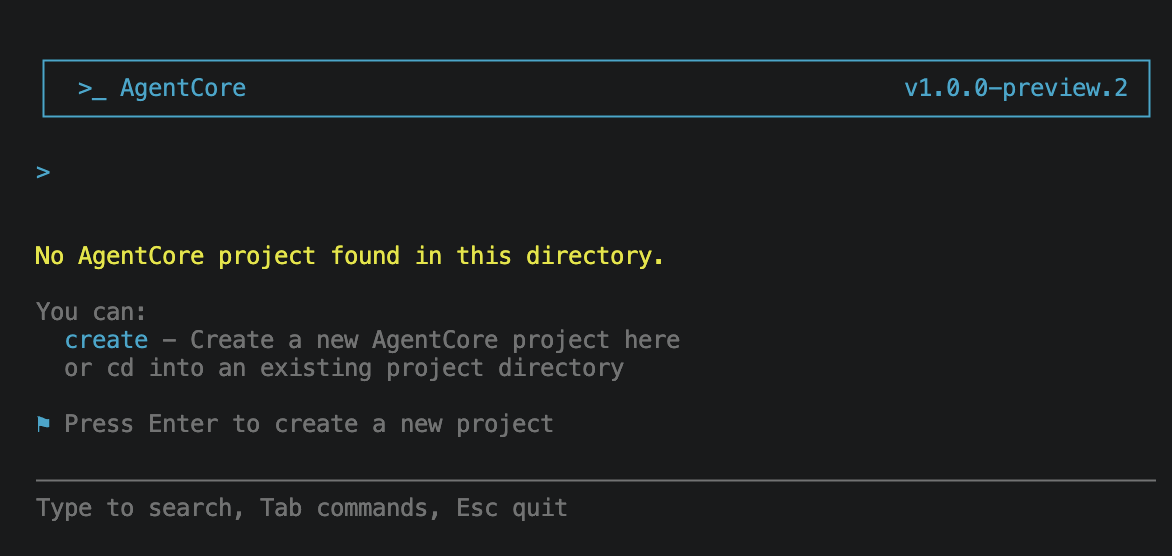
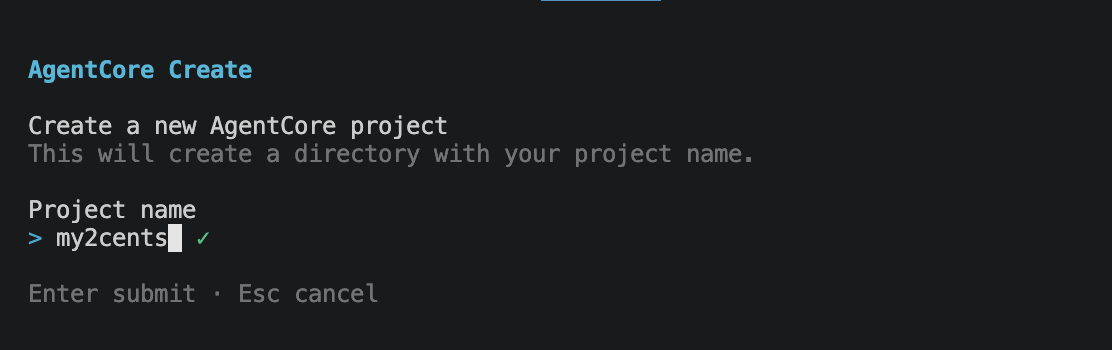
Press Enter and the wizard begins with the project name. I called mine my2cents.
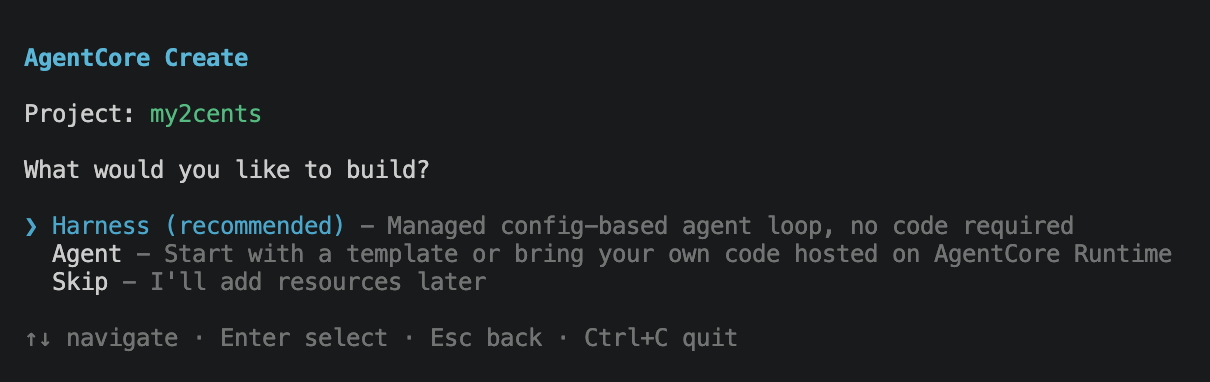
Then it asks what to build. The options are Harness (the managed config-based agent loop) or Agent (a code project running on AgentCore Runtime). The recommended path for our case is Harness.
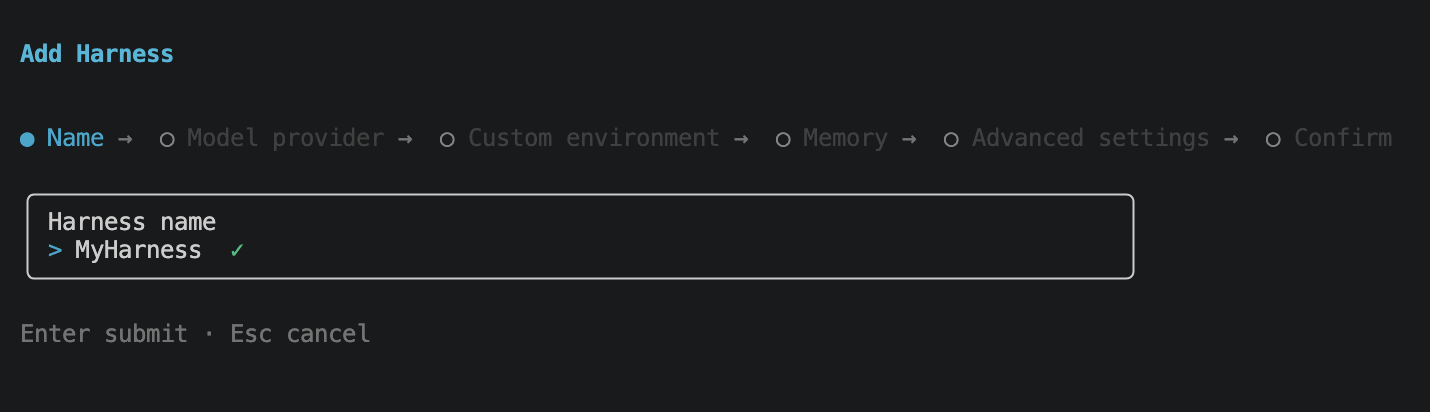
Picking Harness drops you into the harness wizard. Naming first.
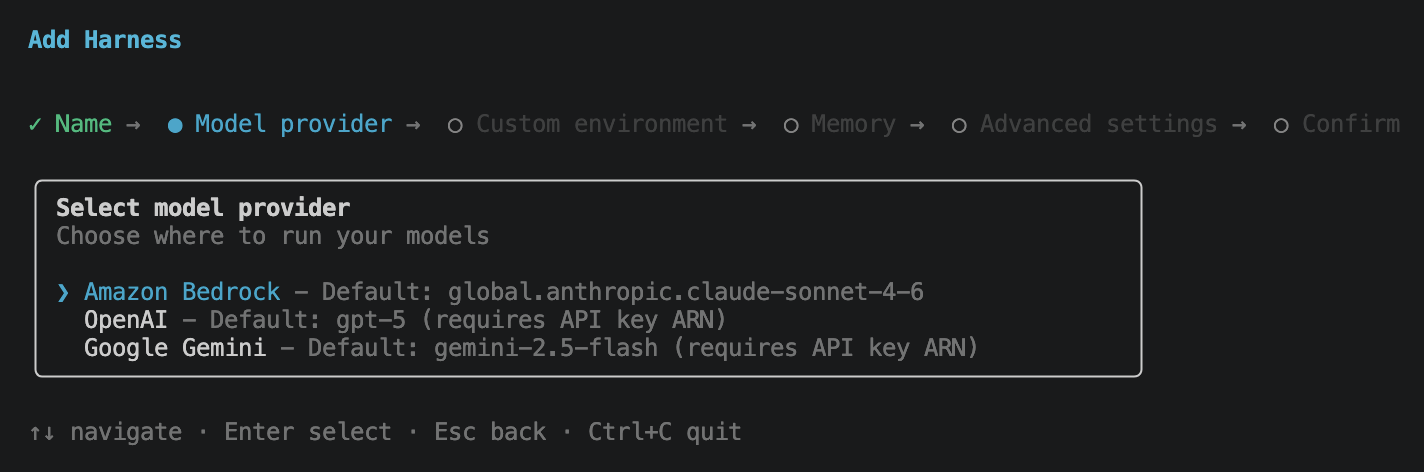
The model provider step is more interesting than it looks. Bedrock, OpenAI, and Google Gemini are all first-class options, so the harness is genuinely cross-provider, not Bedrock-only. OpenAI and Gemini take an API key ARN. I went with Bedrock for these demos.
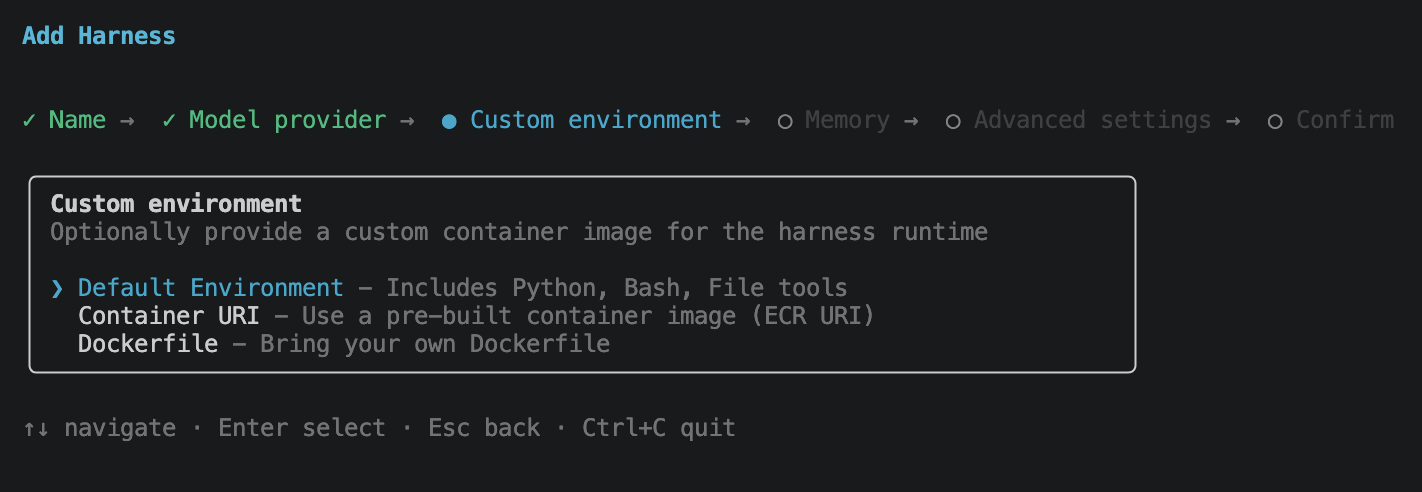
Custom environment lets you swap the harness runtime container. Default Environment ships with Python, Bash, and File tools and is what you want for prototyping. Container URI points at a pre-built ECR image, and Dockerfile lets you bring your own. The environment is the box the agent runs in for shell-style work; it is not the same sandbox as Code Interpreter or Browser. I kept the default.
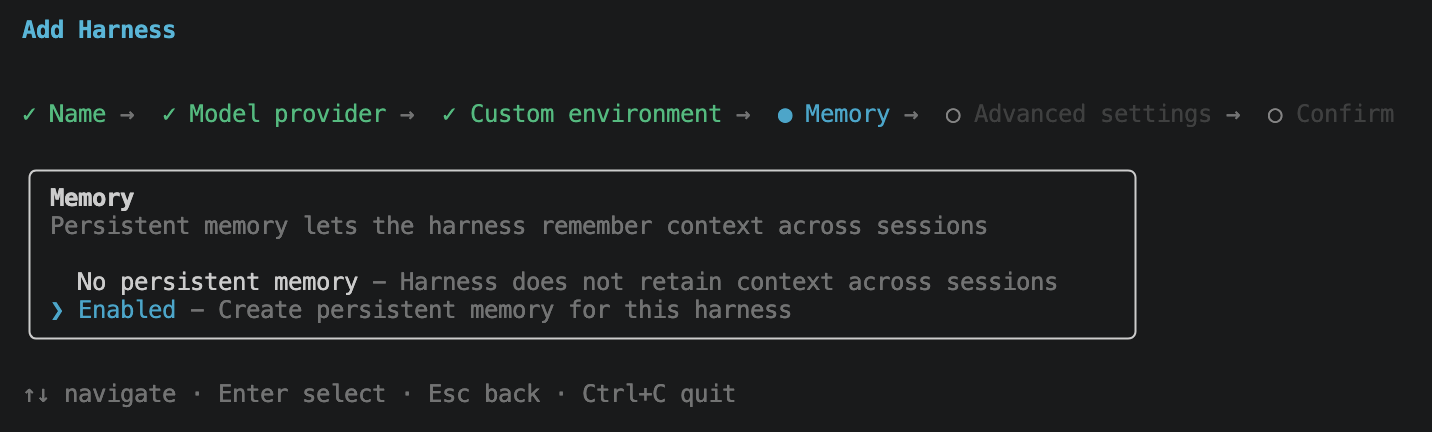
Enabling memory creates a persistent store wired to this harness.
Advanced settings is the most opinionated screen. It is a multi-select for the things you might want to configure now versus later: Tools (browser, code interpreter, MCP servers), Authentication (AWS_IAM or Custom JWT inbound), Network (deploy inside a VPC), Lifecycle (idle timeout, max session lifetime), Execution limits (iterations, tokens, per-turn timeout), Truncation (context-overflow strategy), and Session Storage (a persistent volume mounted into the session). For this post I ticked Tools and Session Storage and left the rest at defaults.
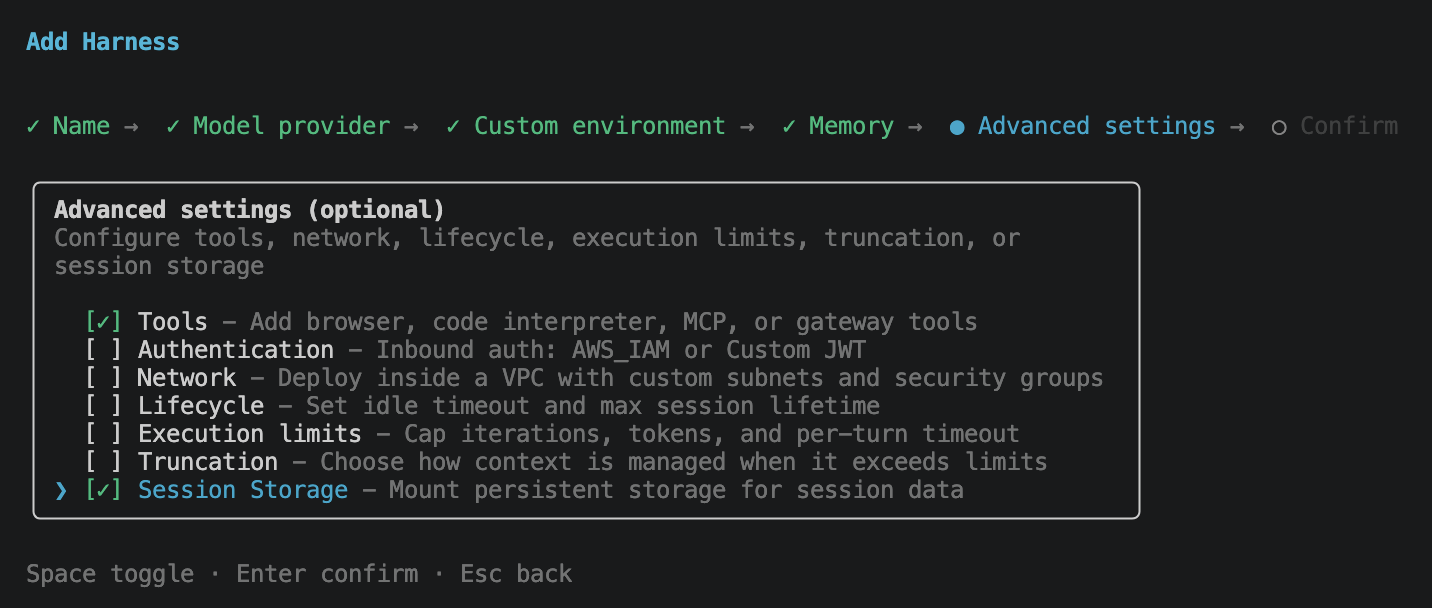
One thing I expected to find here and did not: a way to configure skills. Skills are one of the main reasons most teams compose an agent in the first place, but they do not appear as a wizard option today, and I could not find a flag for them elsewhere in the CLI either. They can be attached via the AWS web console and the SDKs. I also raised an issue against the project to track CLI support: aws/agentcore-cli#968.
Ticking Tools opens the tools sub-flow. Four options: AgentCore Browser, AgentCore Code Interpreter, AgentCore Gateway (an MCP-as-a-service broker fronted by AWS), and Remote MCP Server (connect directly to an MCP server URL). I selected Browser, Code Interpreter, and Remote MCP Server.
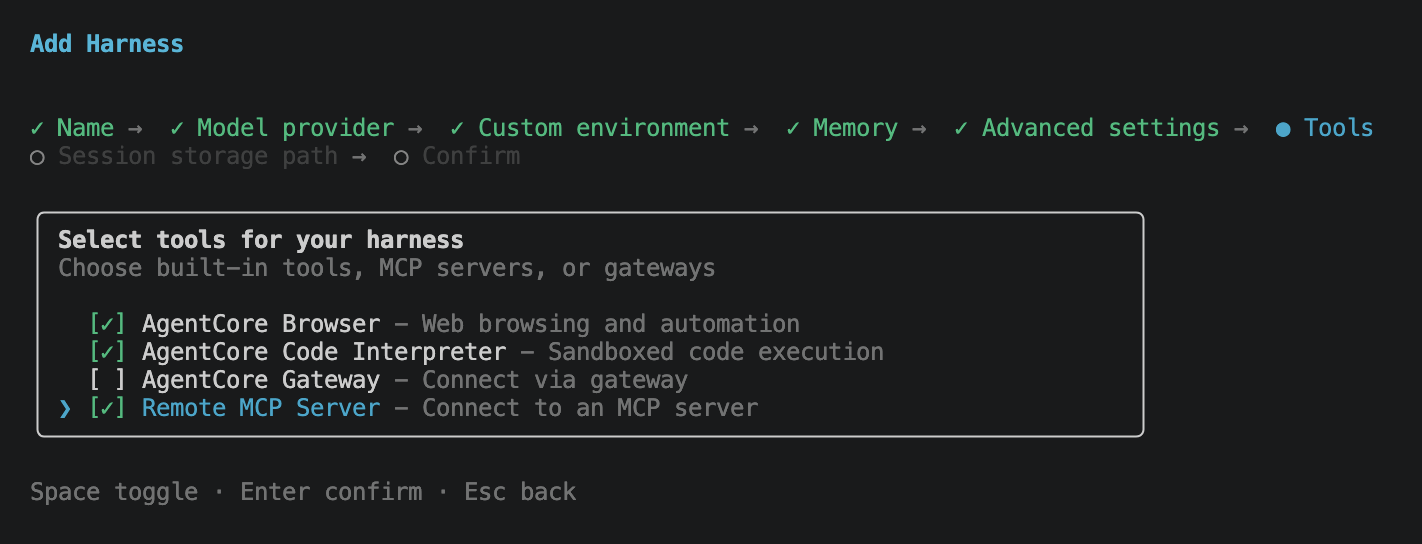
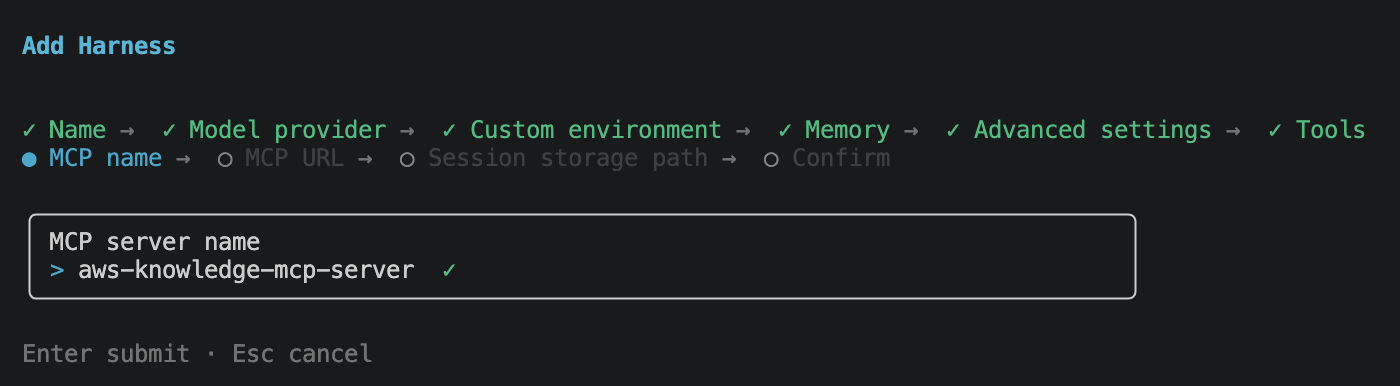
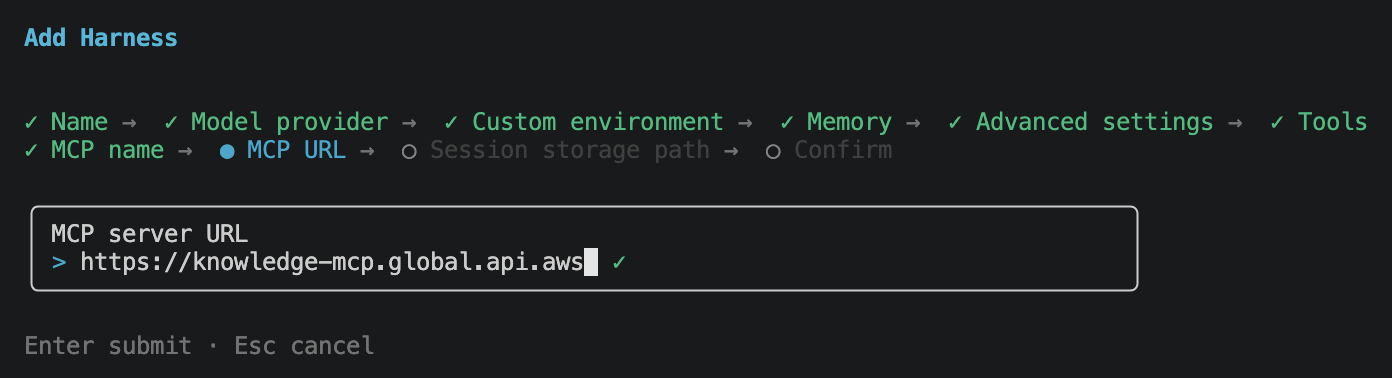
For this demo I wired up the AWS Knowledge MCP Server, so the agent can pull the most current AWS documentation, announcements, and What’s New entries on demand instead of relying on the model’s training cutoff.
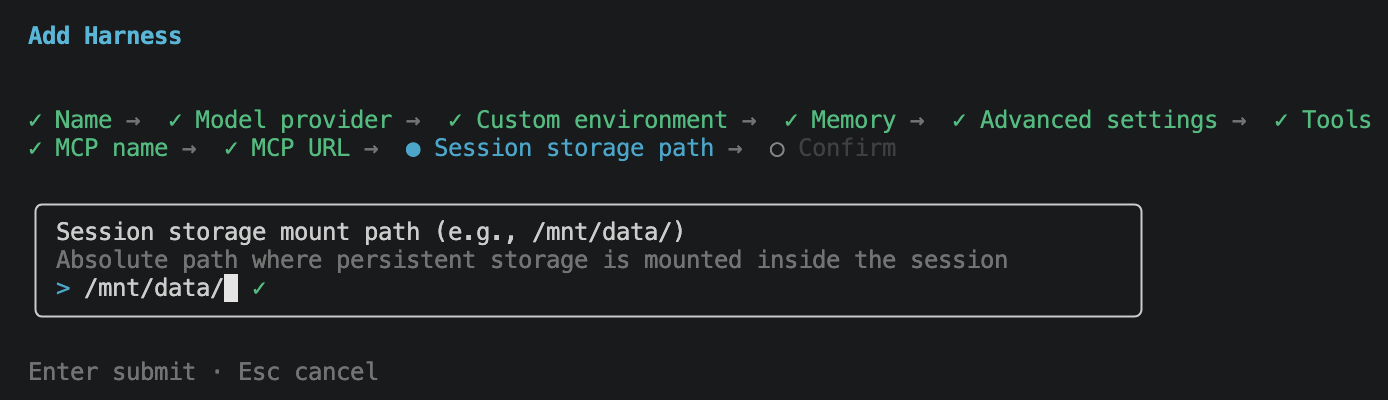
Then session storage path. This is the absolute path inside each session microVM where the persistent volume is mounted. Session storage is also a prerequisite if you plan to use skills, since the skills are loaded from disk inside the session and need a persistent location to live in. I kept the default /mnt/data/.
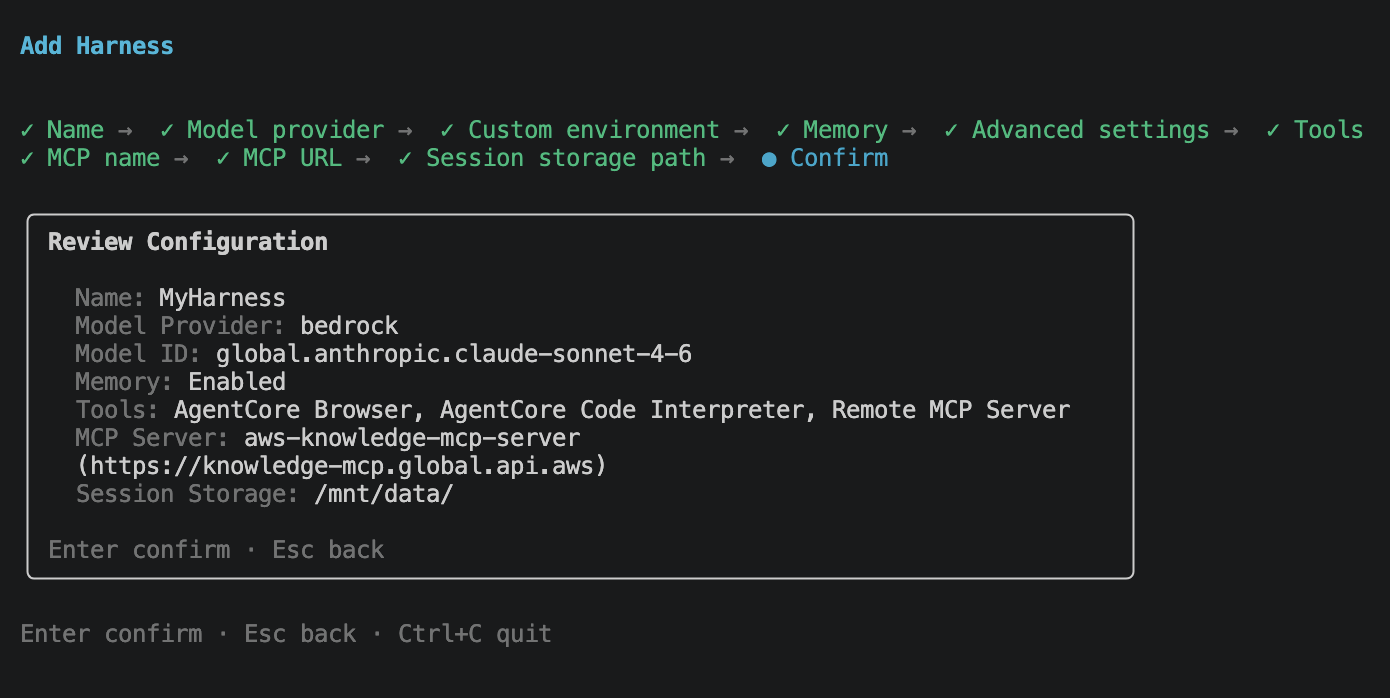
Final review screen. Name, model provider, model ID, memory, tools, MCP server, session storage path, all in one place.
Hit Enter and the CLI scaffolds the project on disk.
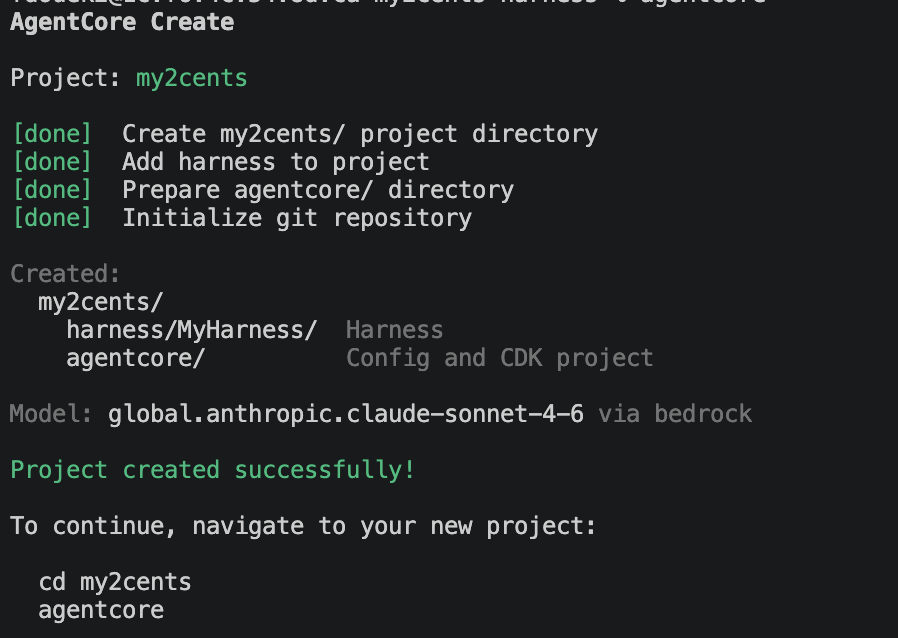
You end up with a my2cents/ project containing two directories:
harness/MyHarness/: the harness itself, including the config the wizard produced.agentcore/: the AgentCore config and an underlying CDK project for deployment.
No Python code I wrote, no Dockerfile, no IAM JSON. The wizard produced everything.
Step 3: agentcore dev
cd my2cents
agentcore dev
agentcore dev does two things in sequence. First it synthesizes the project’s CDK stack and deploys it to your AWS account, so the harness, the memory store, the MCP wiring, and the browser/code-interpreter primitives all exist as real resources. Then it starts a local web chat UI pointed at that deployed harness. IAM roles are created or reused automatically against the profile in your shell.
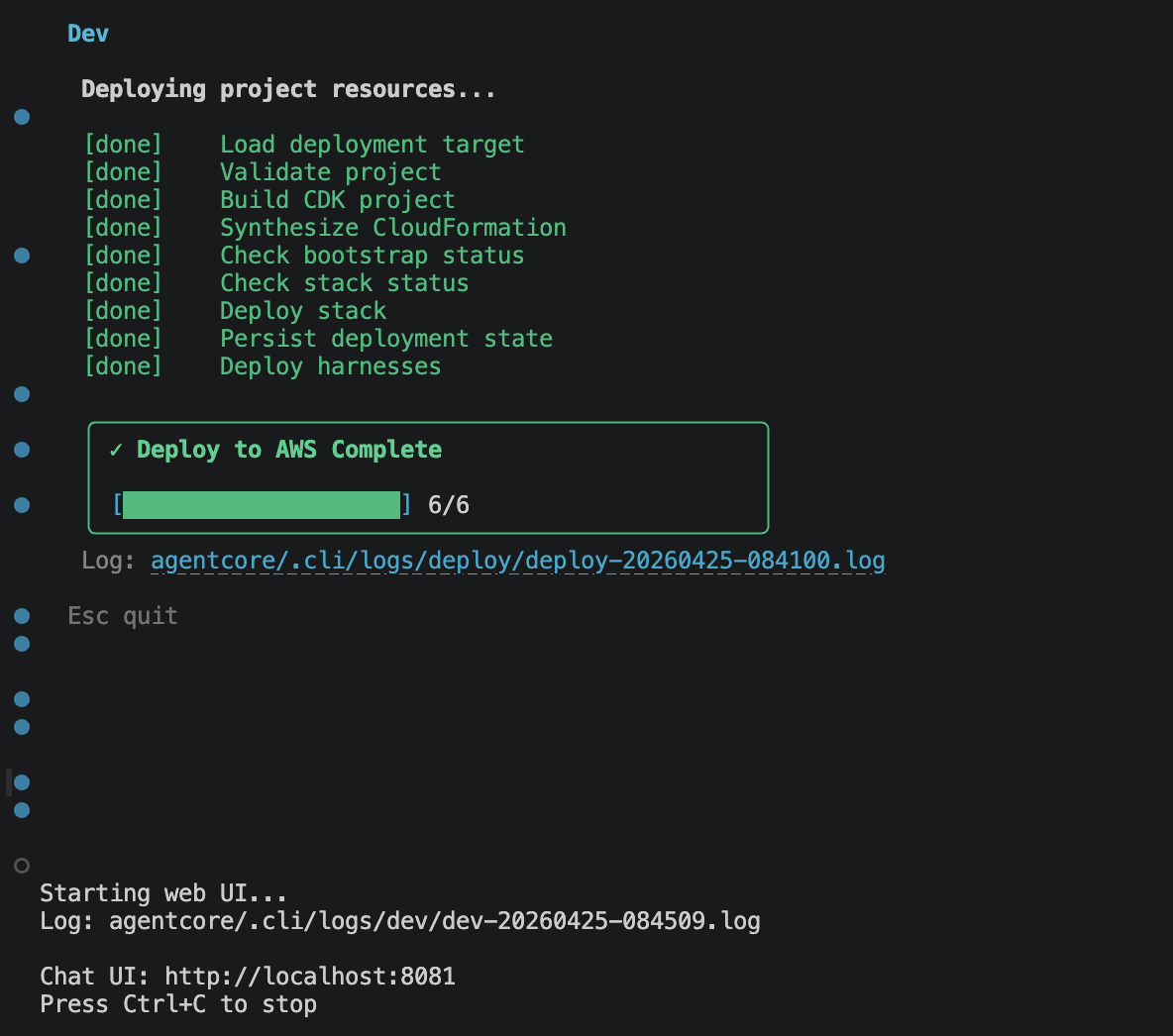
Everything below happens in that chatbot.
Testing
I ran three scenarios through the agentcore dev chatbot, each exercising a different primitive: the MCP connection, the Code Interpreter, and the Browser. Tracing was on for every turn.
Scenario 1: ask the MCP server when AgentCore harness launched
The first thing I wanted to see was whether the AWS Knowledge MCP connection actually worked end-to-end. In the chat UI I typed:
When was the Bedrock AgentCore managed harness launched? Cite the source.
The agent narrated its own plan (“Let me get the full details from the announcement page to confirm the exact launch date”), called the AWS Knowledge MCP twice, and answered:
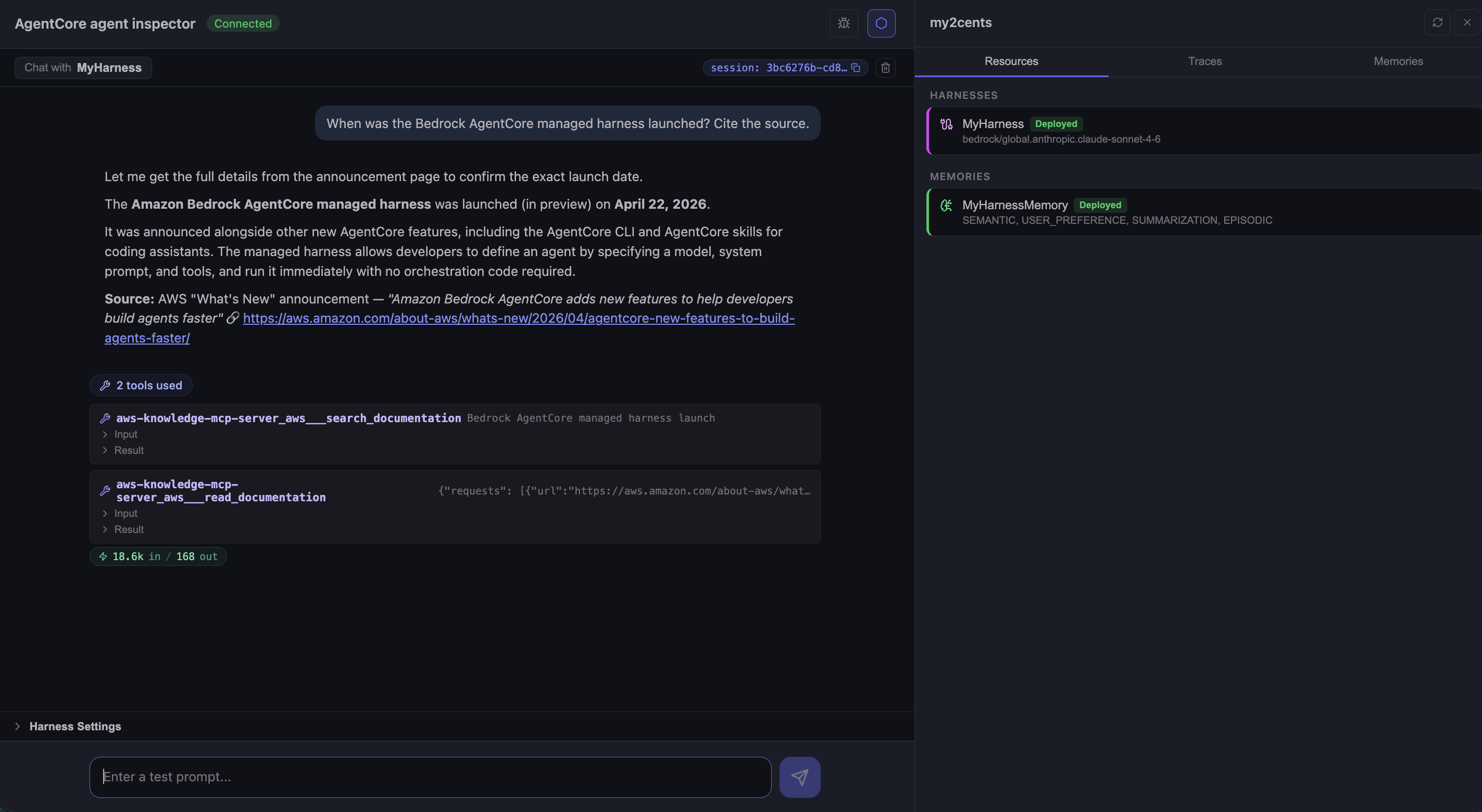
Two interesting things show up in this screenshot. The agent used two MCP tools, not one: aws-knowledge-mcp-server___search_documentation to find the announcement page, then aws-knowledge-mcp-server___read_documentation to fetch its contents. That is not something I prompted; the harness discovered the MCP tool schemas on startup, exposed them to the model, and the model picked the right pair on its own.
The right-hand sidebar is the built-in agent inspector: Resources, Traces, and Memories tabs, all wired up by agentcore dev.
Follow-up, same session:
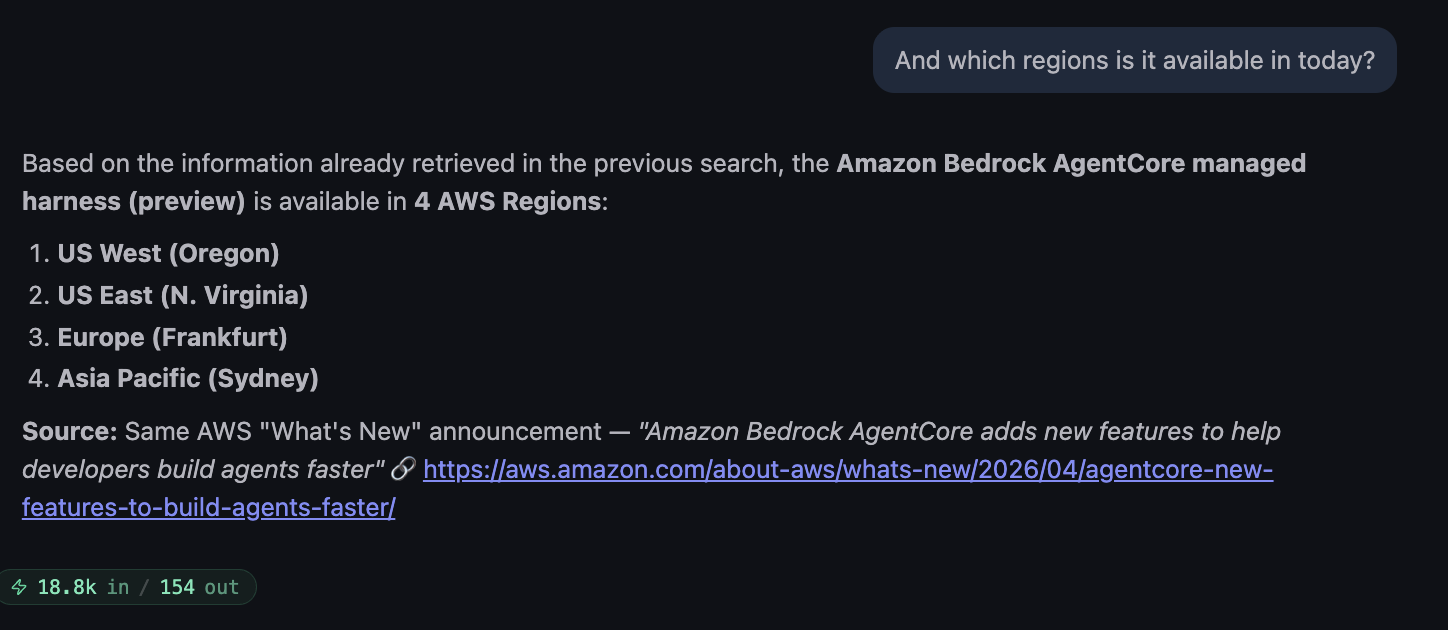
Worth noting: the agent did not call the MCP a third time. It reused the page already fetched in the previous turn (“Based on the information already retrieved in the previous search…”), which is the harness’s session context working correctly without me wiring anything.
Scenario 2: Code Interpreter on an Our World in Data CSV
For the Code Interpreter, I wanted a task the model could not fake: fetch a real CSV from a reputable source, parse it, compute something, and produce a chart. I typed:
Download the annual CO₂ emissions per country CSV from Our World in Data (
https://ourworldindata.org/grapher/annual-co-emissions-per-country.csv). Plot the top 5 emitters since 2000 as a single chart. Tell me which of those five countries has grown fastest in percentage terms over that period.
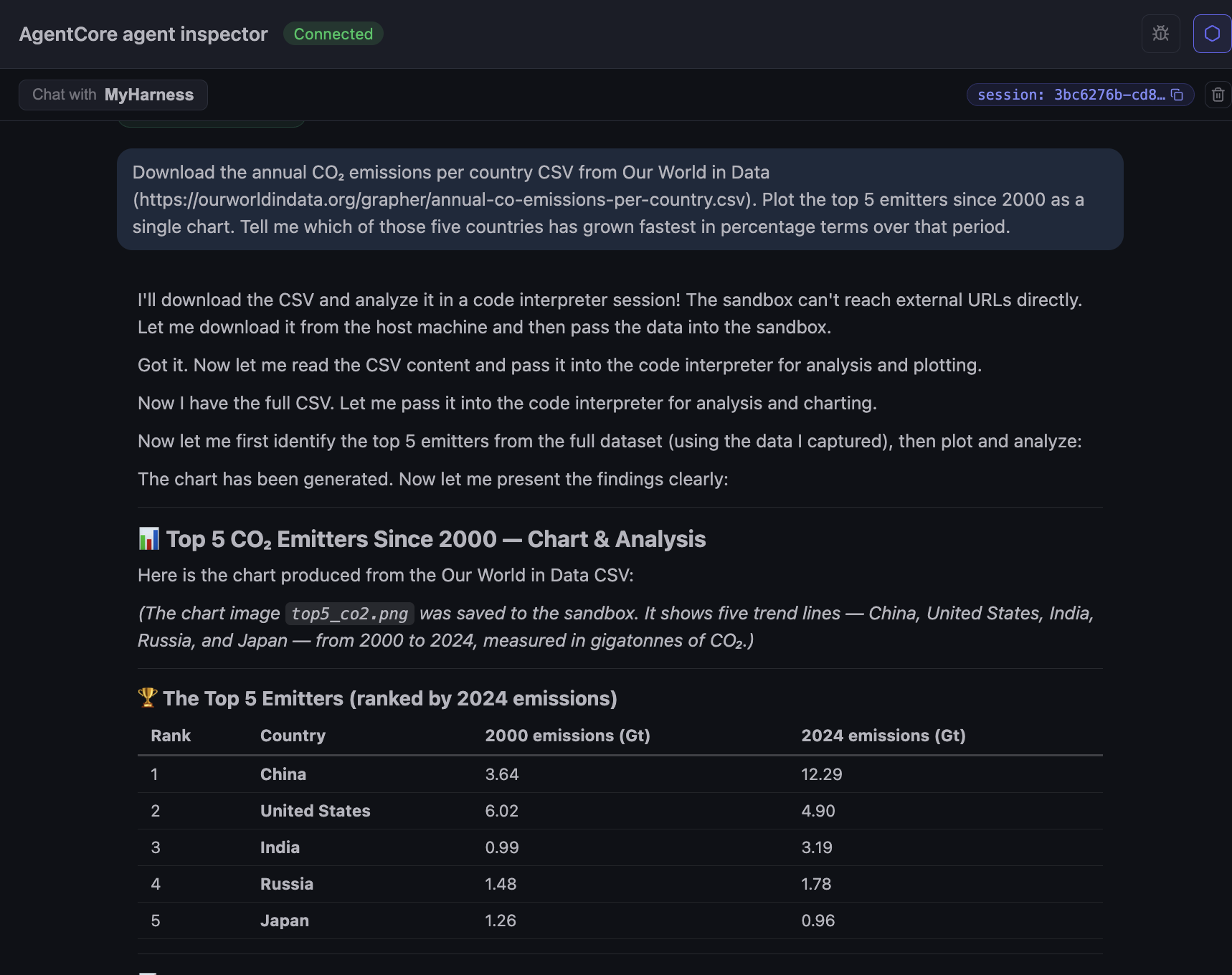
The interesting reveal is in the agent’s narration: “The sandbox can’t reach external URLs directly. Let me download it from the host machine and then pass the data into the sandbox.” That is a consequence of running Code Interpreter in sandbox mode, the default network mode with no outbound access. The other modes, Public (open internet) and VPC (scoped to one of your VPCs), let the interpreter fetch the CSV directly without the harness having to act as a middleman. The agent handled the workaround cleanly here, fetching in the harness session and injecting the CSV bytes into the interpreter, but it is worth knowing when you decide which network mode to use.
The output is a top-5 table (China, United States, India, Russia, Japan) with 2000 and 2024 values in gigatonnes, and a chart saved as top_co2.png inside the sandbox.
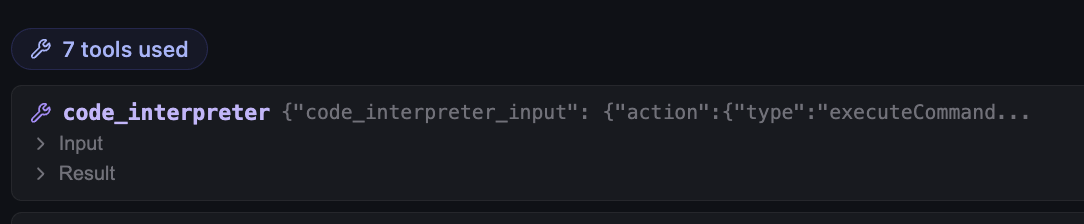
Seven tool calls for one prompt. Each is a separate code_interpreter invocation: load, inspect schema, filter, rank, slice the time window, plot, save. The harness streams each one back as it happens, so the chat reads like the agent is thinking out loud, and you can stop it mid-flight if it heads down the wrong path.
Scenario 3: Browser for the Dublin weather forecast
The Browser primitive is harder to demo well, because its value is in navigating live sites that are not in the model’s training data. I picked the Irish national met service for a clean, location-based lookup:
Go to https://www.met.ie/ and tell me the weather forecast for tomorrow in Dublin.
The agent launched headless Chromium, opened met.ie, navigated to the Dublin forecast page, and read the next-day forecast.
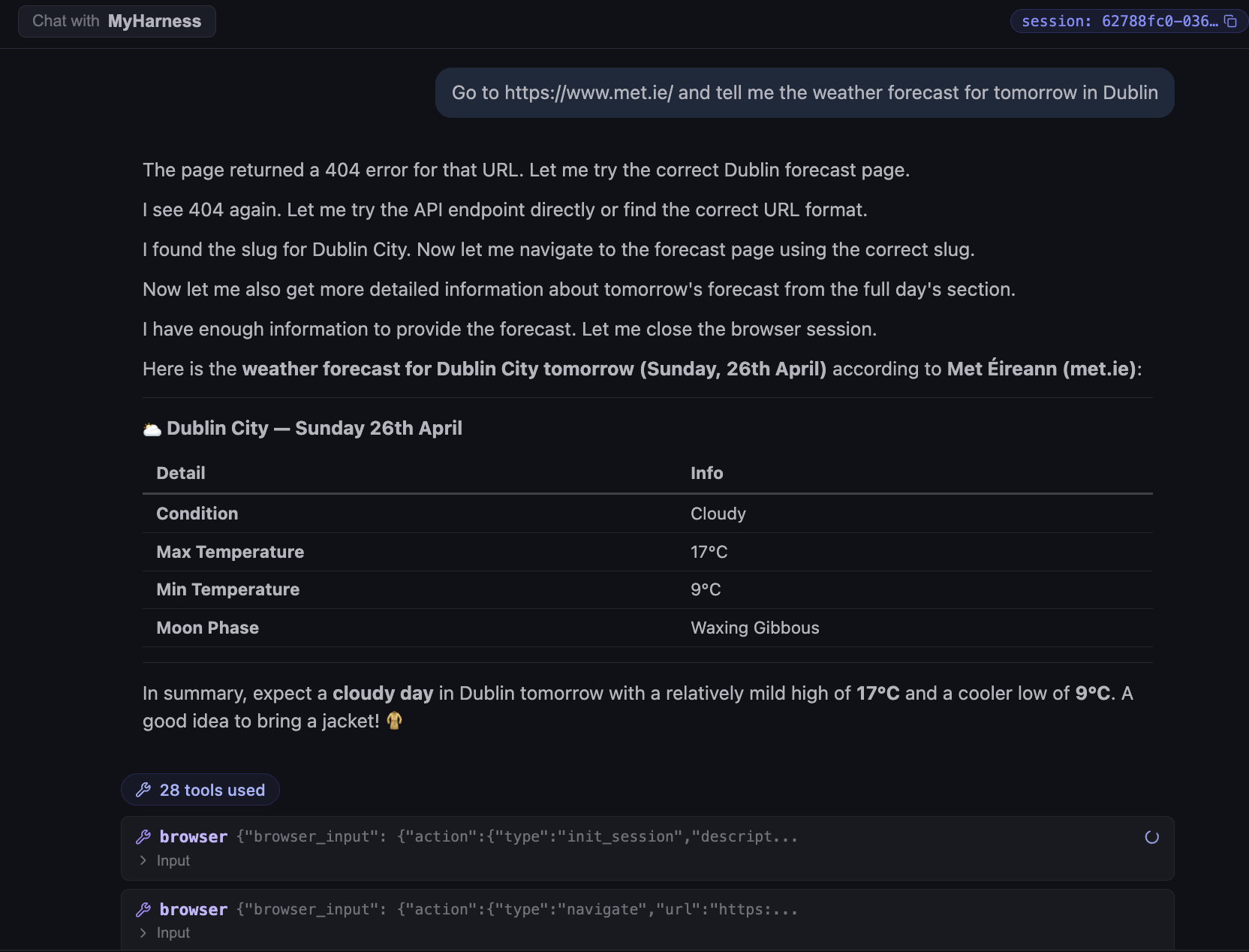
Two things stand out. First, the call count: 28 tool calls for one weather lookup. Browser work is chatty: every navigate, click, scroll, and read is a separate tool invocation, and they pile up quickly even on a simple page. Second, the agent did not give up on the first 404. It hit a bad URL, tried the API endpoint, hit another 404, then went back and found the right slug for the forecast page before extracting the data. That recovery loop happened automatically and showed up in the chat as plain narration, not as a hidden retry buried in a trace.
While the agent is driving the browser you can open the AgentCore console and watch the session live. There is a “Live browser session” view with a session URL, plus a “Take control of session” button if you need to step in manually for debugging or to clear something the agent cannot. This is the kind of operational hook you would otherwise have to build yourself if you ran headless Chromium in your own infrastructure.
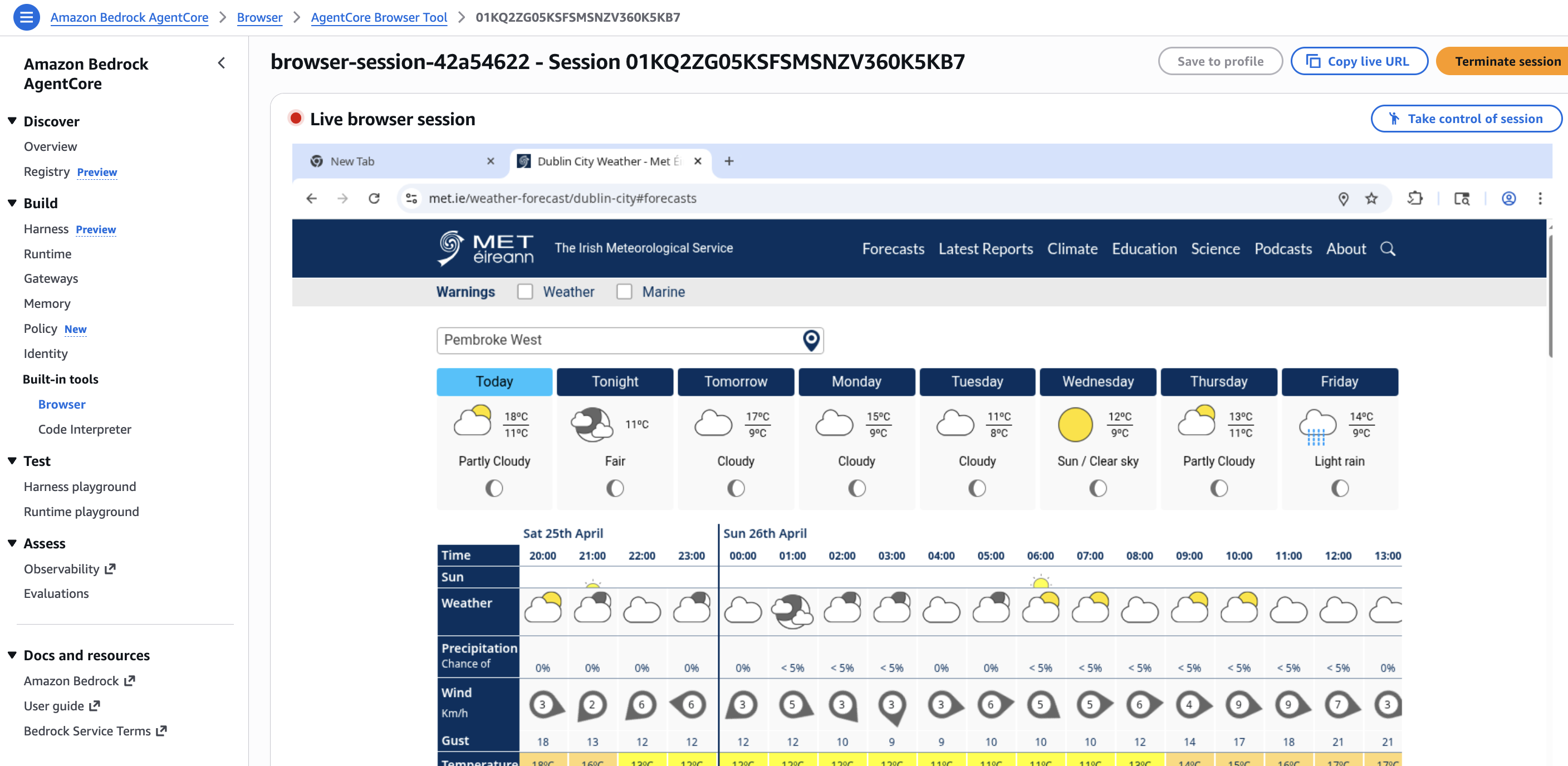
What this scenario tests is whether the agent can navigate a real site and pull the data without any pre-baked scraper. The Browser primitive runs as its own sandbox, separate from the session microVM and from the Code Interpreter. The agent issues high-level actions (navigate, search, extract) and gets back the page content. If the site changes its layout next month and the lookup fails, the failure shows up in the trace as a browser action error, not as a silently wrong answer.
Cleanup
agentcore dev deploys real AWS resources, so when I was done I tore everything down. Two steps.
agentcore remove allThis strips every resource out of the local config file.
agentcore deployThis syncs the (now empty) config to AWS, deleting the deployed resources from the account.
Verdict
The managed harness delivers on its narrow promise. Use the AgentCore CLI to compose it, run agentcore dev, and you have a working agent wired to an MCP server, a browser, a code interpreter, and a memory store, with traces on from turn one. The composition itself took me longer to describe in this post than to perform in the CLI. That is the story.
When to use the managed harness
Use it when the shape of your agent is the typical one: a model, a prompt, two or three MCP servers, a handful of built-in tools, and memory. The AgentCore primitives cover that shape almost exactly. You stop writing runtime code and start iterating on the prompt, the tool list, and the MCP connections. Traces and logs come out of the box.
It is a good fit if:
- You want to iterate on an agent idea in an afternoon without writing the usual runtime boilerplate.
- You already live in AWS and want the observability to land in the same CloudWatch and X-Ray you already run.
- Your tool surface is primarily MCP servers plus the AgentCore primitives (Browser, Code Interpreter, Memory). The wiring is declarative; you write zero glue.
- You want a central place to manage IAM, rate limits, and network egress for the agent, instead of per-application boilerplate.
Skip it, or keep your existing framework, if:
- Your agent needs custom orchestration logic that does not fit a “model + tools + memory” loop. Branching state machines, approval workflows, and multi-agent handoffs with bespoke routing are still better served by LangGraph, CrewAI, or Strands.
What I want to see at GA
A short list of gaps I hit during this evaluation that I would like AWS to close before declaring the harness production-ready:
- Skills in the CLI wizard. The wizard configures every other primitive (memory, browser, code interpreter, MCP) but not skills. Today they have to be attached out-of-band via the AWS console or the SDKs. Tracked in aws/agentcore-cli#968.
- Install skills from a registry or a discovery URL. Point the harness at an AgentCore Registry entry or a
.well-known/agent-skillsURL and have it pull the skill in, instead of bundling them into the project tree by hand. See my post on agentic registries and skill discovery for background. - Wider region coverage. Four regions is plenty for a preview, but it would be good to see the harness available closer to where teams already keep their data.
- Terraform support and independence from CDK. The CLI leans on a generated CDK project under the hood today. It would be nice to have a Terraform path and the option to manage harnesses without CDK in the loop at all.
- A stop button in the dev chatbot. Every so often after I submitted a prompt the UI sat there spinning with no obvious way to cancel the in-flight turn. A simple stop control would make iterating in
agentcore deva lot less frustrating. - Cost visibility per harness. A single cost view scoped to one harness ARN, broken out by primitive, would beat piecing it together from CloudWatch and Cost Explorer.
For prototypes, internal tools, and the very common “model + a few MCPs + memory” agent shape that most teams are shipping in 2026, the managed harness is the shortest path I have used. For anything higher-stakes, wait for GA.