Claude Platform on AWS: Hands-On with a Slack Padel Agent
By Fabio Douek
Jump to section
- Overview
- Architecture
- Setup
- Prerequisites
- Step 1: Enable outbound web identity federation
- Step 2: Find Claude Platform on AWS in the Console and click Get Started
- Step 3: Subscribe and create a workspace
- Step 4: IAM policy
- Step 5: Install the SDK and set environment variables
- The Demo: A padel-booking agent in Slack
- Scenario A: a long-lived session that polls Slack via MCP
- Scenario B: upgrade polling to Slack Events API
- What I’d refine before production
- Verdict
- How it compares
- Who should use it
- Who should not use it
- What I would watch next
Explain (TLDR) like I am...
Imagine you already have a special wristband that gets you into every ride at the park, and today the park added a brand new attraction run by a different company. Instead of giving you a second wristband, they let your existing one work at the new ride too, and the cost shows up on your same park bill at the end of the day.
That is what AWS did with Claude. Your AWS wristband, which the grown-ups call IAM, now opens the door to Anthropic's full Claude playground. The robots that answer questions still live in Anthropic's building, not in the AWS building, but you get in and pay through the AWS one.
Treat this as a new procurement path to an existing vendor. The contracting surface is AWS Marketplace and the authentication surface is AWS IAM, but the inference data processor is Anthropic, operating outside the AWS security boundary. Existing AWS commitments retire against the spend, which is convenient, and CloudTrail captures request metadata, which is auditable.
The material questions to raise are data residency, Zero Data Retention, and regulated workloads. ZDR is opt-in on this path rather than implicit, and Anthropic states explicitly that FedRAMP High, IL4-5, and HIPAA-ready workloads should remain on Amazon Bedrock, where AWS is the sole processor. Several headline features ship as beta inside a GA service, so binding contracts to them deserves a second read.
Think of this as a targeted intervention for one symptom: teams that already run on AWS and want the full Anthropic feature set without standing up a second vendor relationship. The mechanism is sound, IAM and SigV4 in front of Anthropic's existing platform, and the evidence base is strong on the auth path because both SDKs and AWS sample notebooks shipped on day one.
Side effects worth monitoring: inference data leaves the AWS boundary, so the data path is materially different from Bedrock, and several headline features arrive as beta inside a GA wrapper. Good candidates are Claude-only teams with existing AWS commitments and no strict residency rules; poor candidates are regulated workloads that need AWS to be the sole data processor.
Notice the small relief that comes from not having to onboard a new vendor. Procurement does not have to sign a fresh contract, security does not have to issue a fresh key, finance does not have to learn a fresh invoice. The team gets to focus on the model and the work, instead of the plumbing around them.
The new tension lands somewhere quieter: the inference data crosses out of the AWS boundary your security team carefully drew, and the Claude features your engineers are most excited about, Skills, Managed Agents, MCP, are still labelled beta. Worth naming openly before the team rallies around it, so trust is not built on a story that quietly shifts.
Treat this like a guest player sitting in on your session, but you do not have to print them a new set list. They already know your cues because the cues are your AWS credentials, and the royalty split lands on the same monthly statement you were going to receive anyway. The instrument they play is still their own, tuned in their own room.
Where the ensemble gets richer is the gear list: Skills, code execution, Files, MCP, the Console, all show up on the same stand that the direct Claude players use. Where it gets careful is that several of those pedals carry beta stickers, and the room the player practices in is not your room. The tempo of integration is fast, the sound check on production rigour is the slower beat.
The story is time to value for AWS-native teams. Drop one new SDK client into an existing app, sign in with IAM credentials your platform already issues, and the invoice retires against the AWS commitment your finance team negotiated last quarter. No new contract, no new key vault, no new bill.
The positioning writes itself for Claude-only shops on AWS: same Anthropic feature set as the direct API, same Console, same same-day model launches, but the procurement and audit surface every CFO and security team already understands. The honest caveat in the brief is the security boundary line, which buyers will notice and should hear from you before they hear it from a vendor review.
Overview
On May 11, 2026, AWS announced the general availability of Claude Platform on AWS: direct access to Anthropic’s native Claude Platform experience through an existing AWS account. AWS is positioned as “the first cloud provider to offer access to the native Claude Platform experience.” No separate Anthropic account, no separate billing relationship, no second key vault.
The framing that matters: this is not Bedrock with a new coat of paint. Bedrock is AWS-operated, with AWS as the sole data processor. Claude Platform on AWS is Anthropic-operated. AWS supplies the authentication layer (SigV4 or API key), IAM-based access control, AWS Marketplace billing, CloudTrail audit logging, and PrivateLink. Anthropic operates the inference. The Anthropic docs put it bluntly: “Unlike Amazon Bedrock, where AWS operates the inference stack, Anthropic operates Claude Platform on AWS.”
That distinction is the load-bearing fact for everything else in the post. It is why CPoA gets Agent Skills, Files API, MCP connector, code execution, web search and web fetch, the Advisor tool, Managed Agents, and beta-header pass-through.
Architecture
Three things move when you call Claude Platform on AWS, and they live in three different planes.
The AWS-side gateway is what makes the IAM story work. When your SDK signs a request with SigV4 for the service aws-external-anthropic, the gateway calls sts:GetWebIdentityToken server-side, mints a JWT, and forwards the request to Anthropic with that JWT as the trust anchor. AWS Marketplace meters the call. Anthropic processes the inference. CloudTrail records the request on the AWS side. Inputs and outputs themselves leave the AWS boundary on their way to the Anthropic plane.
A quick table of where each concern lives:
| Concern | Lives on AWS side | Lives on Anthropic side |
|---|---|---|
| Identity / auth | IAM, SigV4, STS, workspace ARN | Workspace metadata mirror |
| Billing | AWS Marketplace, EDP retirement, Cost Explorer | (none) |
| Audit | CloudTrail (management events default, data events opt-in) | Anthropic request IDs |
| Inference compute | (none) | Managed agents runtime, model inference |
| Data residency | Workspace region (control plane only) | inference_geo: us (1.1x) or global |
| Features | (none) | Messages API, Skills, MCP, Files, code exec, Console |
| Network privacy | AWS PrivateLink to the gateway | Public-ish path beyond the gateway |
The split that surprises people: the AWS region your workspace is bound to controls where the gateway lives and where AWS-side audit and billing scope, not where the model actually runs.
Setup
I will walk through the path I expect most people to actually take: the Python SDK against a short-term API key for development, with notes on the SigV4 production path.
Prerequisites
- An AWS account with permission to subscribe in AWS Marketplace
- IAM permission to enable outbound web identity federation on the account (one-time)
- A Slack workspace where you can install apps and add channels (you’ll need workspace-admin or equivalent install permissions for the demo)
- Python 3.10+ with the new
anthropic[aws]extra installed
Step 1: Enable outbound web identity federation
The gateway calls sts:GetWebIdentityToken server-side to mint the JWT it forwards to Anthropic. That STS capability is disabled by default on every AWS account, so enable it once, one-time per AWS account:
aws iam enable-outbound-web-identity-federationStep 2: Find Claude Platform on AWS in the Console and click Get Started
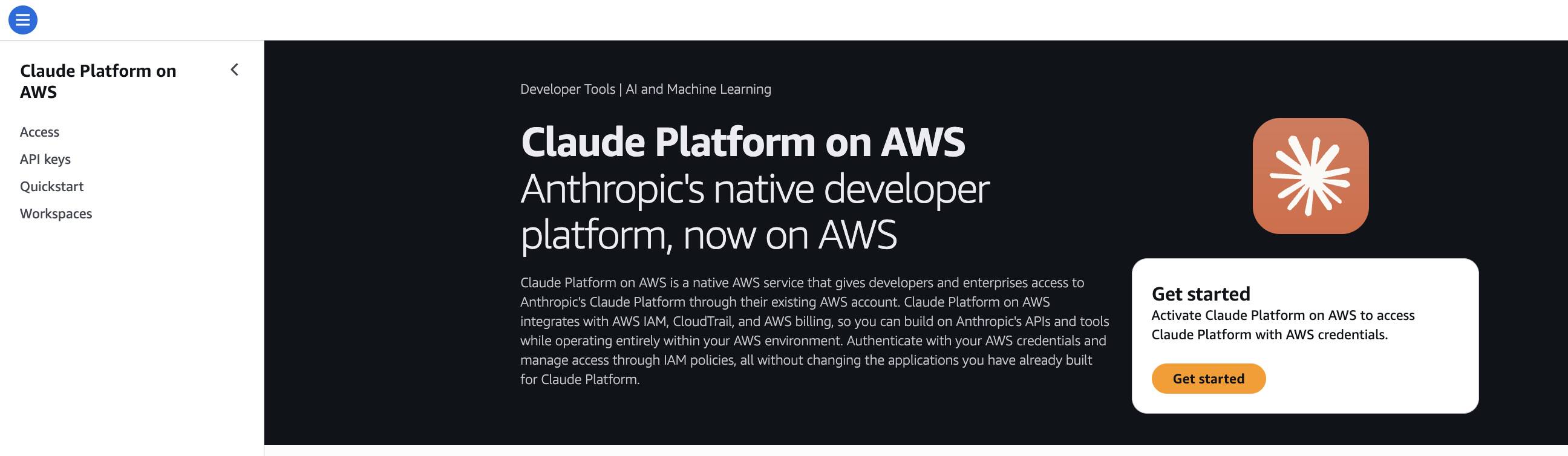
Sign in to the AWS Console and search for Claude Platform on AWS in the top navigation. The service page has a single Get Started button. Click it to kick off the AWS Marketplace subscription flow.
Step 3: Subscribe and create a workspace
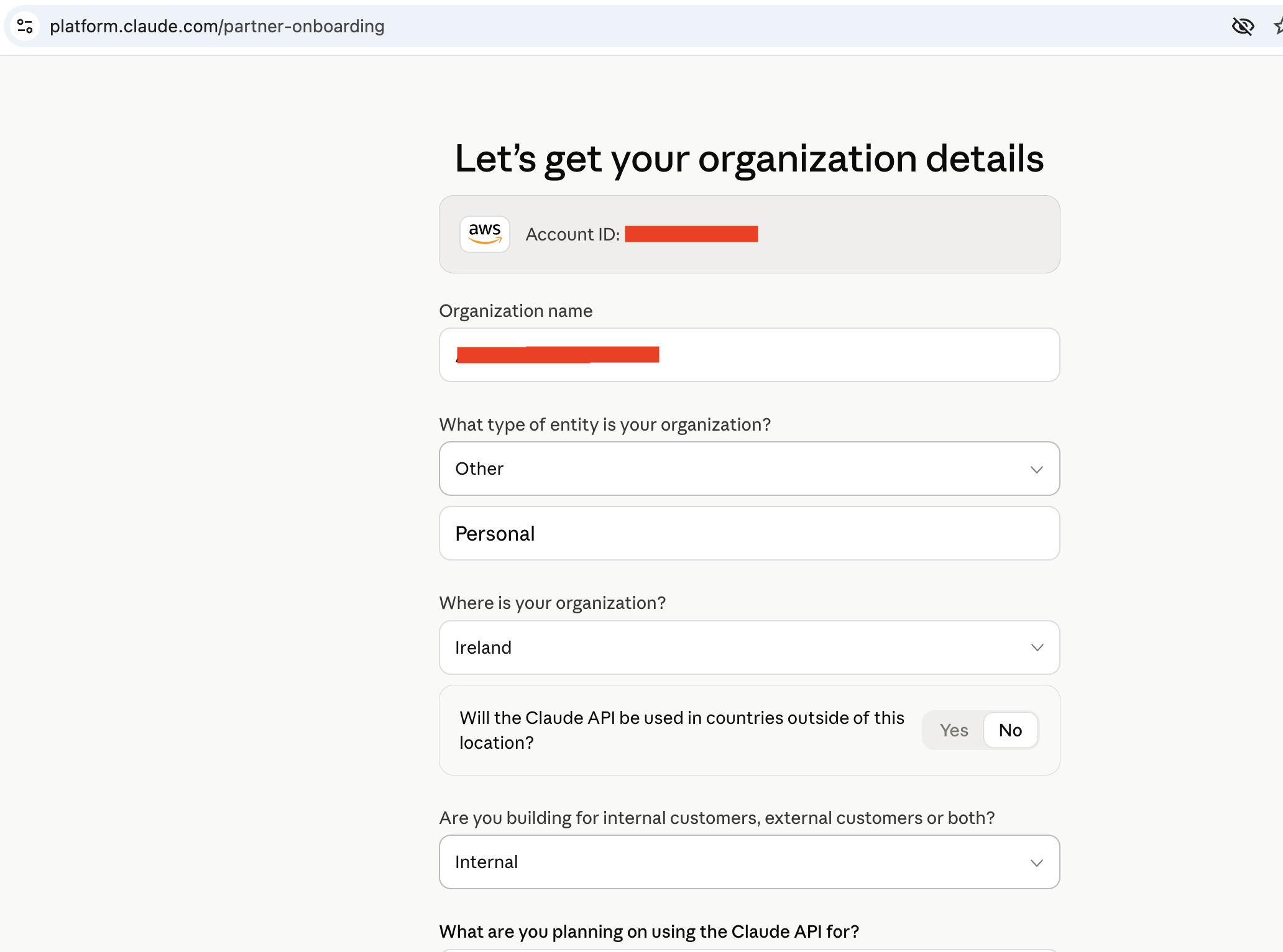
The Get Started button drops you into the AWS Marketplace subscription, then redirects to platform.claude.com/partner-signup. Sign-up provisions a brand-new Anthropic organization tied to the AWS account. If your company already has a Claude Enterprise organization, it does not carry over: API keys, workspaces, and Console settings start fresh.
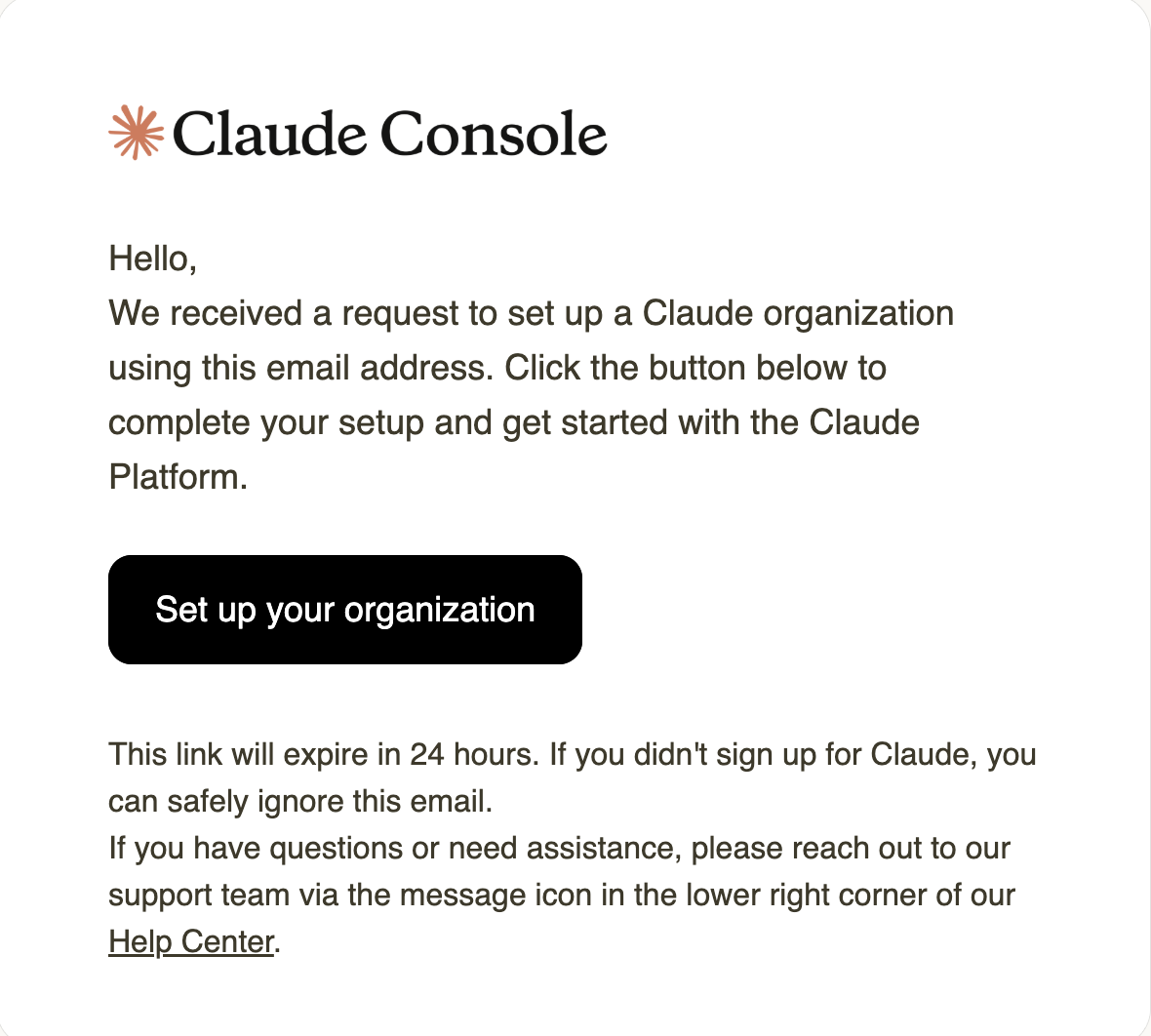
Anthropic emails the AWS account contact to start the org setup.
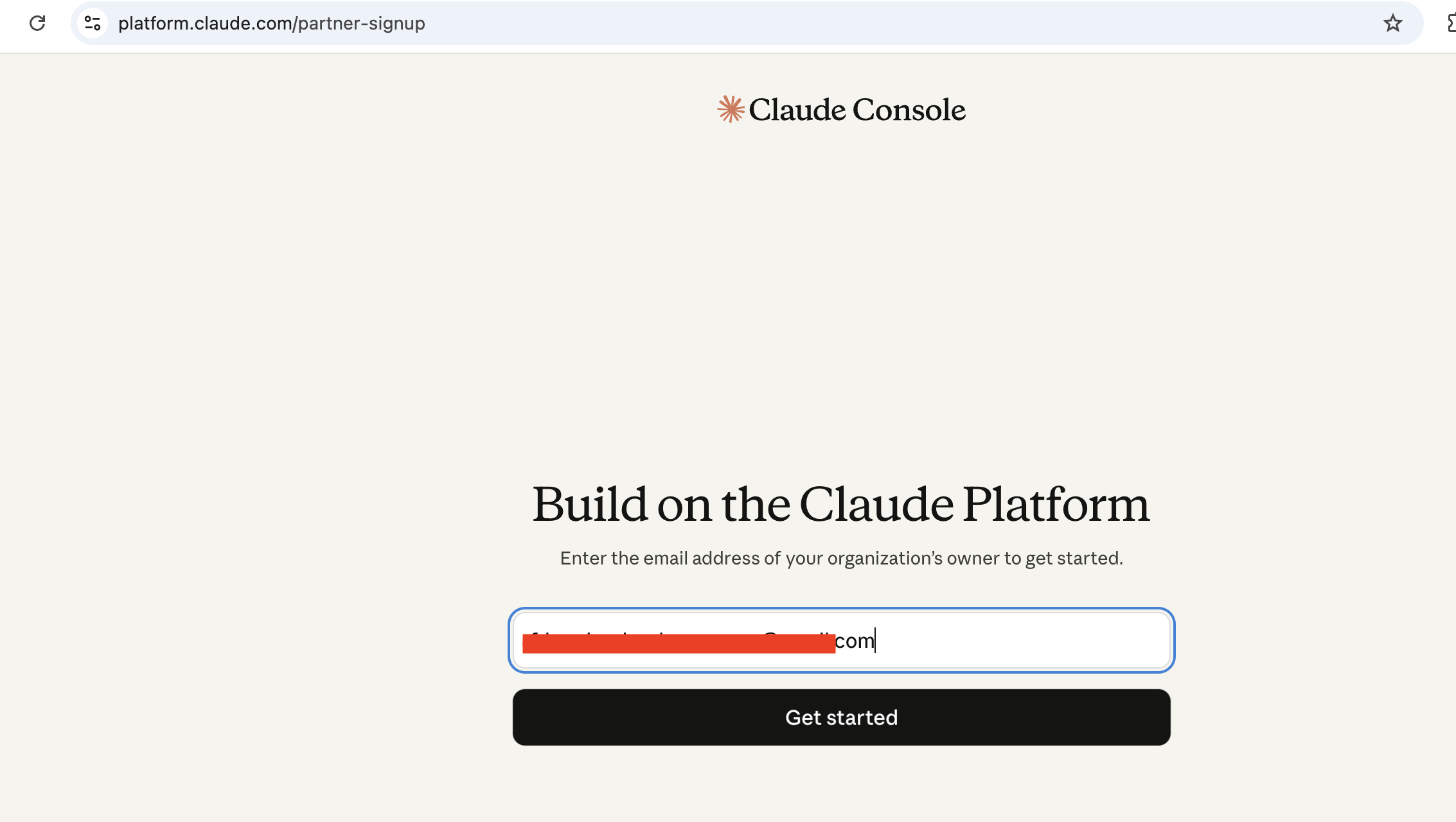
A confirmation screen lands you in the partner-signup flow.
Name the new Anthropic organization. This is separate from any existing Claude Enterprise org.
Once the org exists, create your first workspace. One per AWS region.
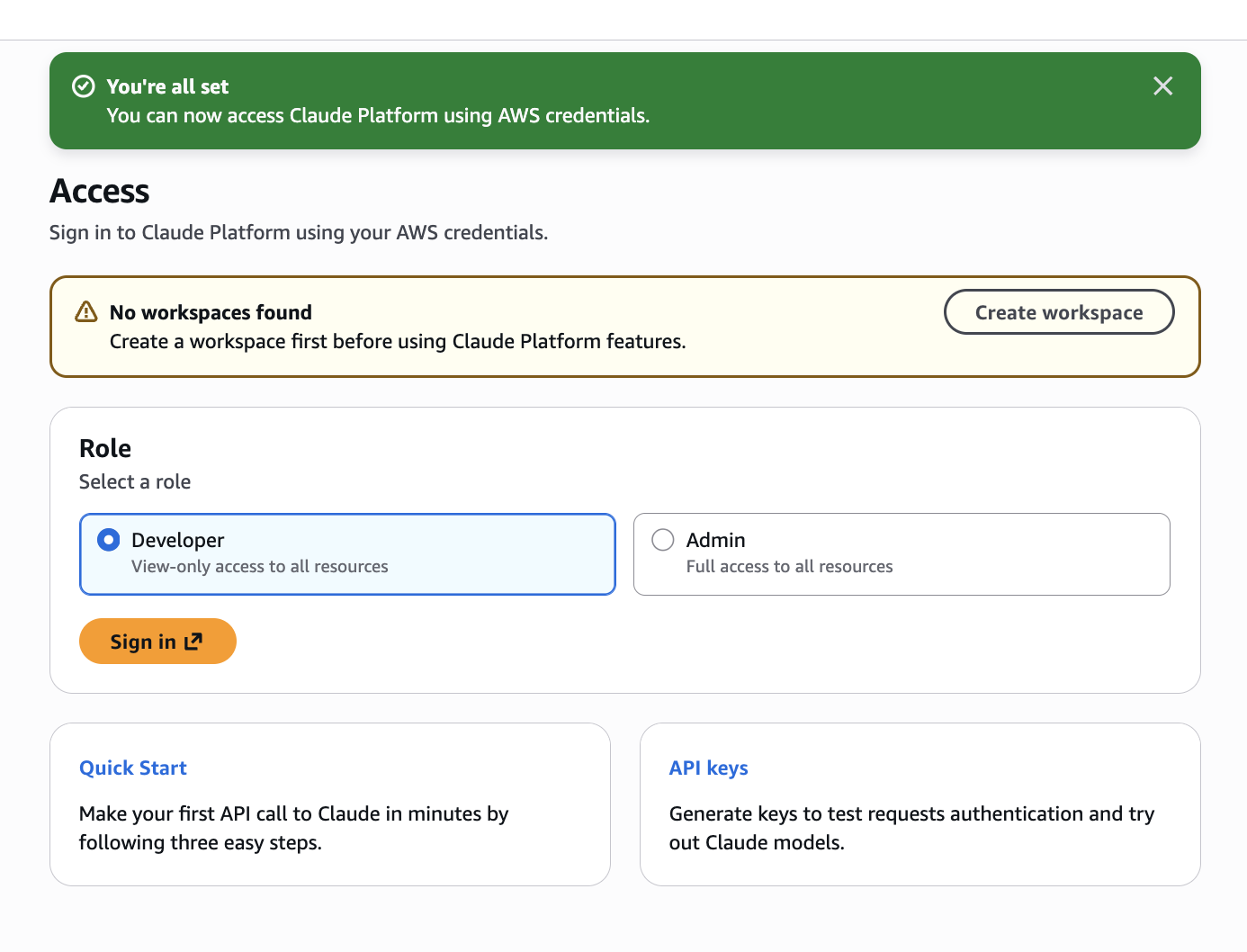
The workspace ID looks like wrkspc_01AbCdEf23GhIj and is your IAM resource ARN:
arn:aws:aws-external-anthropic:us-east-1:123456789012:workspace/wrkspc_01AbCdEf23GhIjStep 4: IAM policy
Anthropic ships four managed policies (AnthropicFullAccess, AnthropicReadOnlyAccess, AnthropicInferenceAccess, AnthropicLimitedAccess) and the actions live in the aws-external-anthropic:* namespace. A minimal inference-only policy looks like this:
{
  "Version": "2012-10-17",
  "Statement": [
    {
      "Effect": "Allow",
      "Action": [
        "aws-external-anthropic:CreateInference",
        "aws-external-anthropic:CountTokens",
        "aws-external-anthropic:GetModel",
        "aws-external-anthropic:ListModels"
      ],
      "Resource": "arn:aws:aws-external-anthropic:us-east-1:123456789012:workspace/wrkspc_01AbCdEf23GhIj"
    }
  ]
}
Step 5: Install the SDK and set environment variables
The Python client shipped on GA day in anthropic v0.101.0:
pip install "anthropic[aws]>=0.101.0"The TypeScript client is a separate package, @anthropic-ai/aws-sdk v0.3.0. Both are flagged beta in the docs.
For exploration, create an API key in the Claude Console (accessed through the AWS Console) and set:
export ANTHROPIC_AWS_API_KEY=aws-external-anthropic-api-key-...
export ANTHROPIC_AWS_WORKSPACE_ID=wrkspc_01AbCdEf23GhIj
export AWS_REGION=us-east-1
The Demo: A padel-booking agent in Slack
I’d been spending too much time organising padel matches and cross-checking availability on my club’s website. The web UI is not great. Over a recent weekend I built a Skill for it, and Claude Code became the place I checked availability from. Claude Platform on AWS comes at a good time: I can port the Skill across, hook it up to Slack, and use it from my phone.
While I was at it, I wanted to put every CPoA primitive on stage in one demo: Managed Agents Sessions, Skills, Environments, code execution, MCP connector, and the credential vault. The scenario: a Slack bot that answers padel-court questions from #padel-bot by calling my club’s (unofficial) booking API. The club runs on Gladstone, a leisure-centre platform with a member portal but no public API.
I built it in two passes:
- Scenario A: the purely-CPoA shape, a long-lived Managed Agents session that polls Slack via MCP.
- Scenario B: swaps polling for Slack’s Events API hitting a tiny Lambda that forwards into the same session. Sub-second UX, same agent, same Skill, same vault.
Scenario A: a long-lived session that polls Slack via MCP
The data flow:
The session is woken on a heartbeat (user.message with text tick). On each tick the agent reads recent #padel-bot history via the Slack MCP, finds the newest human message without a bot reply after it, runs the right Skill script in bash, and posts back via the Slack MCP.
1. Create the vault, add the Slack credential
from anthropic import AnthropicAWS
c = AnthropicAWS(aws_region='us-east-1', workspace_id='wrkspc_…')
v = c.beta.vaults.create(display_name='pslc-padel-bot')
# v.id -> vlt_01AbCdEf23GhIj
The credential goes through the Claude Console: pick Slack from the MCP-server list and walk the OAuth flow. The vault stores it with a refresh block, so Anthropic auto-renews the access token on expiry. That’s what makes a vault more than a plain secret store.
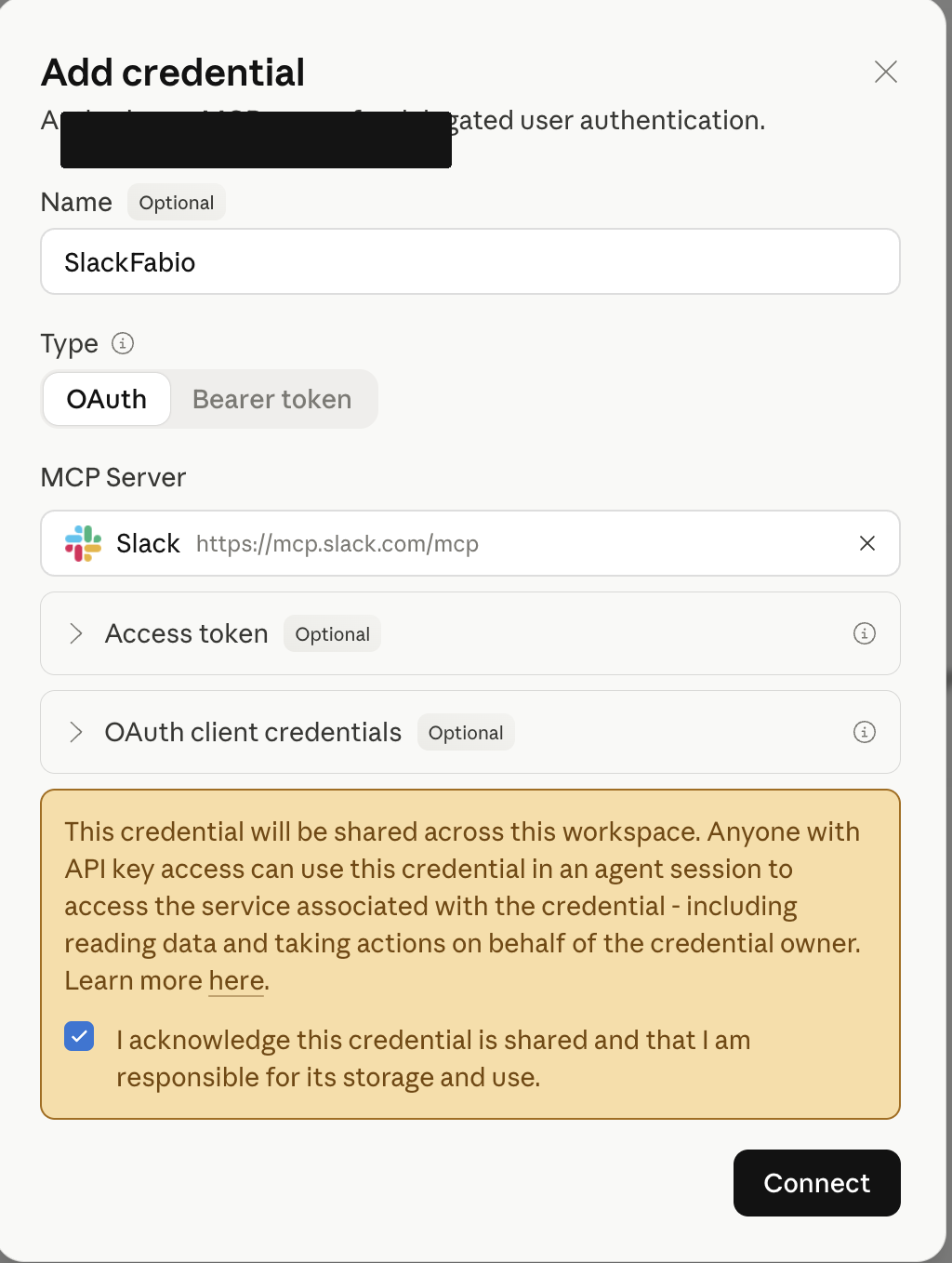
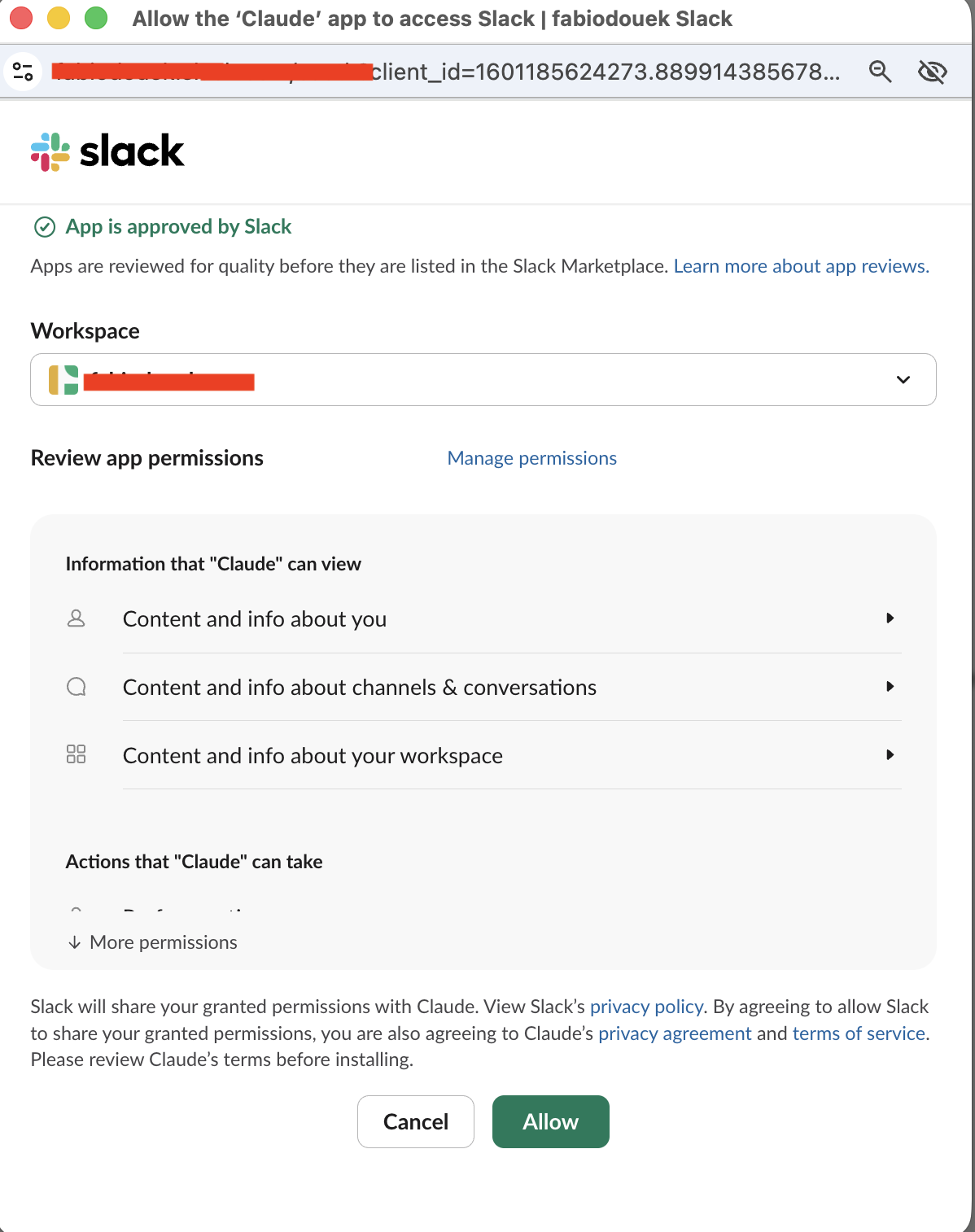
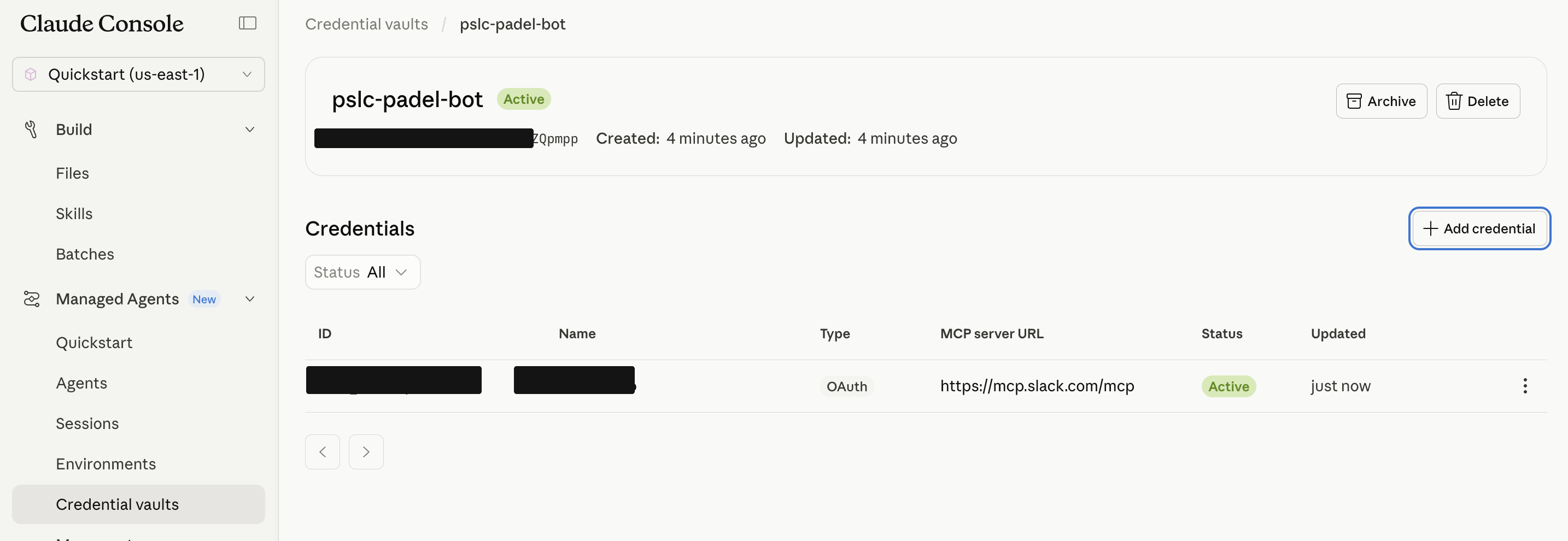
Read it back to confirm (no token leak; the secret fields are write-only by design):
for cred in c.beta.vaults.credentials.list(vault_id=v.id).data:
    print(cred.id, cred.display_name, cred.auth.type, cred.auth.mcp_server_url)
# vcrd_…  padel-bot-mcp  mcp_oauth  https://mcp.slack.com/mcp
There’s a catch: this vault holds MCP server credentials, keyed by mcp_server_url. It is not a general secret store. The Gladstone username/password we need next can’t live here.
2. Upload the Skill
skills.create takes a list of (path, bytes, mime) tuples. All files must share one top-level directory with SKILL.md at its root.
from pathlib import Path
skill_dir = Path('<repo>/.claude/skills/pslc-padel')
top = 'pslc-padel'
rels = [
    'SKILL.md',
    'scripts/pslc_client.py',
    'scripts/check_availability.py',
    'scripts/list_bookings.py',
]
files = [(f'{top}/{r}', (skill_dir / r).read_bytes(),
          'text/plain' if r.endswith('.md') else 'text/x-python')
         for r in rels]
skill = c.beta.skills.create(display_title='pslc-padel', files=files)
# skill.id -> skill_01AbCdEf23GhIj
3. Upload the Gladstone credentials as a file
import io
content = (Path.home() / '.config' / 'pslc-padel' / '.env').read_bytes()  # pslc_user= … / pslc_password= …
f = c.beta.files.upload(file=('pslc-padel.env', io.BytesIO(content), 'application/x-envfile'))
# f.id -> file_01AbCdEf23GhIj
This is where the vault’s narrow remit shows up. BetaCloudConfigParams doesn’t expose an env field today, and the vault is scoped to MCP-server credentials, so the most straightforward path for non-MCP secrets is the Files API plus a sessions.resources.add mount.
4. Create the Environment
env = c.beta.environments.create(
    name='pslc-padel-env',
    description='Sandbox for the pslc-padel Skill.',
    config={
        'type': 'cloud',
        'packages': {
            'type': 'packages',
            'pip': ['requests', 'cryptography'],
        },
        'networking': {
            'type': 'limited',
            'allowed_hosts': ['<club>.gladstonego.cloud'],
            'allow_mcp_servers': True,      # opens egress to attached MCP servers
            'allow_package_managers': True, # lets pip install at session start
        },
    },
)
# env.id -> env_01AbCdEf23GhIj
The limited network mode is the production posture. If the post’s earlier “outside the AWS security boundary” callout is going to ring true, the Environment can’t be unrestricted. The allowlist is exactly what the Skill and the Slack MCP need, nothing more.
5. Create the Agent
SYSTEM = """You are PadelBot, a Slack-based read-only assistant for a padel club I'm a member of padel courts.

Your home channel is `#padel-bot`. Treat every human message there as addressed to you.

Tools:
- Skill pslc-padel: scripts/check_availability.py --date YYYY-MM-DD --duration {30|60|90}
                    scripts/list_bookings.py [--history]
- MCP server slack: read history, post replies.

First-run bootstrap (idempotent): copy /mnt/session/uploads/root/.config/pslc-padel/.env
to ~/.config/pslc-padel/.env before running any Skill script.

Working loop on each tick:
1. Read recent #padel-bot history via Slack MCP.
2. If newest human message has no bot reply after it, answer it.
3. Run the right Skill, post a tight one- or two-line reply, stop.

Read-only only. Booking is out of scope. Never reveal credentials."""

agent = c.beta.agents.create(
    model='claude-sonnet-4-6',
    name='padel-slack-agent',
    description='Read-only padel agent driven by Slack.',
    system=SYSTEM,
    skills=[{'type': 'custom', 'skill_id': skill.id}],
    mcp_servers=[{'type': 'url', 'name': 'slack', 'url': 'https://mcp.slack.com/mcp'}],
    tools=[
        {'type': 'agent_toolset_20260401',
         'default_config': {'enabled': True, 'permission_policy': {'type': 'always_allow'}}},
        {'type': 'mcp_toolset', 'mcp_server_name': 'slack',
         'default_config': {'enabled': True, 'permission_policy': {'type': 'always_allow'}}},
    ],
)
# agent.id -> agent_01AbCdEf23GhIj
Two things worth pointing at:
- The agent’s “bash” tool isn’t a
code_executiontool: it’s theagent_toolset_20260401bundle (bash + read/write/edit/glob/grep + web_fetch/web_search) shipped by the SDK. That bundle is what shells out into the Environment’s sandbox to run the Skill’s Python scripts. - The default permission policy for
mcp_toolsetisalways_ask, which would stall an autonomous bot waiting for human approval on every Slack call. For this agent I flipped it toalways_allow. For sensitive workflows where you’d rather keep a human in the loop, the inverse is the more cautious posture: leave it onalways_askand wire Anthropic’ssession.requires_actionwebhook to an approval UX.
6. Create the Session, mount the creds
session = c.beta.sessions.create(
    agent='agent_01AbCdEf23GhIj',
    environment_id=env.id,
    vault_ids=[v.id],
    title='Padel Slack bot — long-lived session',
    resources=[{
        'type': 'file',
        'file_id': f.id,
        'mount_path': '/root/.config/pslc-padel/.env',
    }],
)
# session.id -> sesn_01AbCdEf23GhIj
The agent runtime at GA mounted resources under /mnt/session/uploads/..., so my file landed at /mnt/session/uploads/root/.config/pslc-padel/.env rather than at the path I requested. The Skill’s _find_env reads ~/.config/pslc-padel/.env; the system prompt’s first-run bootstrap copies between the two on the first tick. Worth knowing because it’s the kind of thing that silently fails as “Login rejected” instead of “file not found.”
7. Tick it
c.beta.sessions.events.send(
    session_id=session.id,
    events=[{'type': 'user.message', 'content': [{'type': 'text', 'text': 'tick'}]}],
)
I posted list my upcoming padel bookings in #padel-bot and sent a tick. The agent walked the loop (Slack MCP read_messages, bootstrap, scripts/list_bookings.py via bash, Slack MCP chat.postMessage) and replied with my four upcoming bookings as a markdown table.
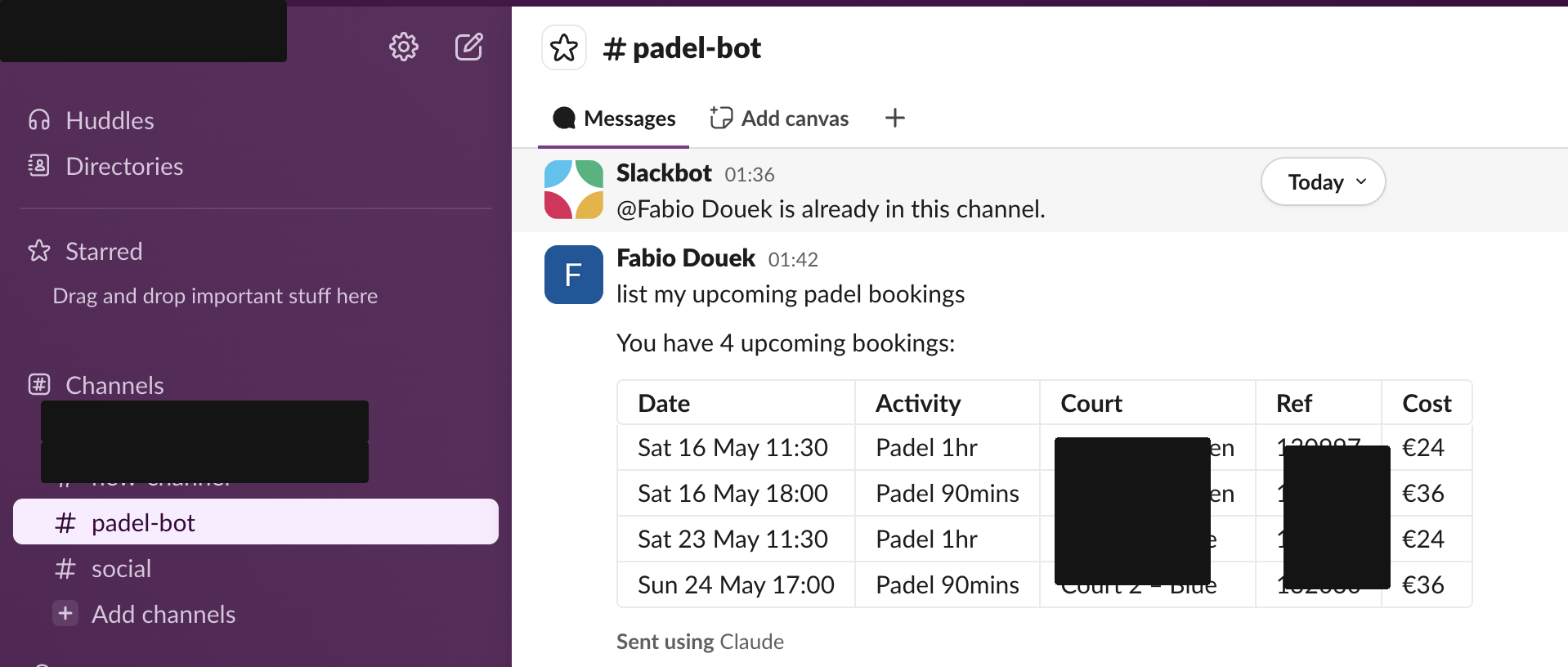
A second exchange to prove the availability path:

What I came away with on Scenario A: the IAM/SDK ergonomics are real, code execution + Skills + MCP + vault all compose, and the only friction was small operational stuff (the resource-mount path prefix, the always_ask default, the first-call 403 from Gladstone that retried clean). The polling is the obvious flaw: to make it autonomous you’d add an EventBridge schedule firing a tick every 4 minutes, which works, but means you’re paying CCUs to wake up and find nothing in 99% of ticks.
Scenario B: upgrade polling to Slack Events API
The architectural shift is small but the UX shift is big. Slack pushes event_callback envelopes the moment a human types in #padel-bot. A tiny Lambda verifies the Slack signing secret, parses the envelope, and forwards the text into the same Managed Agents session as a user.message. The agent’s working-loop code path doesn’t change (it still ends up reading recent history and posting back via the Slack MCP), but the wake-up is real-time and there’s no idle CCU spend.
B.1 Slack app you own
Scenario A’s Slack OAuth was for Anthropic’s pre-registered MCP app. Convenient, but you can’t add Events API to an app you don’t own. So I created a separate Slack app (padel-bot-events) from a manifest. At https://api.slack.com/apps choose Create New App → From an app manifest, pick the workspace, and paste:
display_information:
  name: padel-bot-events
  description: Slack Events API bridge for the padel-bot Managed Agent on Claude Platform on AWS.
  background_color: "#1f3a59"

features:
  bot_user:
    display_name: padel-bot-events
    always_online: true

oauth_config:
  scopes:
    bot:
      - channels:history
      - channels:read
      - chat:write
      - users:read

settings:
  org_deploy_enabled: false
  socket_mode_enabled: false
  token_rotation_enabled: false
No event_subscriptions block in the manifest, because Slack rejects manifests that declare events without a request_url or Socket Mode, and we won’t have the URL until the Lambda is deployed. Events API gets added through the UI after deployment.
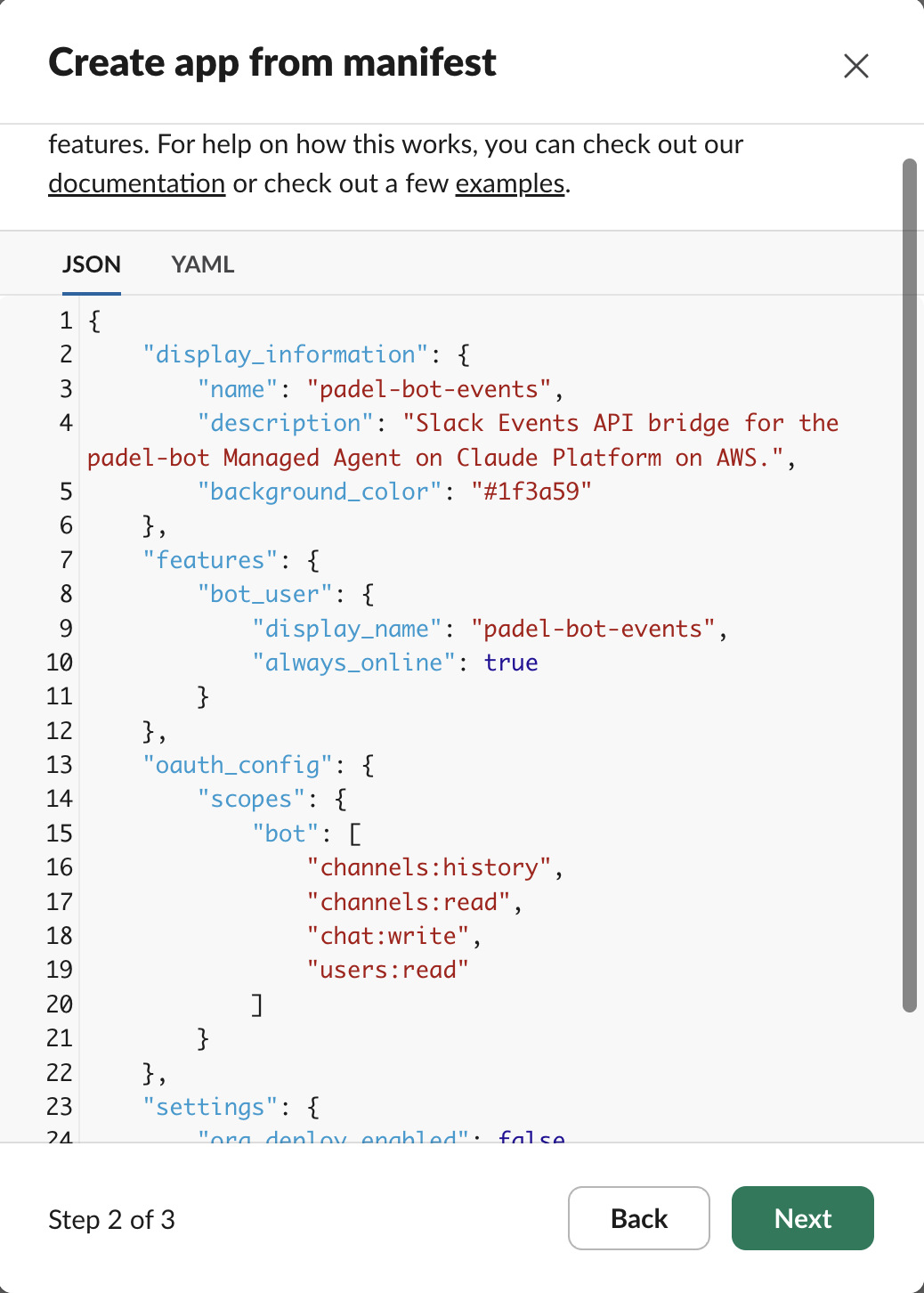
Confirm the review screen and Create.
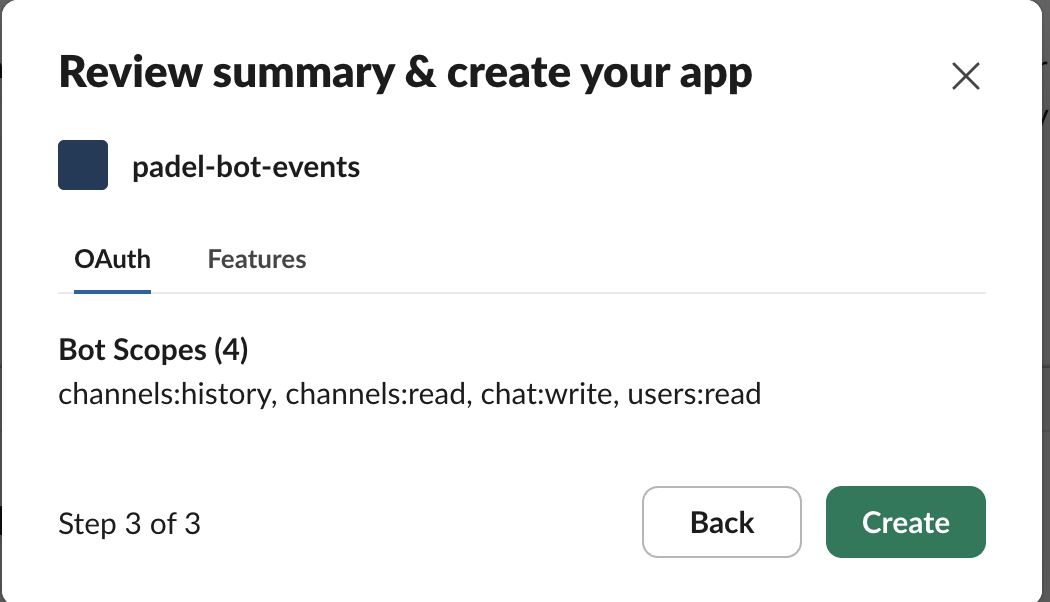
Then Install to Workspace, approve the scopes, and /invite @padel-bot-events in #padel-bot so the new bot can see history. (The bot doesn’t post; replies still go through the original vault credential.) Finally copy the Signing Secret out of the app’s Basic Information page; the Lambda will use it to verify every event.
B.2 Lambda handler
The handler is short. The interesting parts:
import hashlib, hmac, json, os, time
from anthropic import AnthropicAWS

SIGNING_SECRET = os.environ["SLACK_SIGNING_SECRET"].encode()
SESSION_ID     = os.environ["CPOA_SESSION_ID"]
WORKSPACE_ID   = os.environ["CPOA_WORKSPACE_ID"]
TARGET_CHANNEL = os.environ["SLACK_CHANNEL_ID"]

_client = AnthropicAWS(aws_region=os.environ["AWS_REGION"], workspace_id=WORKSPACE_ID)

def _verify(headers, body):
    ts  = headers.get("x-slack-request-timestamp")
    sig = headers.get("x-slack-signature")
    if not ts or not sig or abs(time.time() - int(ts)) > 300:
        return False
    digest = "v0=" + hmac.new(SIGNING_SECRET, f"v0:{ts}:{body}".encode(), hashlib.sha256).hexdigest()
    return hmac.compare_digest(digest, sig)

def handler(event, _ctx):
    headers = {(k or "").lower(): v for k, v in (event.get("headers") or {}).items()}
    body    = event.get("body") or ""
    if not _verify(headers, body):
        return {"statusCode": 401, "body": "bad signature"}

    payload = json.loads(body)
    if payload.get("type") == "url_verification":
        return {"statusCode": 200, "body": json.dumps({"challenge": payload["challenge"]})}

    if payload.get("type") == "event_callback":
        ev = payload.get("event") or {}
        if (ev.get("type") == "message"
                and not ev.get("subtype") and not ev.get("bot_id")
                and ev.get("channel") == TARGET_CHANNEL
                and (ev.get("text") or "").strip()):
            _client.beta.sessions.events.send(
                session_id=SESSION_ID,
                events=[{
                    "type": "user.message",
                    "content": [{
                        "type": "text",
                        "text": f"slack-event channel={ev['channel']} user={ev.get('user','')}: {ev['text']}",
                    }],
                }],
            )
        return {"statusCode": 200, "body": "ok"}

    return {"statusCode": 200, "body": "ignored"}
Slack expects a 2xx within 3 seconds or it retries. The agent is async, so we don’t wait for it. The forwarded text is shaped slack-event channel=… user=… : <text> so the system prompt’s working loop reads it as just another human message in the session.
B.3 Packaging: the manylinux gotcha
anthropic[aws] pulls in pydantic_core and cryptography, both of which ship compiled C extensions. Build from macOS without specifying the platform and Lambda silently fails at import with No module named 'pydantic_core._pydantic_core'. The fix:
pip install --target build \
    --platform manylinux2014_x86_64 \
    --only-binary=:all: \
    --python-version 3.11 \
    "anthropic[aws]>=0.101.0"
find build -type d -name "__pycache__" -exec rm -rf {} +
find build -name "*.dist-info" -prune -exec rm -rf {} +
( cd build && zip -qr ../dist.zip . )
Result: ~20 MB zip, well under Lambda’s 50 MB direct-upload limit.
B.4 IAM role for the Lambda
{
  "Version": "2012-10-17",
  "Statement": [
    {
      "Sid": "CpoaSessionWrite",
      "Effect": "Allow",
      "Action": [
        "aws-external-anthropic:UpdateSession",
        "aws-external-anthropic:GetWorkspace"
      ],
      "Resource": "arn:aws:aws-external-anthropic:us-east-1:123456789012:workspace/wrkspc_…"
    },
    {
      "Sid": "CpoaTokenVending",
      "Effect": "Allow",
      "Action": [
        "sts:GetWebIdentityToken",
        "sts:TagGetWebIdentityToken"
      ],
      "Resource": "*"
    },
    {
      "Sid": "CloudWatchLogs",
      "Effect": "Allow",
      "Action": ["logs:CreateLogGroup", "logs:CreateLogStream", "logs:PutLogEvents"],
      "Resource": "arn:aws:logs:*:*:*"
    }
  ]
}
B.5 Public endpoint via API Gateway HTTP API
Slack needs a public HTTPS URL to POST events to. Front the Lambda with an API Gateway HTTP API. Minimal config, billed per million requests, and faster than REST API for this kind of pass-through:
API_ID=$(aws apigatewayv2 create-api \
  --name padel-bot-http-api \
  --protocol-type HTTP \
  --target arn:aws:lambda:us-east-1:123456789012:function:padel-bot-slack-bridge \
  --region us-east-1 --profile $PROFILE \
  --query 'ApiId' --output text)

aws lambda add-permission \
  --function-name padel-bot-slack-bridge \
  --statement-id apigw-invoke \
  --action lambda:InvokeFunction \
  --principal apigateway.amazonaws.com \
  --source-arn "arn:aws:execute-api:us-east-1:123456789012:$API_ID/*" \
  --region us-east-1 --profile $PROFILE
B.6 Wire Slack Events API
In the Slack app: Event Subscriptions → enable → paste the API Gateway endpoint as the Request URL. Slack POSTs url_verification to it with a valid signature; the handler echoes the challenge; the URL flips to Verified ✓. Add message.channels to Subscribe to bot events, save, and Slack will tell you to reinstall the app.
Testing the integration
With the app reinstalled and the Lambda bridge listening, I opened the Slack channel and typed:
show me my next bookings
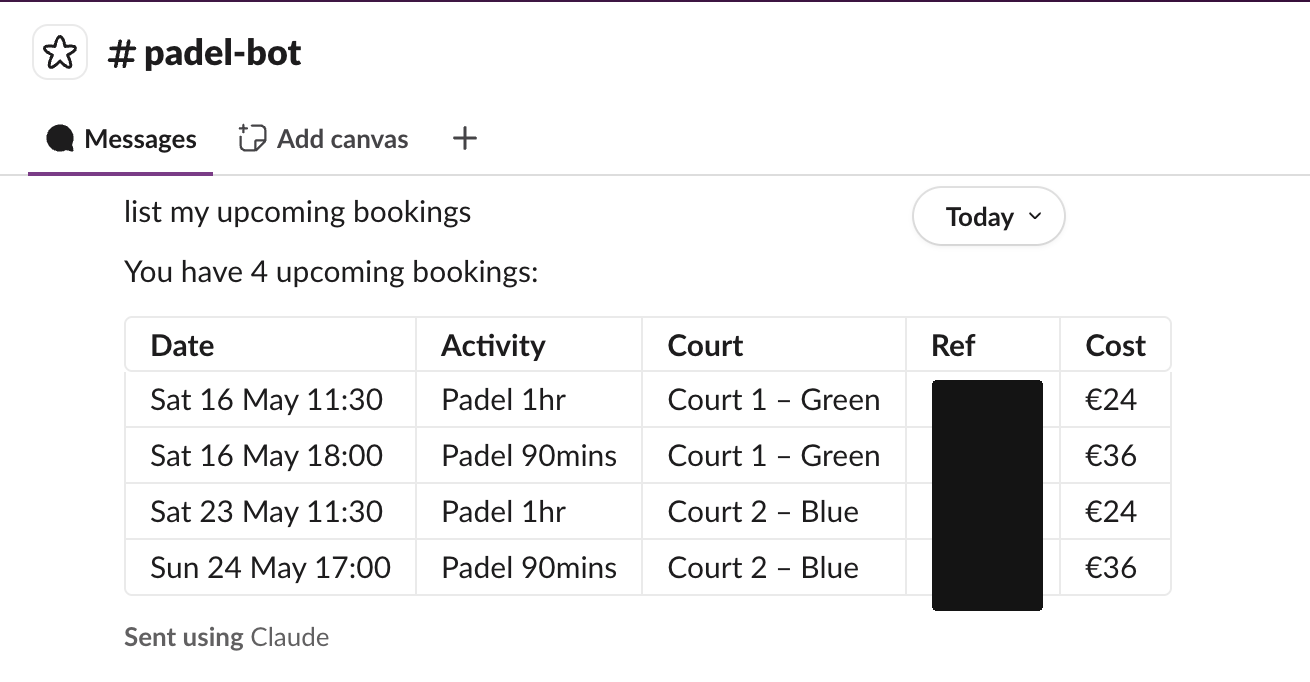
The agent picked up the message within a couple of seconds, called the padel MCP skill, and posted the upcoming court reservations directly in the channel. No slash command, no bot mention required, just natural language in the channel. The screenshot above captures that exchange in real time.
What I’d refine before production
- Reply latency: the agent re-reads Slack history each tick. In Scenario B the user’s text is already in the forwarded
user.message, so a small system-prompt tweak (“if the user.message starts withslack-event, treat its text as authoritative; skip the history fetch”) would shave a second. - Cold starts: Slack expects 200 within 3 s. A cold Lambda init can push close to that limit.
Provisioned Concurrency = 1makes it deterministic. - Idempotency: Slack retries on any non-2xx and on its own retry policy. With cold starts that can mean two deliveries of the same
client_msg_id, which would fire the agent twice. A 5-minute TTL DynamoDB dedup table keyed onclient_msg_idcloses the hole. - Permission policy: I set
mcp_toolsettoalways_allowso the bot is autonomous. For an agent with destructive MCPs, the right default isalways_ask+ a webhook (session.requires_action) → a human-in-the-loop UX. Worth a sidebar in production designs. - Skill versioning: I uploaded the read-only subset of
pslc-padelassource: custom. Updates go throughskills.versions.create. The agent pins byskill_idandversiondefaults tolatest, which is fine for one-developer demos, but a production deployment should pin a specific version and roll it through agent versions.
Verdict
This is a hands-on read after standing up the padel agent end-to-end (Slack OAuth, Skill upload, Environment, Agent, Session, Lambda bridge, the lot). Not production scale, but every primitive on the page actually exercised under load you’d see from one channel of small talk.
How it compares
| Aspect | Claude Platform on AWS | Claude in Amazon Bedrock | Amazon Bedrock (legacy) |
|---|---|---|---|
| Who operates the stack | Anthropic | AWS | AWS |
| API surface | Anthropic Messages API (/v1/messages) | Anthropic Messages API at /anthropic/v1/messages | Bedrock Converse / InvokeModel |
| Feature availability | Typically same-day as Claude API | Per Amazon Bedrock release schedule | Per Amazon Bedrock release schedule |
| Agent Skills | Available (beta) | Not available (requires code execution) | Not available |
| Beta features | Pass through with anthropic-beta headers | anthropic-beta header not supported | anthropic-beta header not supported |
| Authentication | AWS IAM / SigV4 or API key | AWS IAM / SigV4 | AWS IAM / SigV4 or bearer token (C#, Go, and Java SDKs only) |
| Billing | AWS Marketplace | AWS (native service) | AWS (native service) |
| Base URL | aws-external-anthropic.{region}.api.aws | bedrock-mantle.{region}.api.aws | bedrock-runtime.{region}.amazonaws.com |
| SDK client | Platform-specific client class (for example, AnthropicAWS in Python), in beta | AnthropicBedrockMantle | AnthropicBedrock / Bedrock SDK |
| Console | Claude Console (platform.claude.com, access through the AWS Console) | Bedrock Console | Bedrock Console |
| Rate limits and quotas | Managed by Anthropic | Managed by AWS | Managed by AWS |
| Inference data processor | Anthropic | AWS | AWS |
Source-of-truth for this matrix is Anthropic’s Claude Platform on AWS doc; the comparison table above is reproduced from that page’s “Claude Platform on AWS vs Amazon Bedrock” section.
Who should use it
- Claude-only teams on AWS who want every Anthropic feature day-one with consolidated AWS billing. This is the obvious win.
- Direct-Anthropic-API customers with an AWS commitment to retire. Moving here gets you IAM, CloudTrail, and AWS commitment retirement without giving up the feature set you already use.
- Teams running a three-way failover across direct, AWS, and Bedrock. The independent capacity pool is the only reason this works.
Who should not use it
- Regulated workloads that need FedRAMP High, IL4-5, or HIPAA-ready. Stay on Bedrock; Anthropic itself says so.
- Multi-model shops who want Llama, Mistral, or Titan alongside Claude. Bedrock keeps that story.
- Bedrock incumbents already happy with Guardrails, Knowledge Bases, and PrivateLink to the Bedrock service. There is no strong reason to migrate today.
What I would watch next
- Real third-party latency numbers for CPoA versus Bedrock versus direct on identical workloads. None exist yet.
- A clear public statement on the network path between AWS gateway and Anthropic inference. PrivateLink lands on the gateway; what happens beyond it is not documented.
- How Anthropic handles the asymmetry where the direct API offers BAAs but CPoA explicitly does not.