Cloudflare MCP Server Portals: Hands-On with Three Workers Behind One Portal
By Fabio Douek
Human-led, AI-assisted. Research and implementation done with AI tools, led, tested and edited by me. How posts are labeled
Jump to section
Explain (TLDR) like I am...
Imagine a school with one front door and a grown-up standing at it. Behind the door there are three classrooms, and each has its own helpers. Instead of learning where every classroom is, a visitor only has to know the front door, and the grown-up lets in the right people and shows them the right helpers.
The grown-up can also hide a helper that is not for visitors. But the classroom still has a side door, and anyone who finds it can walk in, so the side door needs its own lock too.
A portal is a single gateway in front of several MCP servers. Access policies decide who gets in, and each call is logged with the server, the tool and the result. That gives you one place to review and one record to point to.
The material caveat is that hiding a tool in the portal is not enforcement. In my test the server behind it still accepted a destructive call made directly to its own address, with no credentials. Enforcement has to sit on the server too. Log export is an Enterprise feature.
Think of the portal as a triage desk placed in front of three specialist clinics. It checks identity, decides which clinics a person may see, and writes a chart entry for every visit. The first-day measurements were benign: about 90 milliseconds of added delay per call in my runs.
The finding to watch is a contraindication. Hiding a procedure at the desk does not stop someone who walks straight into the clinic. The clinic needs its own check, and I confirmed that one works.
A portal takes a worry off the team's plate: nobody has to remember which of several server addresses to paste into which tool. One address, one sign-in, and a list that has already been curated.
The feeling it can create is false comfort. Seeing a dangerous tool disappear from the list feels like safety, yet the server itself still answers anyone who calls it directly. Naming that gap early, and agreeing who owns the lock on each server, saves an awkward conversation later.
Think of the portal as a mixing desk with one output. Three instruments plug in, and you decide which channels reach the speakers and what each one is called on the label. The audience only hears the mix.
The catch is latency: the extra hop added about 90 milliseconds per call in my runs, which is fine for an agent and noticeable for anything that needs to feel live. And muting a channel on the desk does not unplug the instrument, so it can still play if someone reaches it directly.
The story is one endpoint instead of many. Teams configure a single portal URL in their AI client, and administrators decide which servers and tools sit behind it, with a log of every call. On a Free account it took about a minute from the API calls to a live portal.
The honest positioning is "a front door", not "a vault". The post shows where the door stops: a hidden tool can still be reached on the server's own address until you put an access check there. That clarity is the part worth borrowing for a case study.
 See the source code here: cloudflare-mcp-server-portals
Overview
A Cloudflare MCP Server Portal puts several remote MCP servers behind one hostname. The client is configured with a single URL, https://<host>/mcp. Cloudflare Access handles who may connect, the portal prefixes every tool with its server’s id (notes_get_note, tickets_list_tickets), and an administrator decides which servers and which tools show up. Portals went into open beta on 2025-08-26 and became generally available on 2026-09-24, according to Cloudflare’s Access changelog.
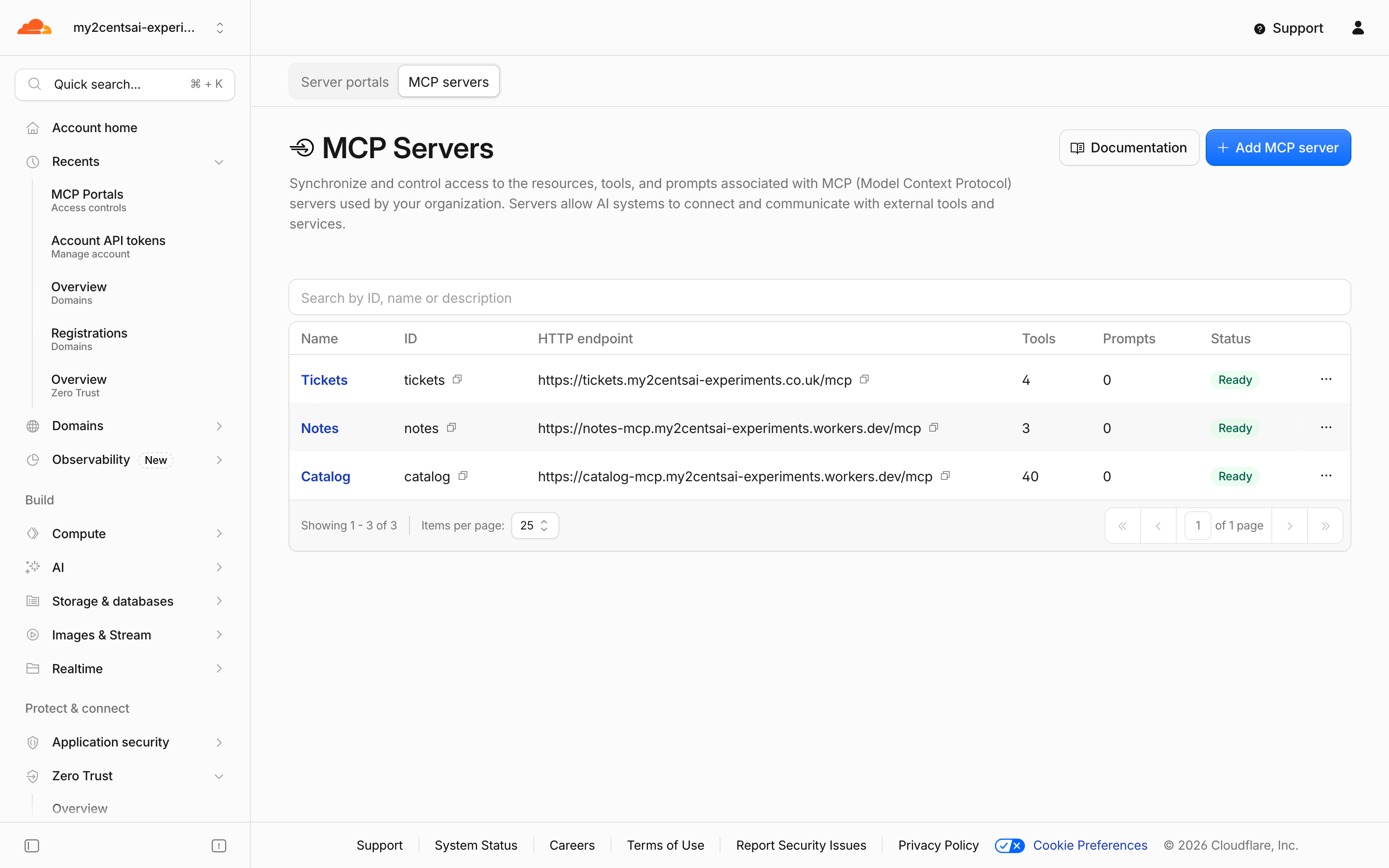
The question I wanted to answer is the one the launch material leaves open: is a portal a launcher that tidies up a list of servers, or an enforcement point? Cloudflare’s own docs say a user blocked from a server can still reach it by its direct URL. I wanted to see that happen, close it, and measure what the hop costs. I used a Free account with Zero Trust turned on and a domain I had on it, and I created everything through the API, so the dashboard shows what the scripts made rather than what I clicked.
I tested three Workers MCP servers: notes (three read-only tools, no auth), tickets (four tools, one of them a destructive delete_ticket) and catalog (40 small tools, to see what a large tool list costs). The code is in the companion repo.
Architecture
Setup
I used a Free Cloudflare account with Zero Trust on, a domain that was already an active zone on it, and a scoped API token. The docs ask for an active domain on Cloudflare for the portal URL. I first tried to delegate a subdomain of my main domain to this account, and the dashboard refused to add it as a zone: subdomain zones are Enterprise-only, so I used a separate domain. Two wrangler deploy runs put the servers on workers.dev. The Workers are about 60 lines each: a McpServer from @modelcontextprotocol/server wrapped by createMcpHandler from the agents package, which is stateless, with no Durable Object. The tickets Worker wraps it like this; notes builds the handler per request so it can read a variable.
const handler = createMcpHandler(createServer);
export default {
  fetch: (request: Request, env: unknown, ctx: ExecutionContext) => handler(request, env, ctx),
} satisfies ExportedHandler;
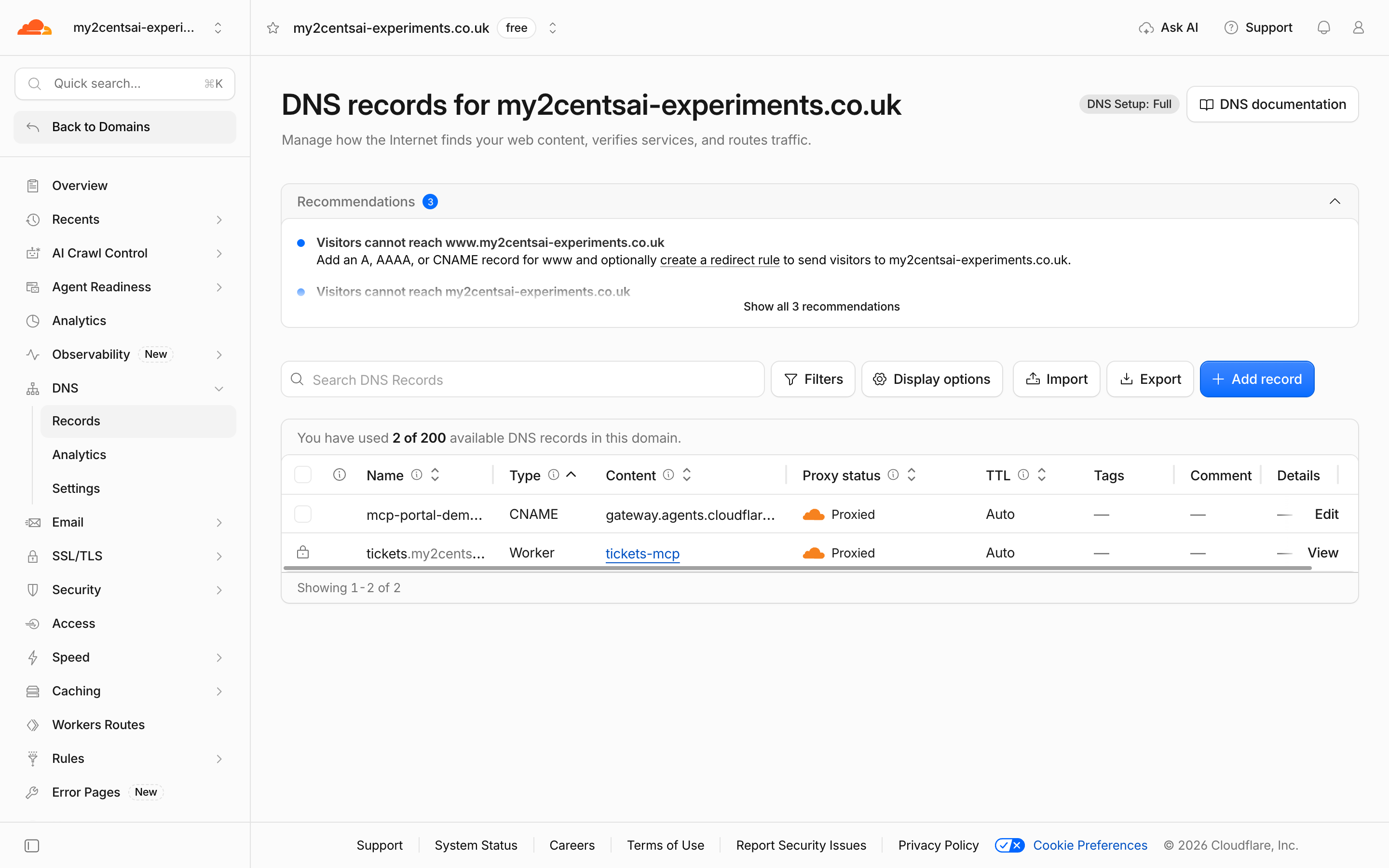
The API does less than the dashboard. POST .../access/ai-controls/mcp/servers and .../portals create the servers and the portal, and the docs say the API does not create the DNS record, so you add a proxied CNAME to gateway.agents.cloudflare.com yourself. I found it also does not create the Access applications, so I created the policy, the portal application and one application per server too. After that the dashboard showed “This portal is protected by portal-demo portal”. From the first API call to a portal that answers took 65 seconds in my recorded run:
| Seconds after the first call | What https://mcp-portal-demo.<domain>/mcp did |
|---|---|
| 8 | The name did not resolve on my machine |
| 13 | Cloudflare error 1014, “CNAME Cross-User Banned” (HTTP 403) |
| 65 | HTTP 401 with OAuth discovery metadata, which is the portal working |
How It Works
A client’s first contact
With no credentials the portal answers 401 with a WWW-Authenticate header that points at its OAuth protected-resource metadata, which names the portal itself as the authorization server and lists authorization, registration, revocation and token endpoints. An interactive client can walk that. A headless agent can instead send an Access service token as CF-Access-Client-Id and CF-Access-Client-Secret headers, which is what I did. A token the policy does not allow gets Cloudflare’s Access block page (HTTP 403), and the allowed one gets a session id (Mcp-Session-Id) that every later call must carry. A stateless Worker needs none of that, so the portal adds statefulness for 2025-era clients.
One more thing I hit: the 1014 error is not only a start-up artefact. In an earlier run it appeared in the middle of a latency test, after the portal had been answering, so the companion client sends such a call again.
What the hop costs
I called get_note 30 times directly on the notes Worker and 30 times through the portal, from a home connection, after a warm-up call each.
| Path | min | median | p95 | max |
|---|---|---|---|---|
| Direct to the Worker | 12 ms | 14 ms | 30 ms | 41 ms |
| Through the portal | 93 ms | 105 ms | 143 ms | 154 ms |
The median overhead was 91 ms in that run, and 92 ms and 118 ms in two earlier runs that I did not keep. That is the portal hop plus its own call to the Worker, measured from one place, so treat it as an order of magnitude: roughly a tenth of a second per call.
Curating the tool list
The portal’s list for the agent had the three portal management tools (portal_list_servers, portal_toggle_servers, portal_toggle_single_server) plus every upstream tool with its server prefix. I hid delete_ticket and renamed list_tickets with a portal-level alias through PUT .../portals/demo.
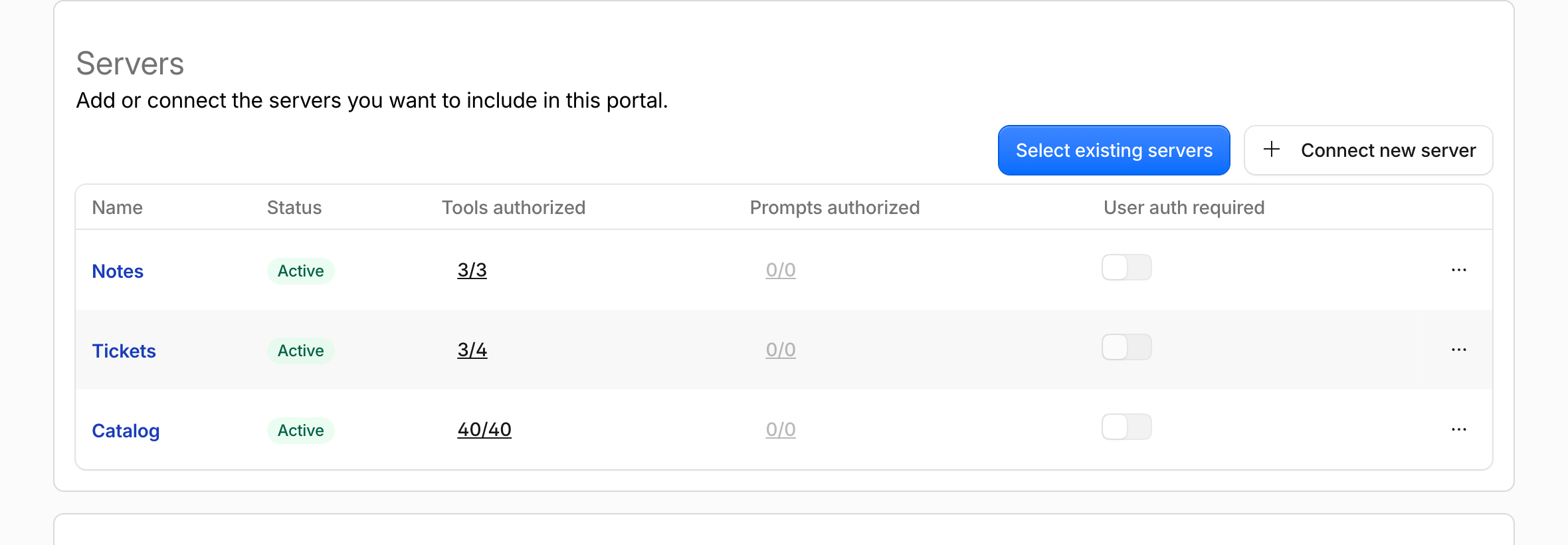
A new session saw tickets_recent instead of tickets_list_tickets and no delete tool, and calling the hidden tool by name returned Tool tickets_delete_ticket not found. The change reached a fresh session after between 1 and 16 seconds over several runs, so a script that changes the list should poll rather than assume. When I redeployed notes with one more tool and called POST .../servers/notes/sync, the portal had it in under a second, and the agent saw it as notes_count_notes after 12 to 15 seconds.
Hiding is not enforcement
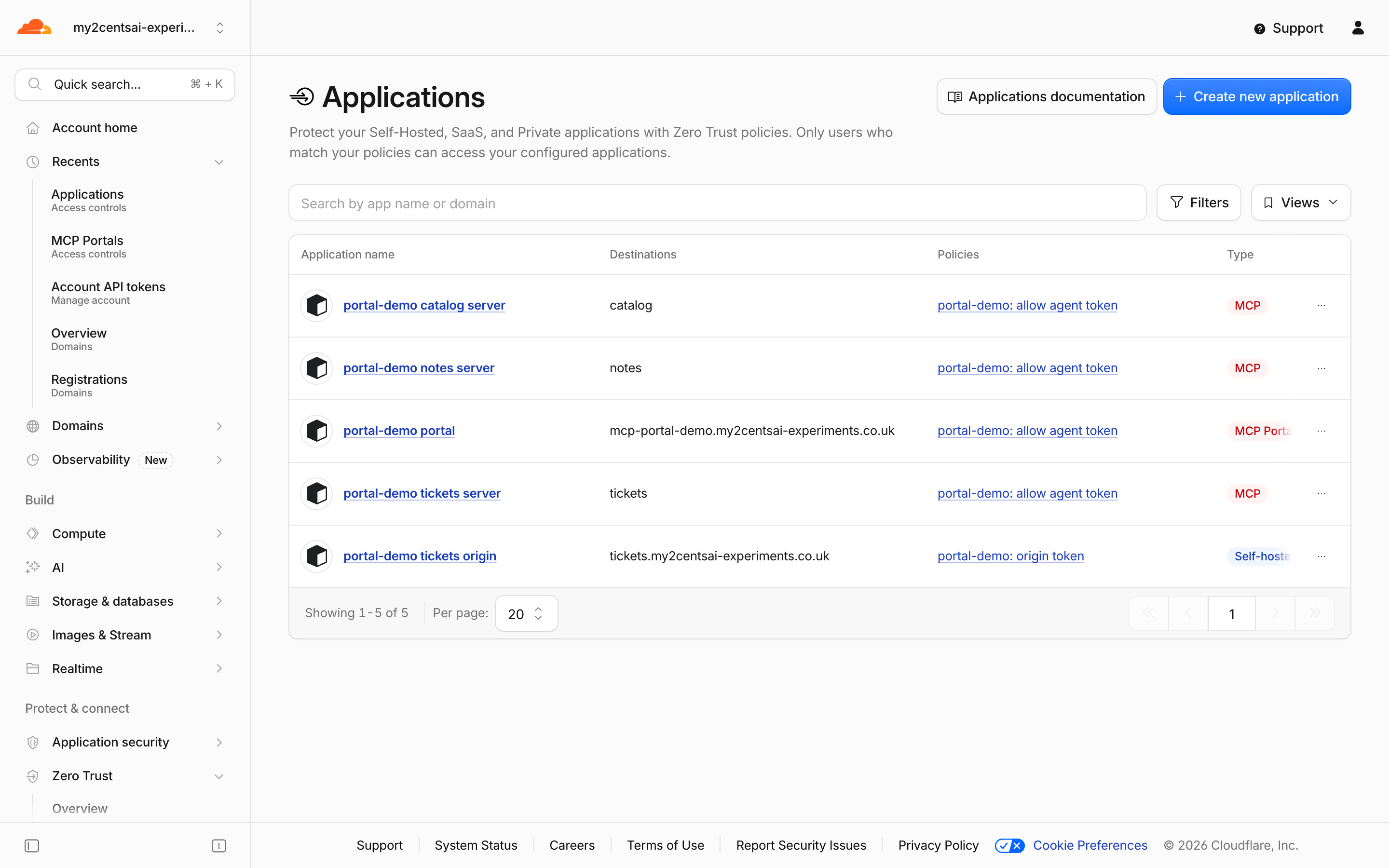
With delete_ticket hidden in the portal, I called the tickets Worker’s own workers.dev URL with no credentials and it ran: deleted 2. That is the documented limitation, now reproduced. To close it I moved the Worker to a custom domain with workers.dev switched off, put a self-hosted Access application with a Service Auth policy in front of it, and registered it in the portal as a bearer server carrying that second service token as headers.
Two details cost me time. A server’s hostname and auth_type cannot be changed with PUT (the endpoint takes name, credentials and tool overrides), so I deleted and registered the server again, and with it the server’s Access application. And a bearer server defaults to per-user authorization in the portal mapping, which a service-token session never sees, until the mapping says on_behalf: false.
| Attempt after the fix | Result |
|---|---|
Old workers.dev URL, no credentials | HTTP 404 |
| Custom domain, no credentials | HTTP 403 |
| Custom domain, the other service token | HTTP 403 |
| Custom domain, the origin token | HTTP 200 |
| Through the portal, agent token | HTTP 200 |
The same Worker code ran in both cases. The portal did not enforce anything on its own; the Access application on the origin did.
Who gets in, and who sees what
I used two service tokens and a few Access policies. With the portal’s policy allowing only the agent token, the other token got a 403. When the portal and notes allowed both tokens but tickets allowed only the agent, the second token connected and saw only the three notes tools. That matches the docs, which say a server appears in a portal only for users that match an Allow policy on it. The docs also say independent MFA, purpose justification and temporary authentication are not enforced for servers authorized through a portal, which I did not test.
Logs
The portal logs each tool call with the server, the capability, the tool, the status and the duration.
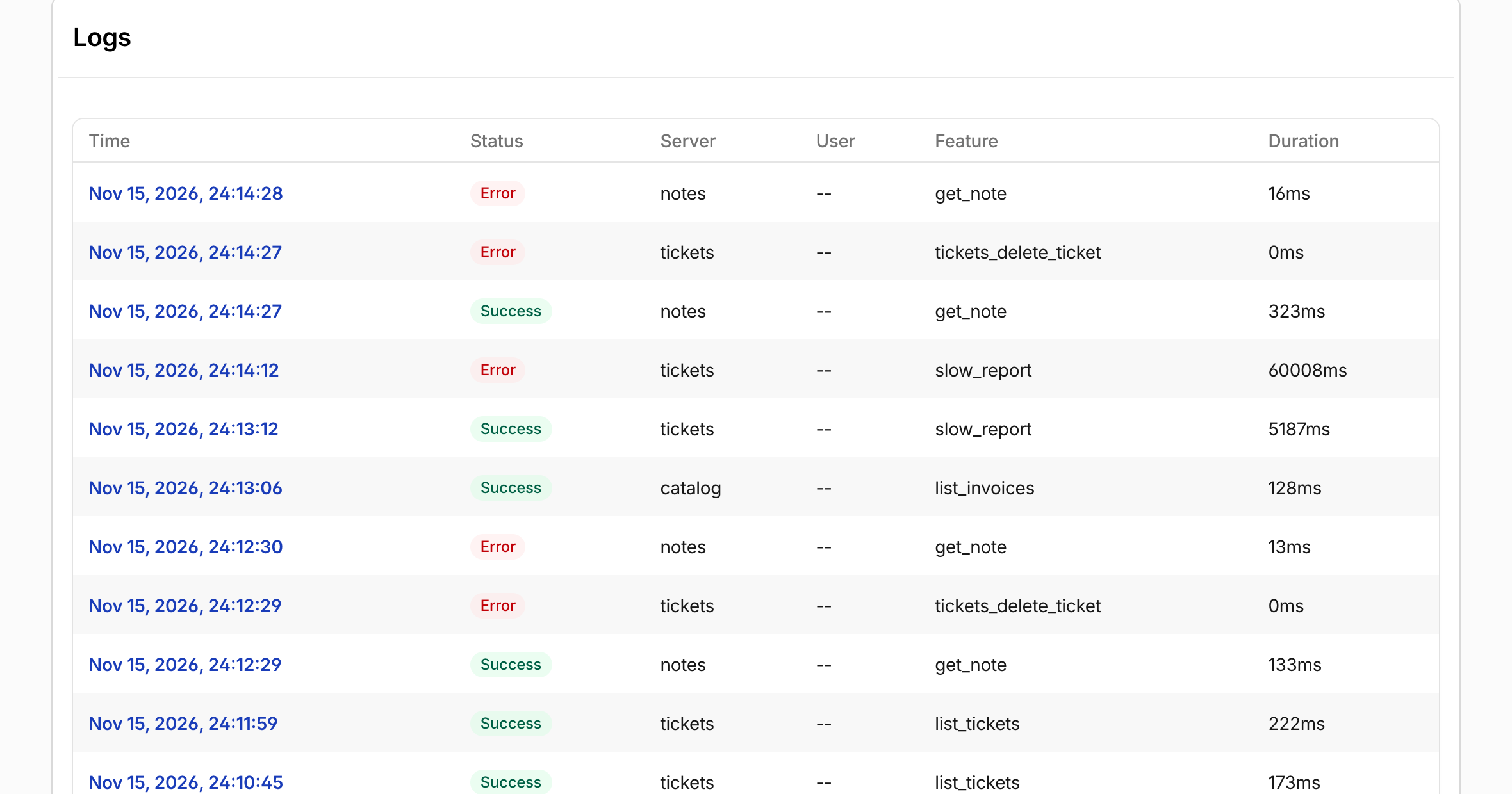
Those rows came from my scripts: a hidden-tool call and a call for a note that does not exist are both Error, and a call that outlasts the timeout shows up with 60008 ms. A request the portal’s Access policy blocked does not appear there; it is in the Access request log, with allowed: false. The analytics endpoint gave counts by status (success, error, all), and the docs list Logpush export as Enterprise-only. I found GET .../access/ai-controls/mcp/logs returns these rows too, but it is not in the docs I read, so I would not build on it.
Context size
I added catalog with 40 small tools and compared what the agent receives. The sizes are the JSON length of the tools/list result, and the token figures are characters divided by four, an estimate and not a tokenizer count.
| Portal URL query | Tools listed | Characters | About tokens |
|---|---|---|---|
| none | 49 | 13,306 | 3,300 |
?optimize_context=minimize_tools | 50 | 8,387 | 2,100 |
?optimize_context=search_and_execute | 5 | 2,058 | 510 |
?codemode=search_and_execute | 5 | 4,784 | 1,200 |
With search_and_execute the agent finds a tool with portal_query_tools(pattern=...) and calls it with portal_execute(tool_name, arguments), and both worked against catalog. Cloudflare reports a 94% reduction on one internal deployment (52 tools, about 9,400 tokens to about 600). My 49 tools went from about 3,300 to about 510 with search_and_execute, a smaller list and a smaller cut. In an earlier run, before I added catalog, the portal listed nine tools (three from notes, three from tickets with the delete tool hidden, and its own three) at about 2,400 characters, and none of these options saved anything. The context options pay off with large lists.
When things fail
A tool call that takes 65 seconds returned an error after 60.1 seconds: Request timed out - server is slow or unresponsive, code -32001, timeout: 60000. A five-second call was fine. A server pointed at a Worker that does not exist registered, then showed status: error with HTTP 404 | error code: 1042 and no tools. Registering the tickets server on its new custom domain also showed status: error for about 19 seconds, with a message that suggested routing through Gateway, until repeated syncs made it ready, which is why the script asks for another sync.
Cleanup
Everything the scripts create is removed by 99_cleanup.py: the portal, the three servers, the five Access applications, the three policies, the three service tokens, the custom-domain attachment, the proxied record and the three Workers. It then lists the portals, servers, Access applications, policies, service tokens, Workers and DNS records in the account; every count was zero afterwards in my run. The Free plan cost me nothing: Workers Free and Zero Trust Free (up to 50 users) charge nothing, and I found no separate charge for portals on any Cloudflare page I read.
.venv/bin/python 99_cleanup.pyVerdict
What works. A portal is quick to stand up through the API on a Free account, the one URL with prefixed tool names is what you would expect, and curation (hide, rename, sync) is simple. The per-call log with server, tool, status and duration is useful. The service-token path makes it scriptable for agents.
What does not. The portal is not an enforcement point for the servers behind it. I reproduced the direct-URL bypass and it needed an Access application on the origin to close. The API leaves out the DNS record and the Access applications that the dashboard creates, hostname and auth type are fixed after creation, changes take seconds to reach a session, and I hit a Cloudflare 1014 error at start-up and once in the middle of a run. The hop costs about 100 ms per call from my connection.
Who should use it. Teams already on Cloudflare One that want one stable MCP URL, curated tool lists and a log, and that will also put Access in front of their own servers. Teams that need stdio servers (the docs say portals take remote HTTP servers only) or tool lists that differ per role (the toggles are per portal) will find it limiting. Treat the portal as the front door and lock each server separately.